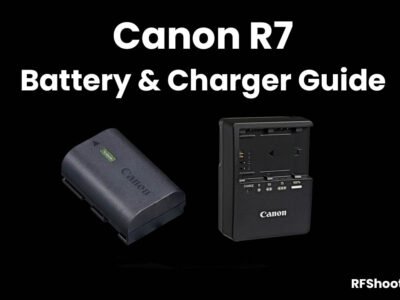
The Canon R7 includes one Canon LP-E6NH Lithium-Ion Battery (7.2V, 2130mAh) in the box when purchased from new, it also supports the Canon LP-E6N and LP-E6 batteries.
In this guide you’ll find all of the officially supported batteries and chargers for the R7 and also the third-party options.
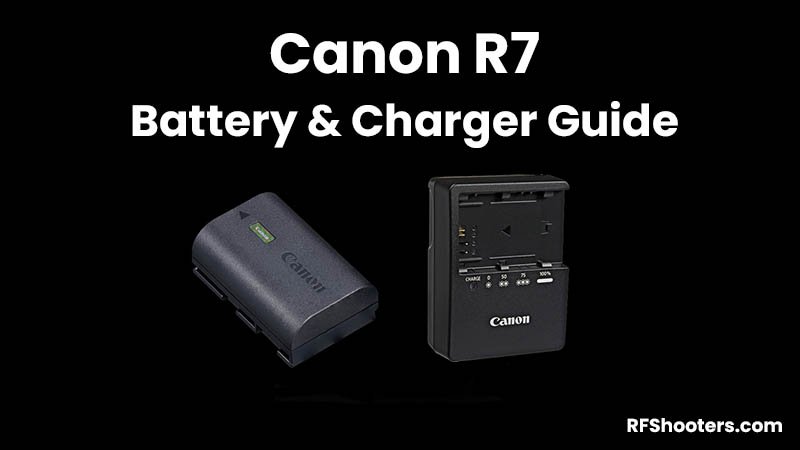
Table of Contents[Hide][Show]
Canon R7 Forum & Facebook Group
If you are looking for further help and advice on the Canon R7 or would simply like to share your photos and videos, then please head over to our friendly Forum. If you prefer Facebook then we also run the Canon R7 Shooters Group.
Official Canon Batteries
The official battery for the Canon R7 is the Canon LP-E6NH Lithium-Ion Battery (7.2V, 2130mAh). One of these is included when you purchase the R7 from new.
The Canon LP-E6N and LP-E6 batteries are also supported. However, only the LP-E6NH and LP-E6N support charging over USB.
The LP-E6 or other unauthenticated third-party batteries do not support charging over USB in-camera.
Canon LP-E6NH
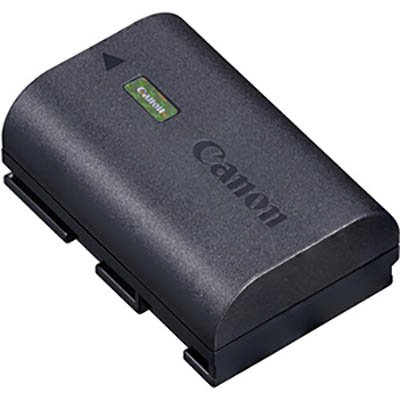
The Canon LP-E6NH Lithium-Ion Battery (7.2V, 2130mAh) is the battery that’s included with the R7 when purchased from new.
This is the battery that I would recommend purchasing for use with the R7. You can also use this battery in the Canon R5, R5C, R6, and R mirrorless cameras.
This battery also supports in-camera charging via USB.
If you are shooting stills for an entire day then you will probably want at least 3 of these batteries, possibly more if you are shooting a lot of video.
Canon LP-E6N
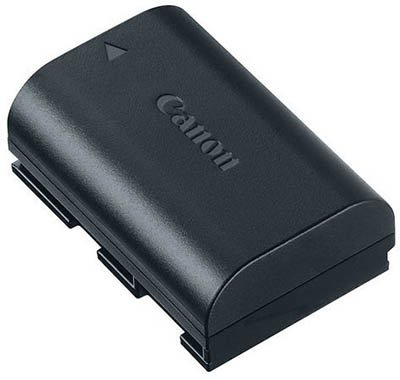
The Canon LP-E6N Lithium-Ion Battery (7.2V, 1865mAh) is an older battery that has been replaced by the newer LP-E6NH battery.
It has a slightly smaller capacity than the new LP-E6NH battery (1865mAh vs 2130mAh) but it is still supported in the R7 and can also be charged in-camera via USB.
Canon LP-E6
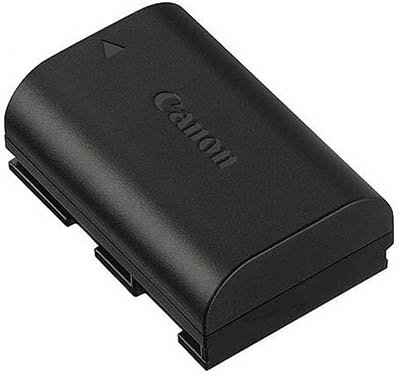
The Canon LP-E6 Lithium-Ion Battery (7.2V, 1800mAh) is again an older battery that is still supported in the R7.
Unfortunately the Canon LP-E6 does not support in-camera charging via USB like both the LP-E6NH and LP-E6N batteries do.
Official Canon Battery Chargers
The Canon R7 includes one LC-E6 (US) / LC-E6E (Europe) battery charger in the box when purchased from new.
Canon LC-E6 / LC-E6E Battery Charger
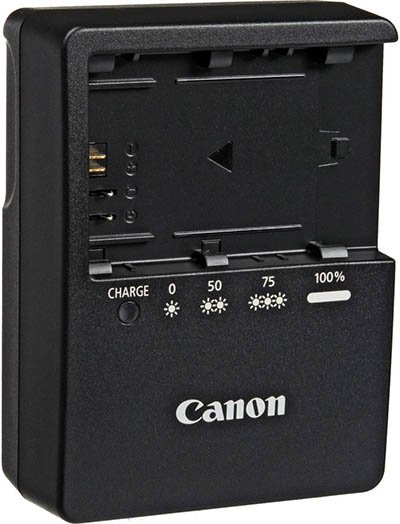
The Canon LC-E6 (US) / LC-E6E (Europe) battery charger can be used to charge a single LP-E6NH, LP-E6N, LP-EL or LP-E6 battery.
It will take approximately 2 hours to fully charge one LP-E6NH battery.
If you need to charge multiple batteries then you may want to purchase an additional one of these chargers.
Third-Party Batteries
I generally only recommend using genuine Canon batteries to power your R7 because there is always a risk involved when using third-party batteries.
If you don’t mind taking the risk then these are the better third-party battery options available.
Please note that no one has tested these third-party batteries in the R7 yet, so there is no guarantee that they will work correctly.
Watson LP-E6NH
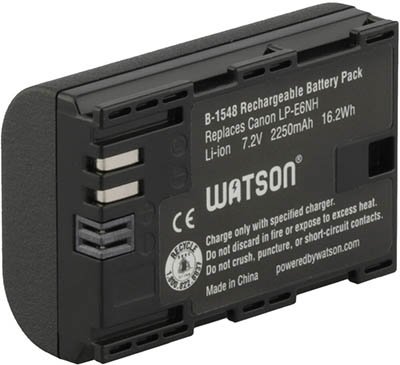
When it comes to third-party batteries Watson do have a very good reputation.
Their LP-E6NH battery is known to work well in the Canon R5 and R6 mirrorless cameras, but so far it has not been tested in the R7.
Check Price & Buyer Reviews: Watson LP-E6NH Battery
At: Amazon | B&H Photo
Third-Party Battery Chargers
Just like with the batteries, I do recommend sticking to the official Canon battery chargers, but if you don’t mind going third-party then here are your options for the R7.
Watson Mini Duo Charger
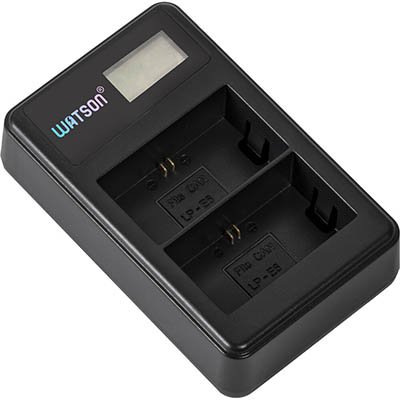
The Watson Mini Duo Charger supports simultaneous charing of two third-party LP-E6NH / LP-E6N / LP-E6 batteries via an included USB adapter. A full charge of two batteries will take approximately 5-6 hours.
It’s important to note that this charger does not support the charging of the official Canon LP-E6NH / LP-E6N / LP-E6 batteries, only third-party versions like Watson.
The LCD screen displays the charge status and the charger also includes built-in overcharge, short-circuit, and power surge protections.
Check Price & Buyer Reviews: Watson Mini Duo Charger
At: Amazon | B&H Photo
USB Charging
Only the Canon LP-E6NH and LP-E6N batteries support charging via the R7’s USB-C connector. With the LP-E6 or other third-party batteries, charging over USB is not supported.
Canon PD-E1 USB Power Adapter
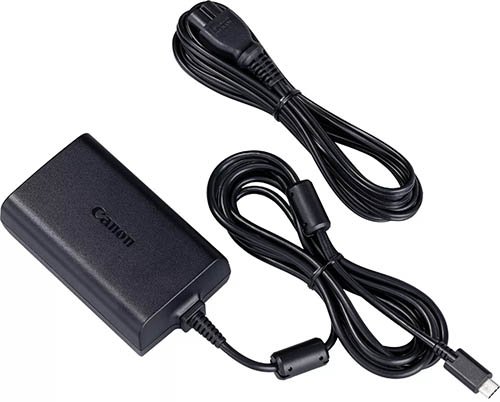
The Canon PD-E1 USB Power Adapter allows you to charge the Canon LP-E6NH and LP-E6N batteries in-camera via the R7’s USB-C port.
It can also be used to provide power to the R7 when switched on, but it will not charge the battery at the same time.
Anker PowerPort III Duo
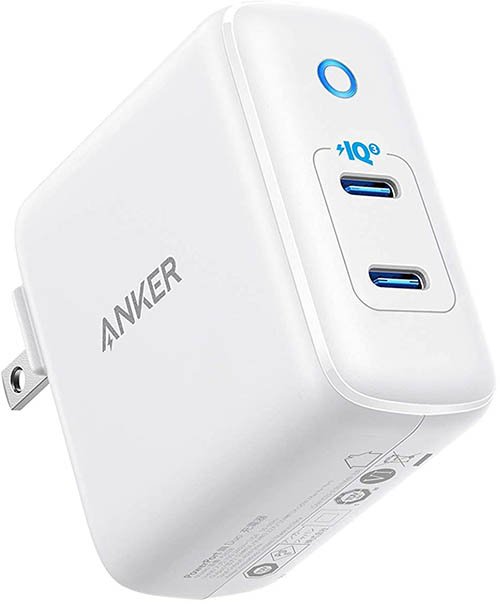
The Anker PowerPort III Duo is a 40 watt charger that charges at a maximum of 20 watts per port and supports Power Delivery (PD). There are two USB-C ports so you can charge your EOS R7 and another device at the same time.
No USB-C cables are included and because the R7 does not include a USB-C cable in the box, you will need to purchase one separately. There are many options but we’d recommend a USB-C to USB-C cable from Anker (Amazon).
You may already have a USB-C charger and cable at home that you wish to try first. You’ll know that your R7 is charging successfully because the green charge light will light up. If it doesn’t, there’s probably an issue.
This charger only provides enough power to charge the battery inside the R7 when the camera is powered off, it will not charge when the camera is powered on.
Check Price & Buyer Reviews: Anker PowerPort III Duo
At: B&H Photo | Amazon
Anker PowerCore Slim 10000 PD
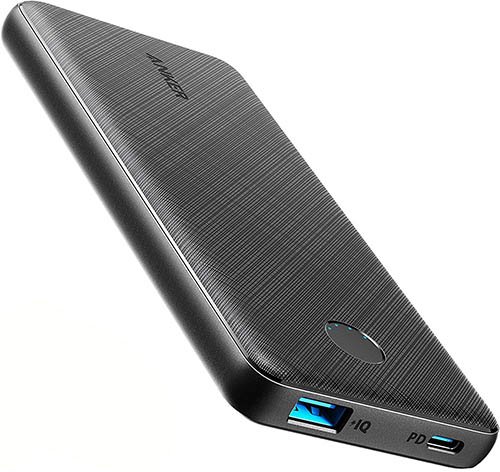
The Anker PowerCore Slim 10000 PD supports 20 watts power delivery via its USB-C port.
I use this power bank myself and I’ve tested it with the R7. It charges the battery in the R7 when the camera is powered off, but it won’t charge the battery when the R7 is turned on.
Check Price & Buyer Reviews: Anker PowerCore+ 26800mAh PD 45W
At: B&H Photo | Amazon
Battery Grip
Unfortunately there is no official battery grip from Canon or third-parties available for the R7 at this time. Hopefully we will see one in the not so distant future!
That said, some people are modifying the old Canon BG-E2N Grip to work with the R7. See this post in our Canon R7 Shooters Facebook Group.
Your Comments
If you have any questions please do drop a comment below and I’ll get back to you.
Also if you can provide any feedback on your experience with third-party batteries and chargers please also share this in the comments below.
Thanks for reading! 🙂
Canon R7 Guides

Canon R7 Forum & Facebook Group
If you are looking for further help and advice on the Canon R7 or would simply like to share your photos and videos, then please head over to our friendly Forum. If you prefer Facebook then we also run the Canon R7 Shooters Group.

I’ve just purchased a R7 plus an extra (second) LP-E6NH. Is there an external charger (not using the in camera charging feature) that will charge via USB-C that has been tested with the LP-E6NH? I’ve bascially consolidated all my charging for travel to USB-C, using either Anker powerports with multiple USB-C ports when I have an AC connection available, or using powerbanks when I’m out and about. Ideally I’d like to find a small LP-E6NH charger that takes USB-C input can be powered from a powerbank while I am using the second battery.
I’m trying to record videos and streaming with the r7. But I need to charge the battery while doing so is it anything out there that I can do this with? I read the article and wasn’t sure if it’s just these adapters that won’t work, or is it some other ones that would? Please help I’m lost concerning this issue lol..
Hi Steve. If you aren’t mobile than you could use the Canon PD-E1 USB Power Adapter, this is officially supported and will power the R7 when turned on. The Anker PowerPort III 65W Pod USB charger is a much cheaper option, this works with my R5 but I haven’t had the opportunity to test it with the R7 yet. If you don’t have access to a power socket then the Anker PowerCore+ 26800mAh PD 45W power bank is a possible solution. However, I say possible because although I know this works to power my R5 when turned on, I’ve not had the opportunity to test it with the R7 yet, so I can’t confirm with 100% certainty that it will work.
Thanks mate. If I’m streaming how long is the time frame for streaming? Like does it have a recording limit? Like if I’m recording over 30 minutes will it automatically shut off?
If I want to use the camera only with USB power instead of loading the battery, do you know if I still have to have a battery placed inside?
Yes you will still need to have the battery in the camera I’m afraid.