Welcome to our detailed comparison between the Canon R100 and the Canon R50 mirrorless cameras.
With the Canon EOS R100 having an MSRP of just $479.99 US for the body-only and the R50 an MRSP of $679.00, these are two of Canon’s lowest priced mirrorless cameras in their growing EOS R Series line-up.
Is it worth forking out an extra $200 for the R50 over the R100?
Read on to find out…
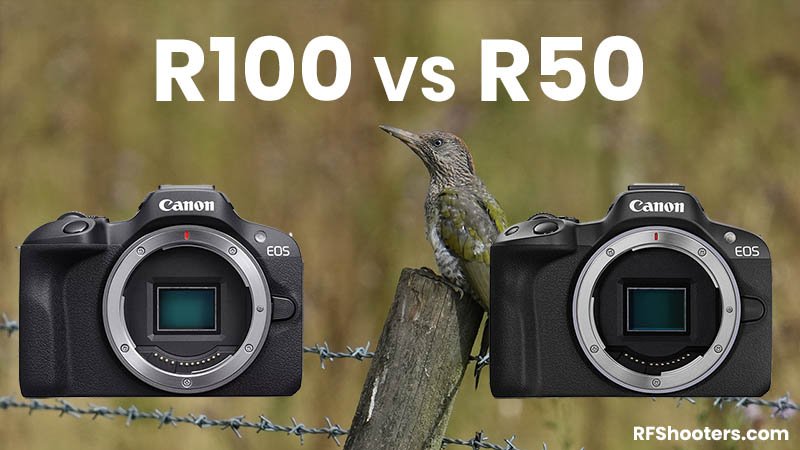
Before we dive into our detailed comparison, here’s a quick look at the key features that these two entry-level cameras share in common:
- APS-C sensor
- RF-mount
- LP-E17 battery
- One SD card slot compatible with UHS-I memory cards
- Human Eye AF
- Electronic-first curtain shutter
- No IBIS (in-body stabilization)
- USB C port
- Built-in pop-up flash
- 3.5mm diameter stereo mini jack
- Wi-Fi and Bluetooth 4.2
Table of Contents[Hide][Show]
- Key Spec Comparison
- Summary
- Questions
- Canon R100 Guides & Resources
- Canon R50 Guides & Resources
Complete Specification Comparison+−
- Image Sensor
- Recording System
- White Balance
- Viewfinder
- LCD Screen
- Autofocus
- Exposure Control
- Shutter
- Image Stabilization (IS mode)
- External Speedlite
- Drive System
- HDR Shooting
- Video Shooting
- Playback
- Quick Control Function
- Image Protection & Erase
- Direct Printing
- DPOF: Digital Print Order Format
- Wi-Fi
- Bluetooth
- Customization
- Video Calls / Streaming
- Interface
- Power Source
- Dimensions & Weight
- Operating Environment
Key Spec Comparison
Here’s a quick look at how the key specifications compare between these two cameras.
| Canon R100 | Canon R50 | |
|---|---|---|
| Lens Mount: | Canon RF | Canon RF |
| Sensor: | 24.1 MP APS-C CMOS sensor | 24.2 MP APS-C CMOS sensor |
| Processor: | DIGIC 8 | DIGIC X |
| ISO Sensitivity: | Normal: ISO 100–12800 Expanded: ISO 25600 | Normal: 100-32000 Expanded: 51200 |
| Frames Per Second: | 3.5 fps (Servo AF) or 6.5 fps (One-Shot AF) | 12 fps (Electronic 1st curtain) / 15 fps (Electronic Shutter) for both Servo AF and One Shot AF |
| Autofocus: | Dual Pixel CMOS AF | Dual Pixel CMOS AF II |
| AF Tracking: | Humans (Eyes/Face/Head/Body) | Humans (Eyes/Face/Head/Body), Animals (Eyes/Face/Body) of Dogs, Cats and Birds or Vehicles (Racing cars or Motor bikes) |
| Eye AF: | Humans | Humans / Animals |
| In-Body Stabilization (IBIS): | No | No |
| Video Resolution Max: | 4K (24p) with a 1.6x crop | 4K (30p) with no crop |
| Electronic Viewfinder (EVF): | 2.36 million dot OLED EVF | 2.36 million dot OLED EVF |
| Display (LCD): | 3 inch Fixed with 1.04 million dots | 3 inch Vari-Angle Touchscreen with 1.62 million dots |
| Image Buffer: | 100 JPEG L, 6 RAW | Electronic 1st-curtain shutter: 42 JPEG L, 7 RAW Electronic shutter: 28 JPEG L, 7 RAW |
| Shutter Speed: | 1/4000 to 30 sec | Electronic 1st-curtain shutter: 1/4000th sec – 30 seconds Electronic shutter: 1/8000th sec – 30 seconds |
| Memory Card Slots: | One SD card slot compatible with UHS-I memory cards | One SD card slot compatible with UHS-I memory cards |
| Built-in Flash: | Yes | Yes |
| Connectivity: | Wi-Fi and Bluetooth 4.2 | Wi-Fi and Bluetooth 4.2 |
| Ports: | USB Type-C, HDMI micro OUT terminal (Type D), 3.5mm diameter stereo mini jack for microphone | USB Type-C, HDMI micro OUT terminal (Type D), 3.5mm diameter stereo mini jack for microphone, headphone 3.5mm diameter stereo mini-plug |
| Weight (body only): | 356 g (12.5 oz) | 328 g (11.57 oz) |
| Dimensions (WxHxD): | Approx. 4.58 × 3.37 × 2.71 in. / 116.3 x 85.5 x 68.8mm | Approx. 4.58 x 3.37 x 2.71 in. / 116.3 x 85.5 x 68.8mm |
| Price (MRRP): | $479.99 US / £599.00 | $679.99 US / £789.00 |
| Price Check: | B&H Photo | Amazon | B&H Photo | Amazon |
The Key Differences
Now let’s take a much closer look at the key differences between these two cameras.
Sensor & Processor
Both cameras feature a 24MP APS-C CMOS sensor and Canon’s DIGIC processor but they are not identical.
The R100 uses an older 24.1MP sensor that you’ll find in earlier products like the Canon M50 Mark II.
It also uses the older DIGIC 8 processor which has a slower sensor readout speed and limited AF and video features compared to the much newer DIGIC X processor found in the R50.
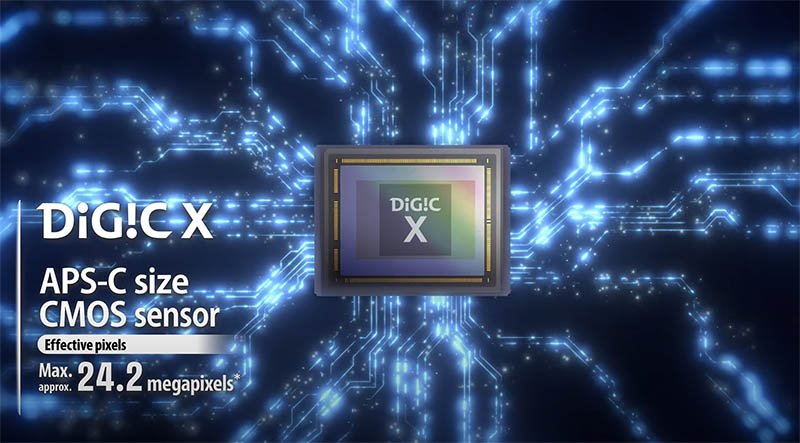
The R50 gets a new revamped 24.2MP sensor and also the much newer DIGIX X processor enabling faster readout speeds along with autofocus and video improvements.
The processors also have an impact on the startup times for each camera. The startup time for the R50 is approx. 0.4 sec vs 0.9 sec for the R100.
The R50 also has a low pass filter installed in front of the image sensor (non-detachable) that helps to eliminate moiré. The R100 does not have a low pass filter.
Thanks to the newer sensor and processor in the R50 it also gains HEIF and IPB (Light) movie file support which the R100 does not offer.
ISO Sensitivity
The Canon R100 has a normal ISO range of 100–12800 and an expanded range up to 25,600.
The Canon R50 has a normal ISO range of 100–32,000 and an expanded range up to 51,200 providing the r50 with an additional stop of range.
| Normal ISO Range | Expanded ISO Range | |
|---|---|---|
| R100: | 100–12,800 | 25,600 |
| R50: | 100–32,000 | 51,200 |
Drive Speed & Buffer
If you enjoy shooing any form of action, sports or birds in flight then the drive speed and shot buffer will be an important consideration for you.
The R100 is able to shoot at up to 6.5fps when using One-Shot AF, and 3.5fps when using Servo AF (continuous autofocus).
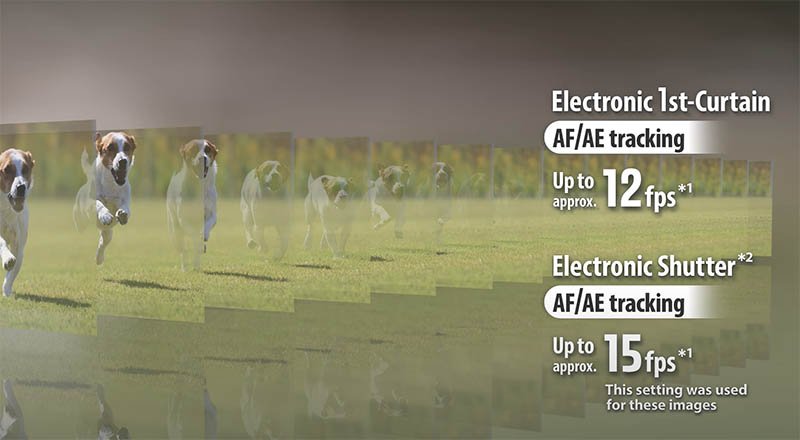
The R50 with the newer DIGIC X processor really blows the R100 out of the water here by shooting up to 12 fps (Electronic 1st curtain) or 15 fps (Electronic Shutter) for both Servo AF and One Shot AF.
When it comes to the buffer the R100 is able to shoot 58 more JPEG L images than the R50, although this is mainly due to the fact that it’s shooting at 6.5 FPS vs 12 / 15 FPS which provides the buffer with more time to offload images to the memory card during the burst.
The RAW and CRAW figures are very similar, the R100 does not support HEIF files.
| JPEG L Buffer | RAW Buffer | CRAW Buffer | HEIF Buffer | |
|---|---|---|---|---|
| R100 (mechanical / electronic 1st-curtain): | 100 | 6 | 17 | |
| R50 : (mechanical / electronic 1st-curtain): | 42 | 7 | 15 | 41 |
| R50 : (electronic shutter): | 28 | 7 | 15 | 24 |
Autofocus
There are some even bigger differences between the autofocus systems of these two cameras.
As already mentioned, both cameras use Canon’s Dual Pixel CMOS AF, but the R50 uses an updated Mark II version.
The new DIGIC X processor in the Canon R50 also helps to make the R100 look like a dinosaur, despite the R100 launching a few months later than the R50.
Let’s quickly take a look at the AF area coverage and AF zones of each camera. This is basically the percentage of the sensor that the camera is able to track a subject across and the number of different AF zones. A larger AF area and higher number of zones will help to improve tracking accuracy.
| Canon R100 | Canon R50 | |
|---|---|---|
| AF Area Horizontal | 88% | 100% |
| AF Area Vertical | 100% | 100% |
| AF Zones Stills | Max. 143 zones (13×11) | Max. 651 zones (31 x 21) |
| AF Zones Movies | Max. 117 zones (13×9) | Max. 527 zones (31 x17) |
Now let’s compare the actual tracking abilities of each camera.
| Canon R100 | Canon R50 | |
|---|---|---|
| Humans (Eyes/Face/Head/Body) | Yes | Yes |
| Animals (Dogs, Cats and Birds) (Eyes/Face/Body) | No | Yes |
| Vehicles (Racing cars or Motor bikes) | No | Yes |
As is hopefully clear to see from the above tables, the R50 not only has a larger horizontal AF area but also a much higher number of AF zones for both stills and movies.
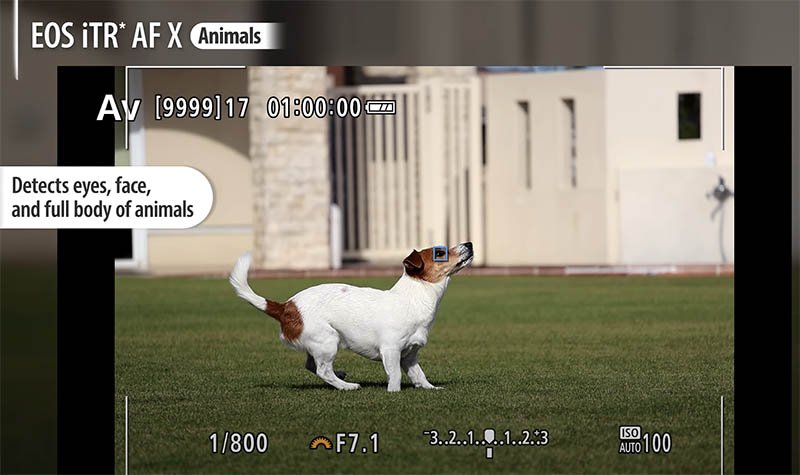
The R50 is also able to detect and track animals, racing cars and bikes, in addition to humans. Whereas the R100 is limited to humans only (eyes/face/head/body).
For still image shooting both cameras can focus from EV -4.0 to 20, with an f/1.2 lens. For movies the R50 can focus from EV -3.5 to 20 and the R100 from EV –2.0 to 20.
Video
For video shooters there are some big differences that are definitely worth taking note of.
Both cameras are capable of shooting 4K video but not equally.
The R100 can shoot 4k up to 24 fps but this is with a rather large 1.6x crop.
The R50 can shoot 4k up to 30 fps but because this is oversampled from 6k there is zero crop. This is a big deal for an APS-C camera.
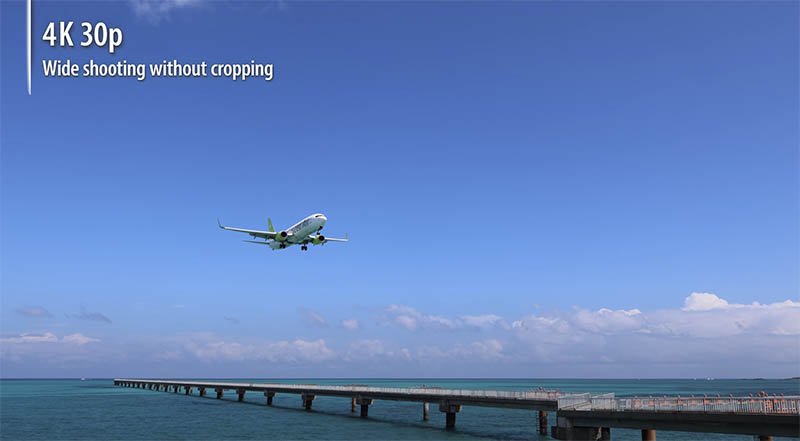
The R50 also supports 10-bit H.265 / HEVC with HDR PQ turned on, turned off it’s restricted to 8-bit H.264 / MPEG-4 AVC. The R100 does not support HDR shooting and is restricted to 8-bit H.264 / MPEG-4 AVC.
If you want to shoot in Full HD then both cameras can achieve 60 fps without cropping, but the R50 also has a 120 fps option. To shoot 120 fps on the R100 you need to drop down to 720p.
The R100 has a maximum length for a single 4k / Full HD / HD movie limited to 29 min. 59 sec. You then need to restart the recording. The R50 increases this limit to 1 hour.
Both cameras feature Movie Digital IS Mode that reduces camera shake as movies are recorded.
Now let’s cover a few features that the R50 offers over the R100.
Vlogging
If you are into vlogging then the vari-angle LCD on the R50 will make framing yourself so much easier. The R100 isn’t really a vlogging camera because of its fixed LCD.
Movie for Close-Up Demos Mode
This helps to ensure that the correct subject is in focus. In this mode the camera quickly switches focus from the on-camera subject to an object that is presented towards the camera’s lens.
Vertical Movie Mode and Aspect Markers
Movie rotation information can be set during or after movie recording, allowing videos to be played in vertical composition when viewing on a smartphone. The Aspect Markers Function displays visual markers for different aspect ratios that may be desired for posting the same file to various social media sites.
UVC Live Streaming
UVC/UAC compatibility allows the EOS R50 camera to be used as a web camera to stream live video in Full HD 30 fps fixed, without additional computer software, to applications such as Zoom™, Microsoft Teams™, Skype™, and similar on-line web conferencing software.
Timecode
The R50 also supports timecode to record the time automatically as movies are recorded, this helps a lot with the editing process. The R100 does not support timecode.
Electronic Viewfinder & LCD Monitor
Both cameras feature a 0.39-inch OLED (Organic Light-Emitting Diode) electronic viewfinder (EVF) with similar characteristics that are displayed in the below table.
| Canon R100 | Canon R50 | |
|---|---|---|
| EVF Type | OLED | OLED |
| EVF Size | 0.39-inch | 0.39-inch |
| EVF Resolution | 2.36 million dots | 2.36 million dots |
| EVF Magnification | 0.95x | 0.96x |
| EVF Eyepoint | 22mm | 22mm |
| Refresh Rate | 60Hz | 120Hz |
There are only two differences between them. The R100 has a magnification of 0.95x and the R50 a slightly larger magnification of 0.96x. The R100 also has a slower 60Hz refresh rate compared with 120Hz of the R50.
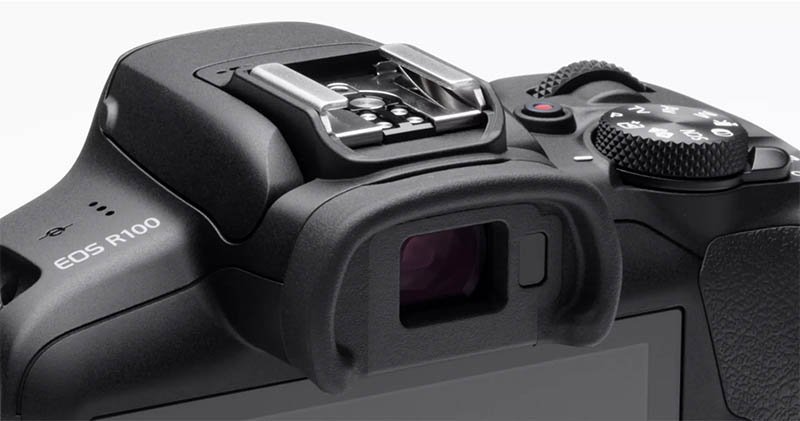
When it comes to the LCD display there are some much bigger differences and the R100 really takes some steps backwards.
Both LCD’s are 3.0-inch but this is the only similarity.
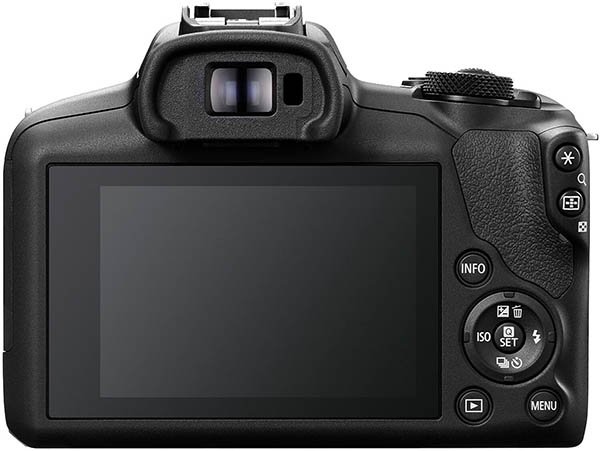
Canon has decided to cripple the LCD screen on the R100 by making it fixed, so it can’t be flipped out or even tilted. It’s also not touch compatible and the resolution is only 1.04 million dots.
On the other hand the R50 also features 3.0-inch display but with 1.62 million dots. It’s also a Vari-angle Touchscreen LCD, which you’ll appreciate if you are into vlogging since it makes it very easy to compose and shoot from virtually any angle.
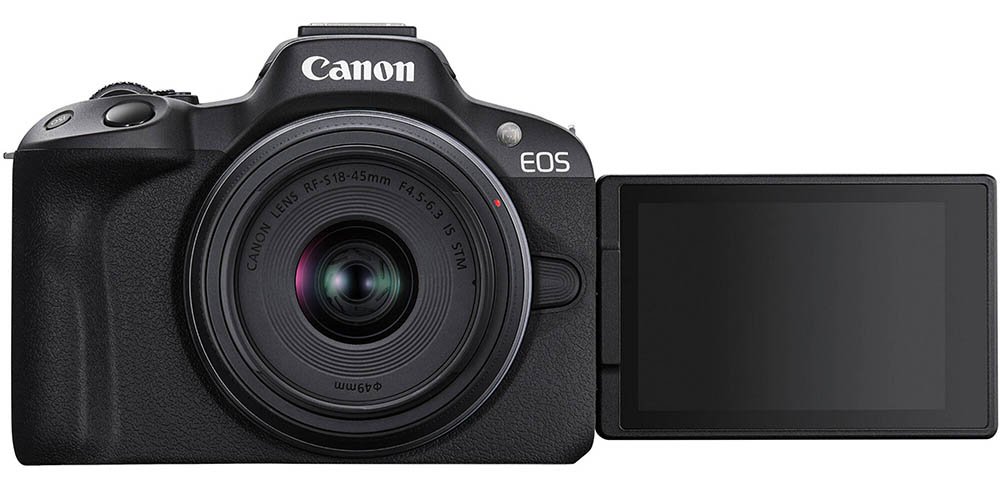
The R50’s touch and drag AF functionality also lets you easily move the autofocus point around the frame.
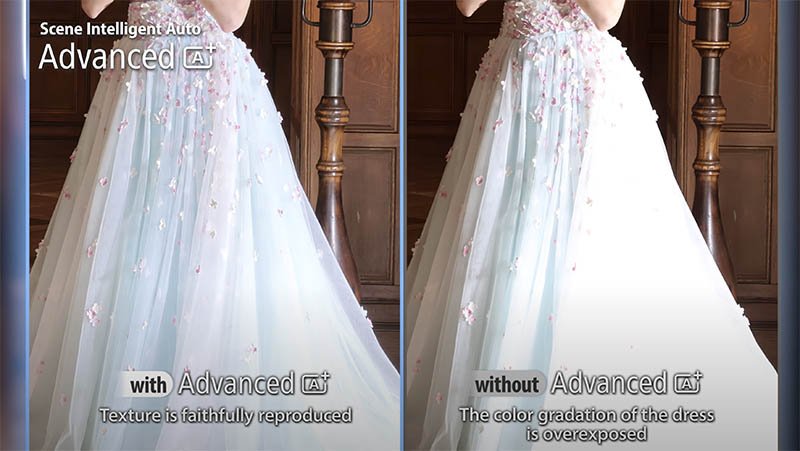
A+ Creative Assist Mode
Although the R100 features a Creative Assist Mode it is very basic compared to what you can do with the Advanced A+ Creative Assist Mode on the R50.
The Advanced A+ Assist features an expanded array of auto-compatible scenes helping to achieve stunning shots right out of the camera.
Camera Body & Controls
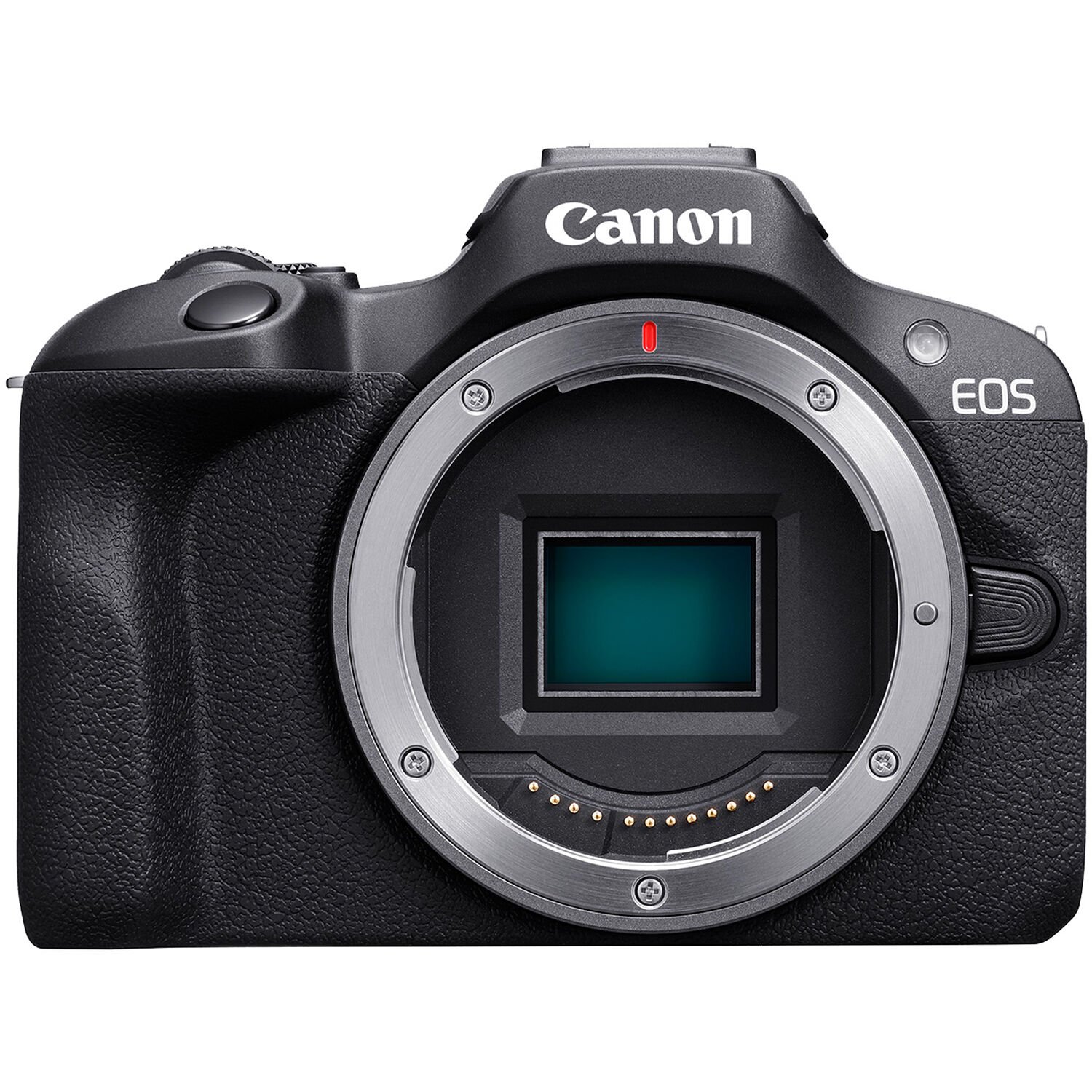
The two cameras are very similar when it comes to their dimensions and weight. Their dimensions are actually identical but the R100 is approx. 28 g / 0.99 oz. heavier that the R50.
- R100: WxHxD Approx. 4.58 × 3.37 × 2.71 in. / 116.3 x 85.5 x 68.8mm (356 g / 12.5 oz)
- R50: WxHxD Approx. 4.58 x 3.37 x 2.71 in. / 116.3 x 85.5 x 68.8mm (328 g / 11.57 oz)
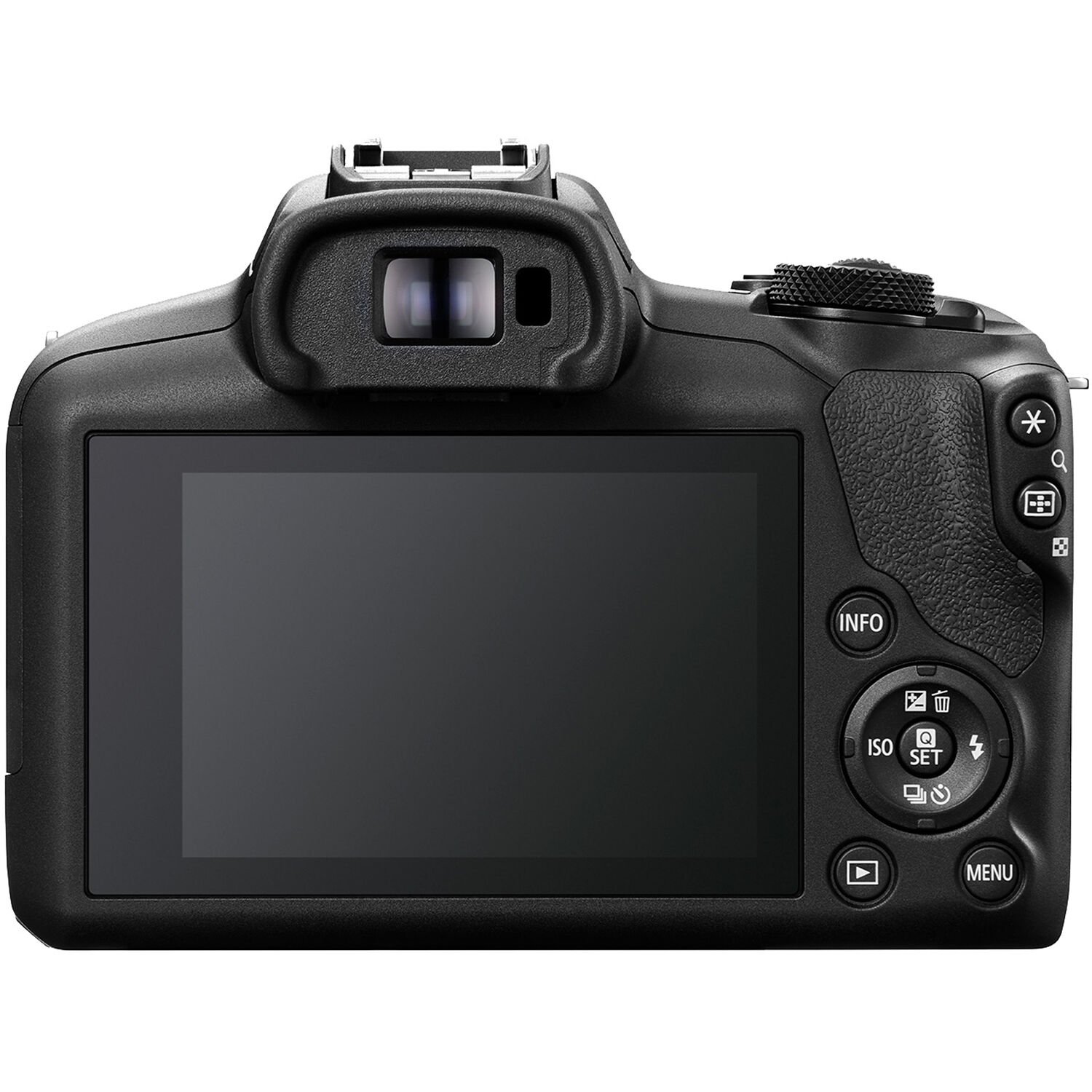
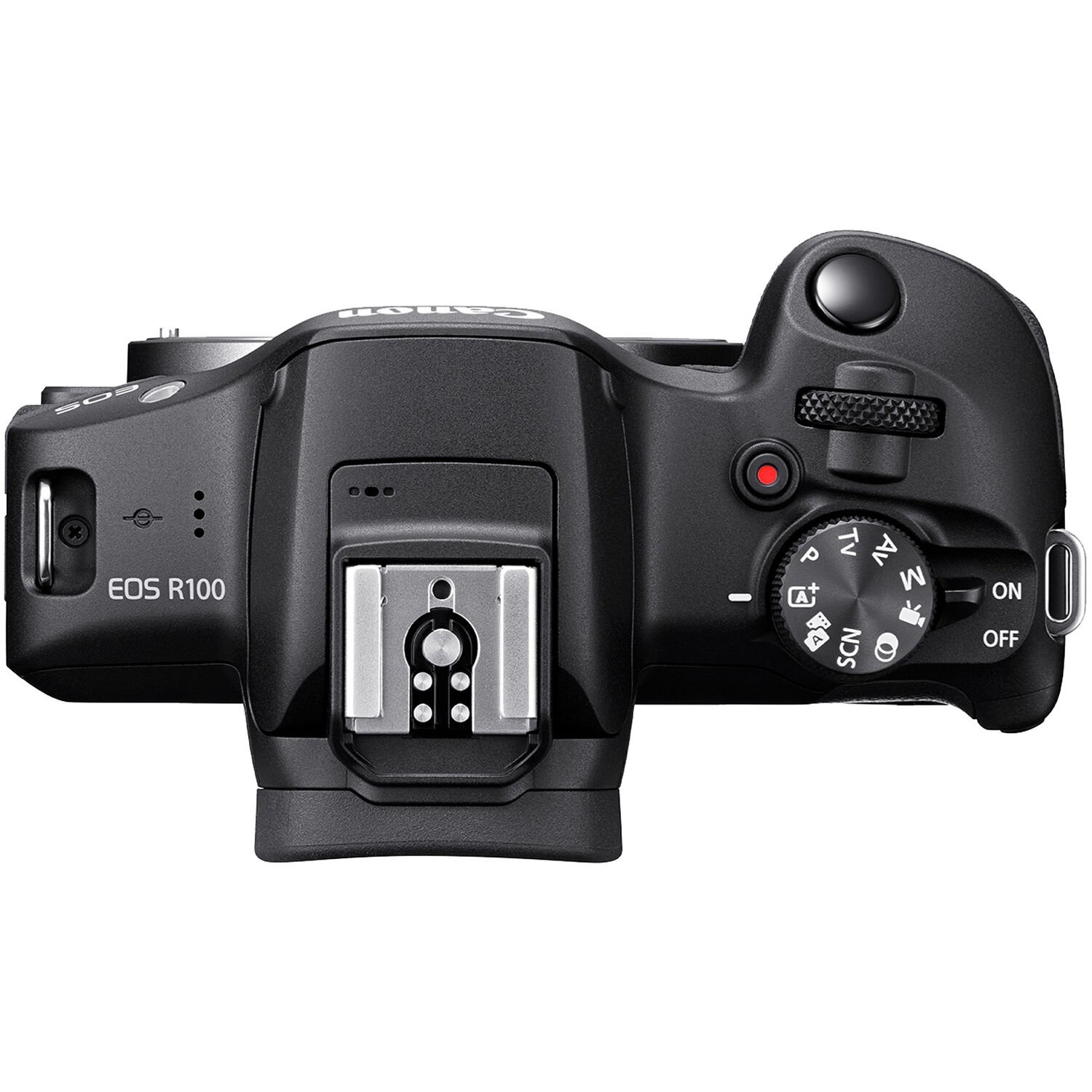
The button and dial layout on both the top and rear of the cameras is also identical. The only small difference is with the button functions on the rear dial.
The R100 has an ISO button on the left but on the R50 this is AF/MF. At the bottom of this dial the R50 has the trash button but on the R100 this is the drive mode and timer. On the top of the dial the R100 has the exposure compensation button combined with trash, on the top of the R50 this is just exposure compensation. The drive mode and timer is found on the right on the R50 but on the R100 you’ll find the flash button.
Canon R100
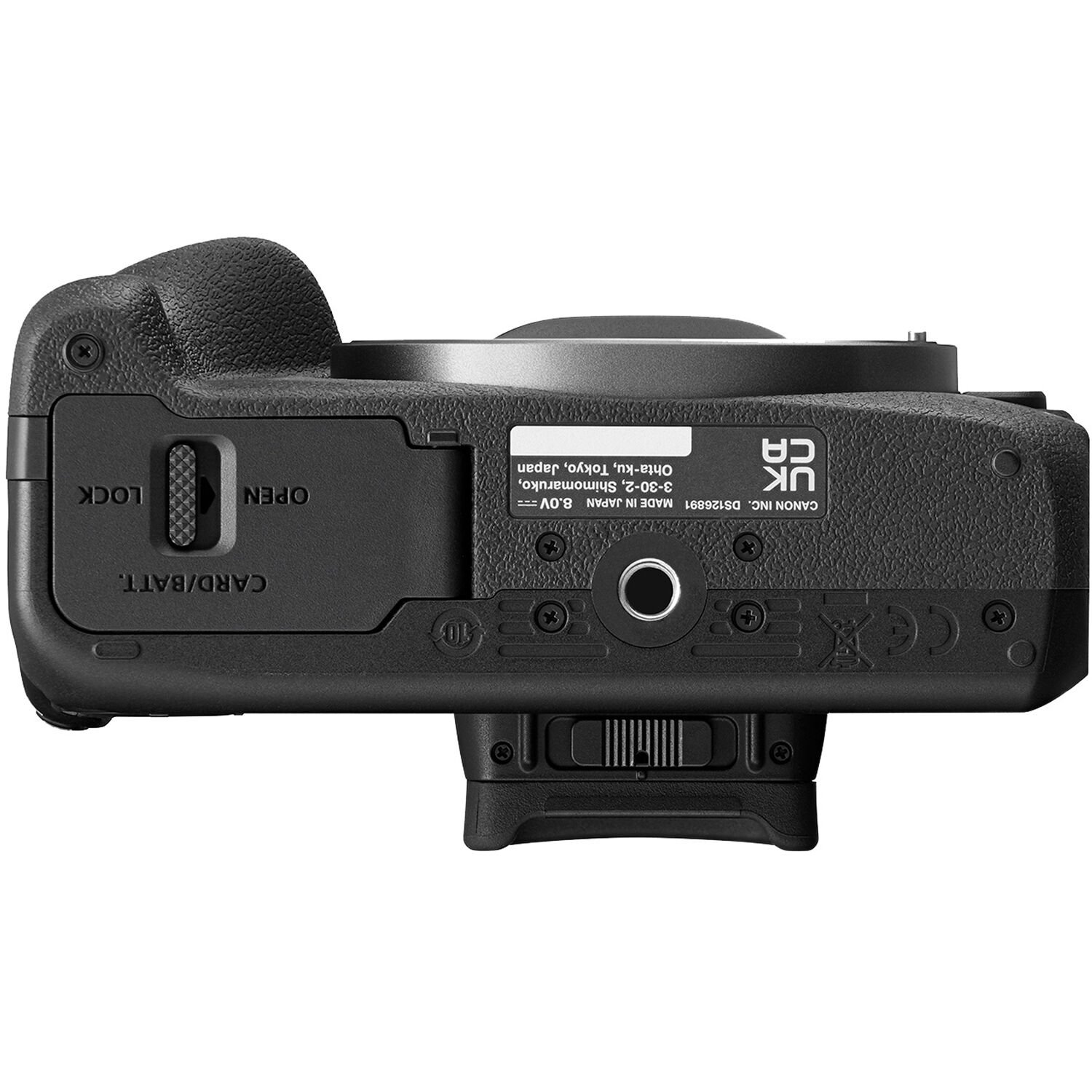
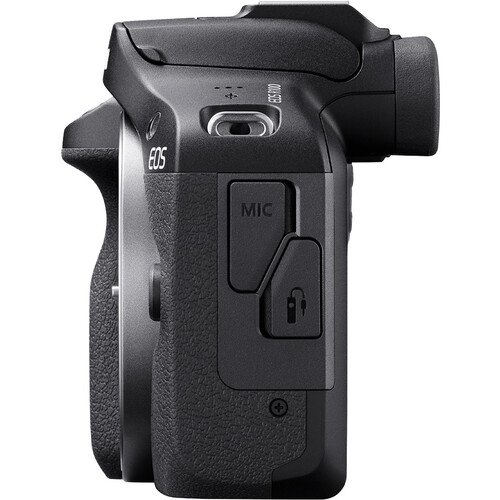
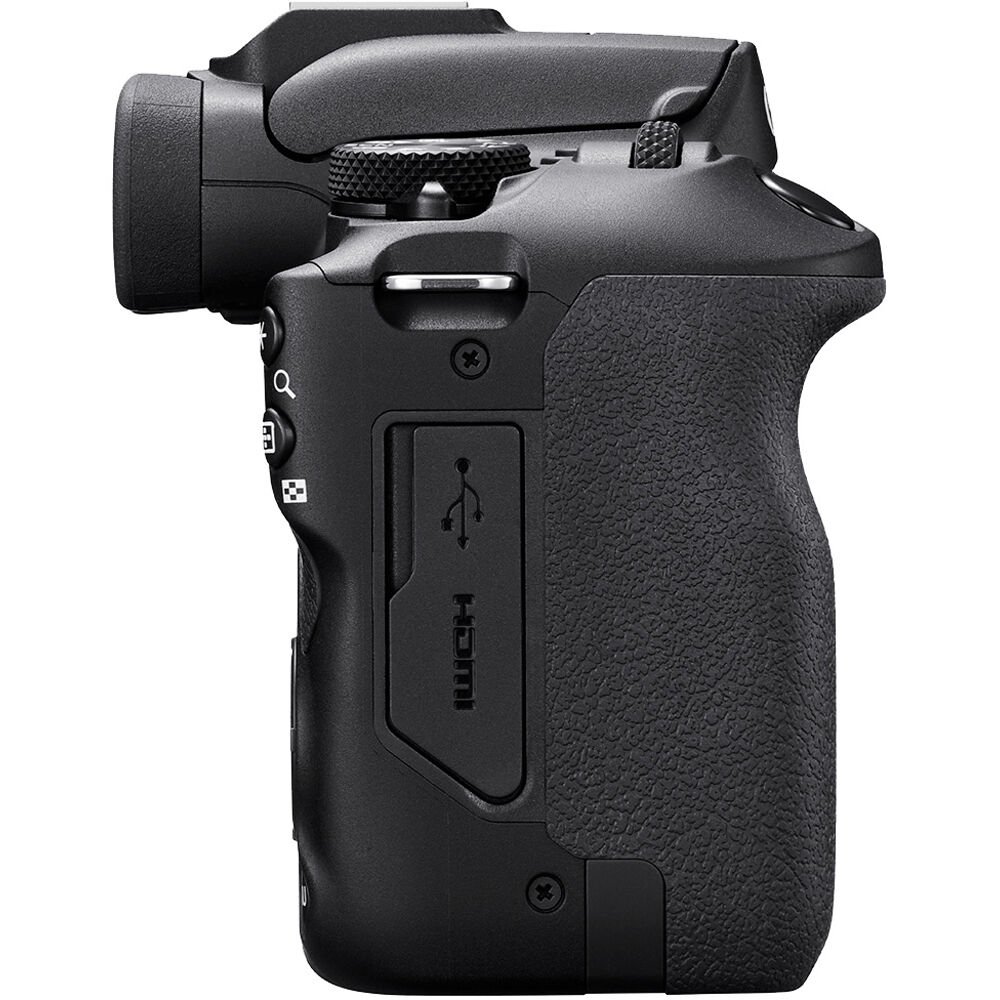
Canon R50
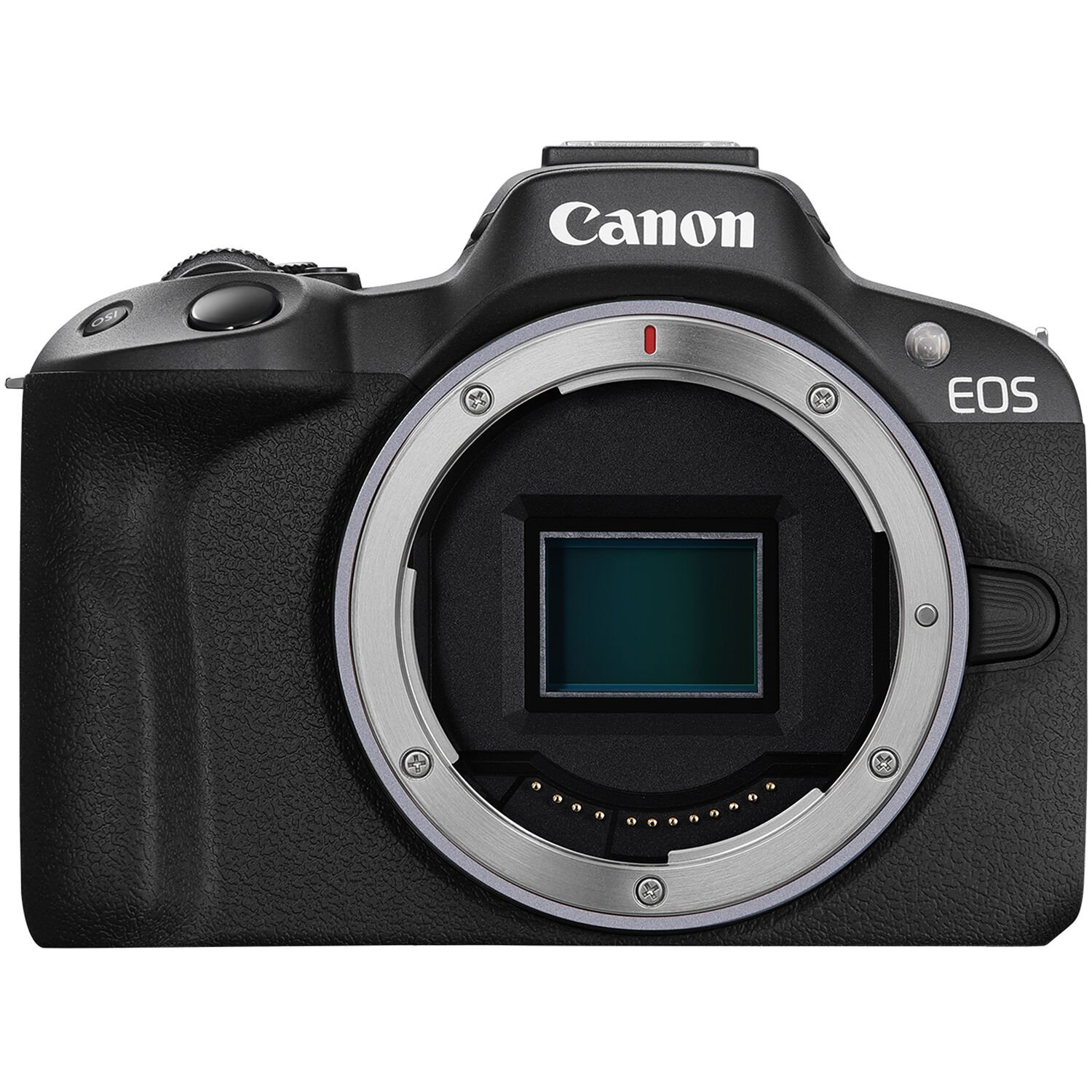
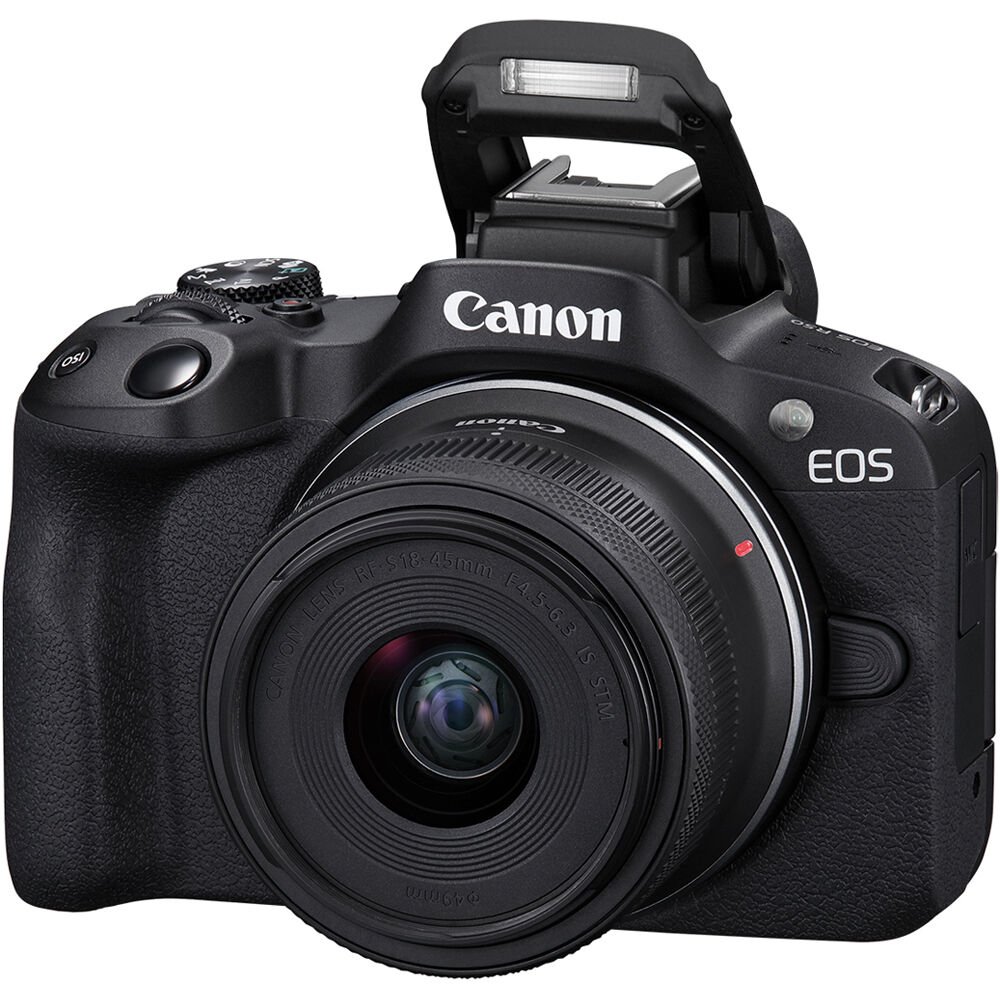
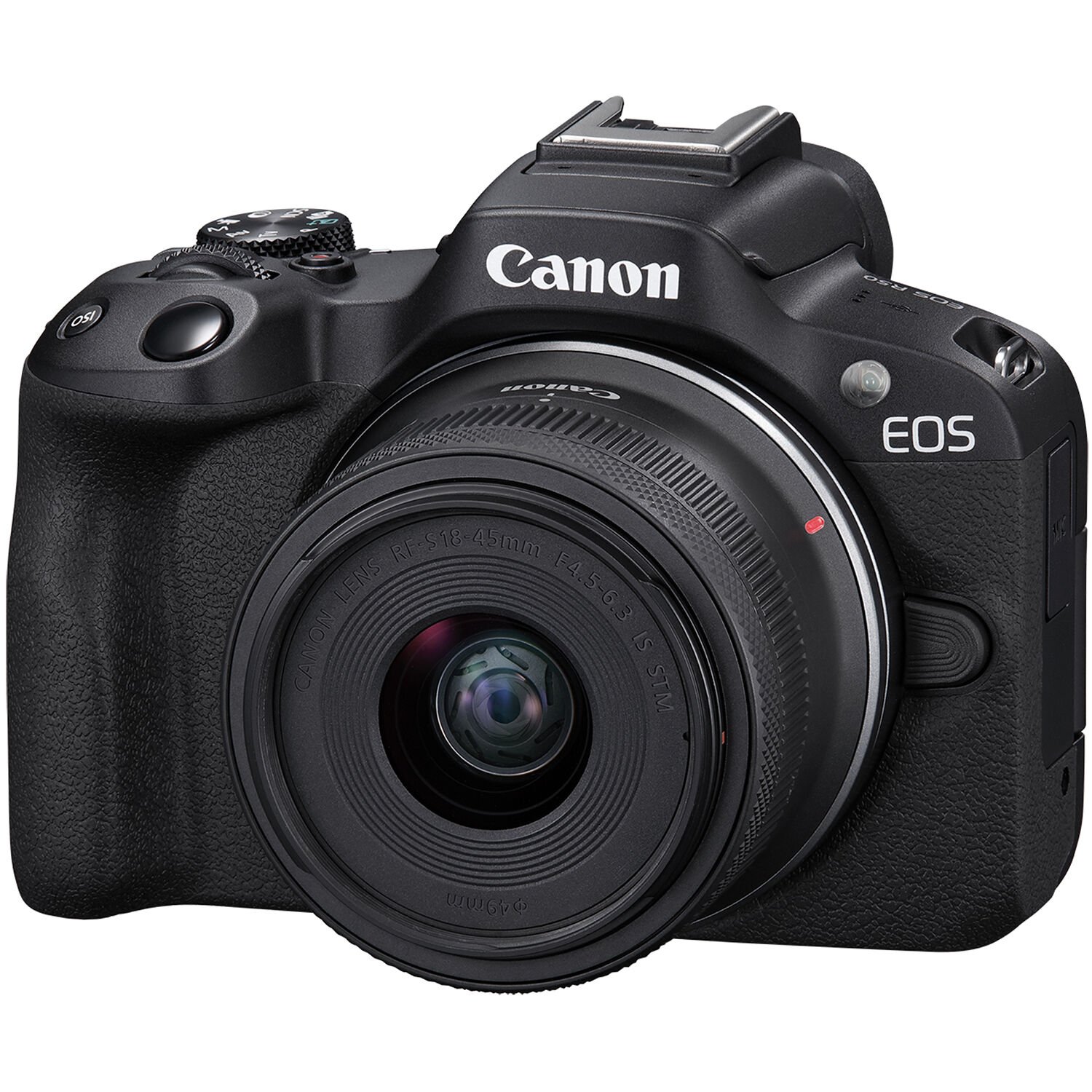
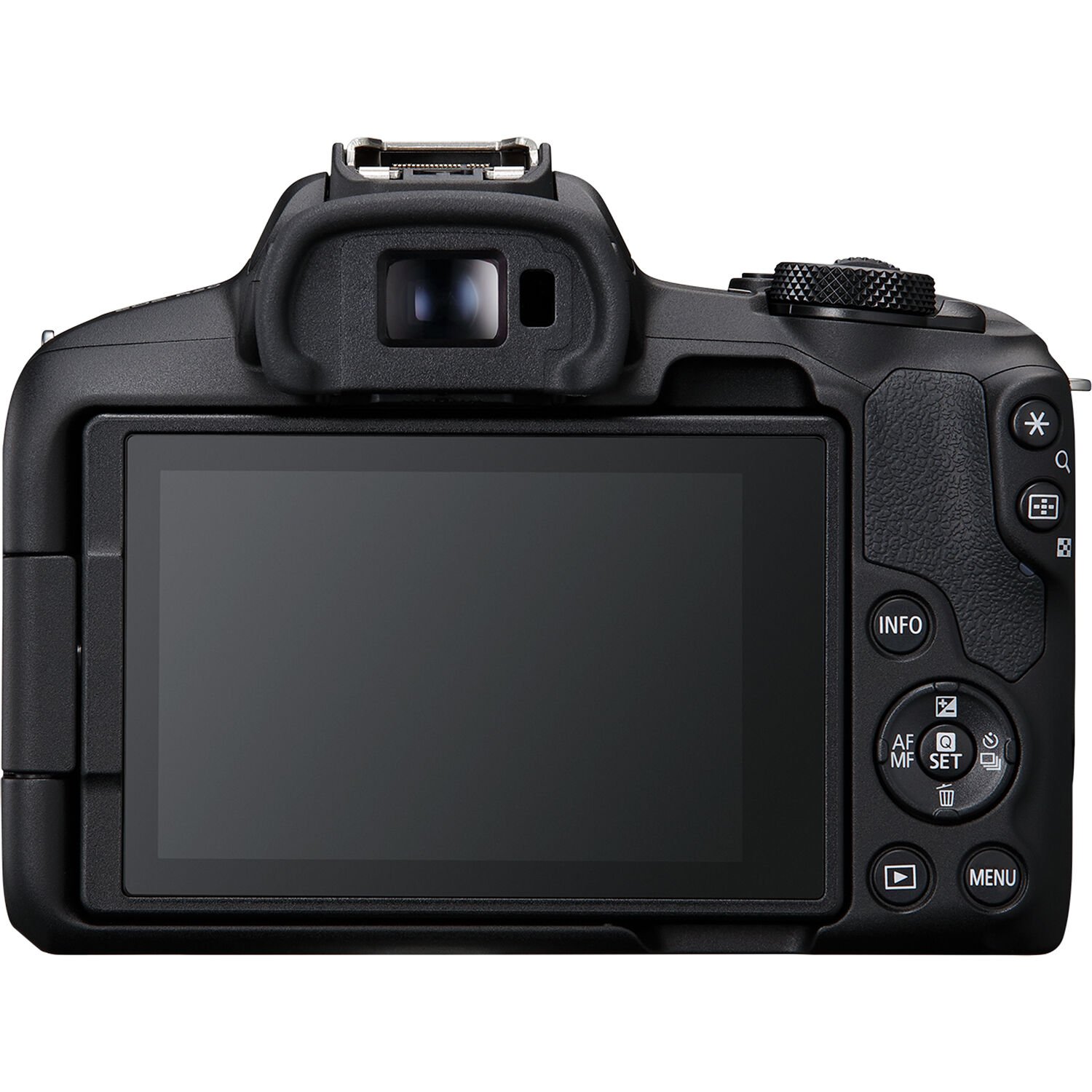
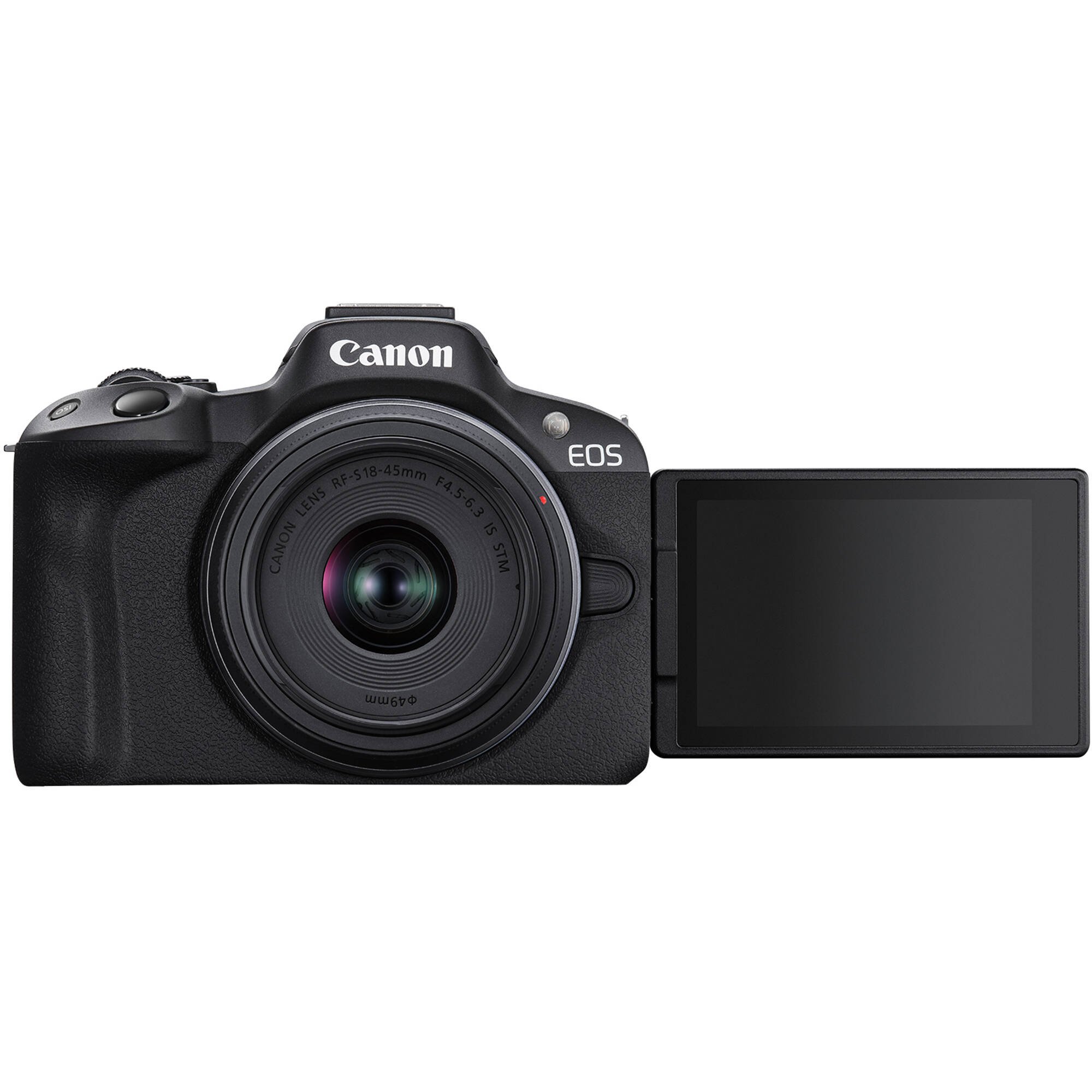
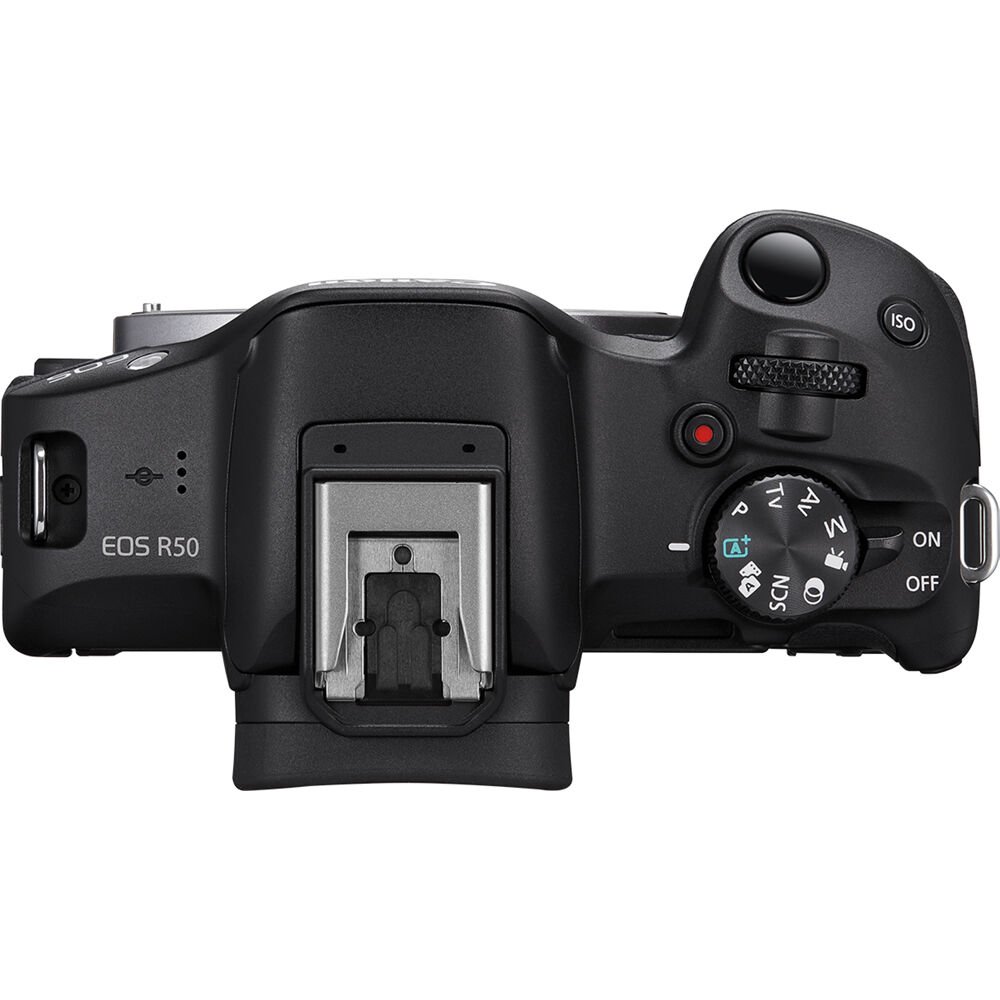
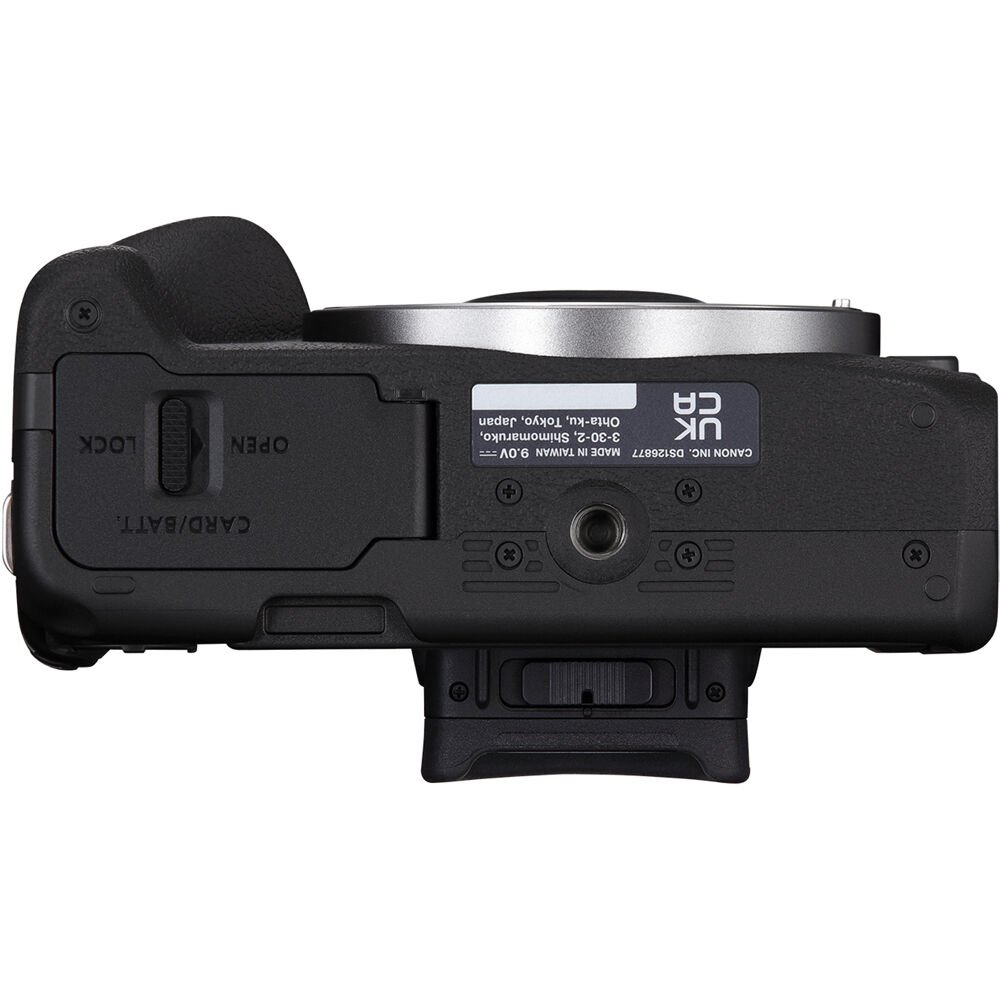
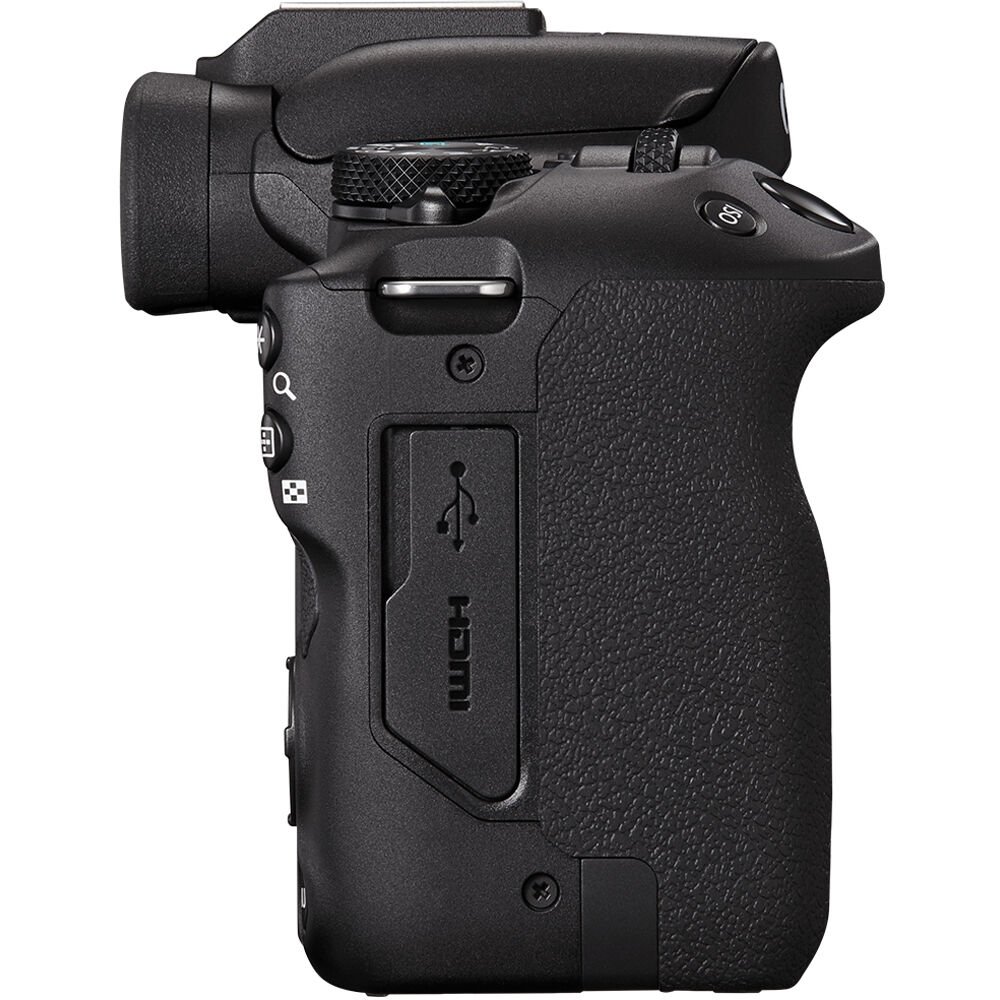
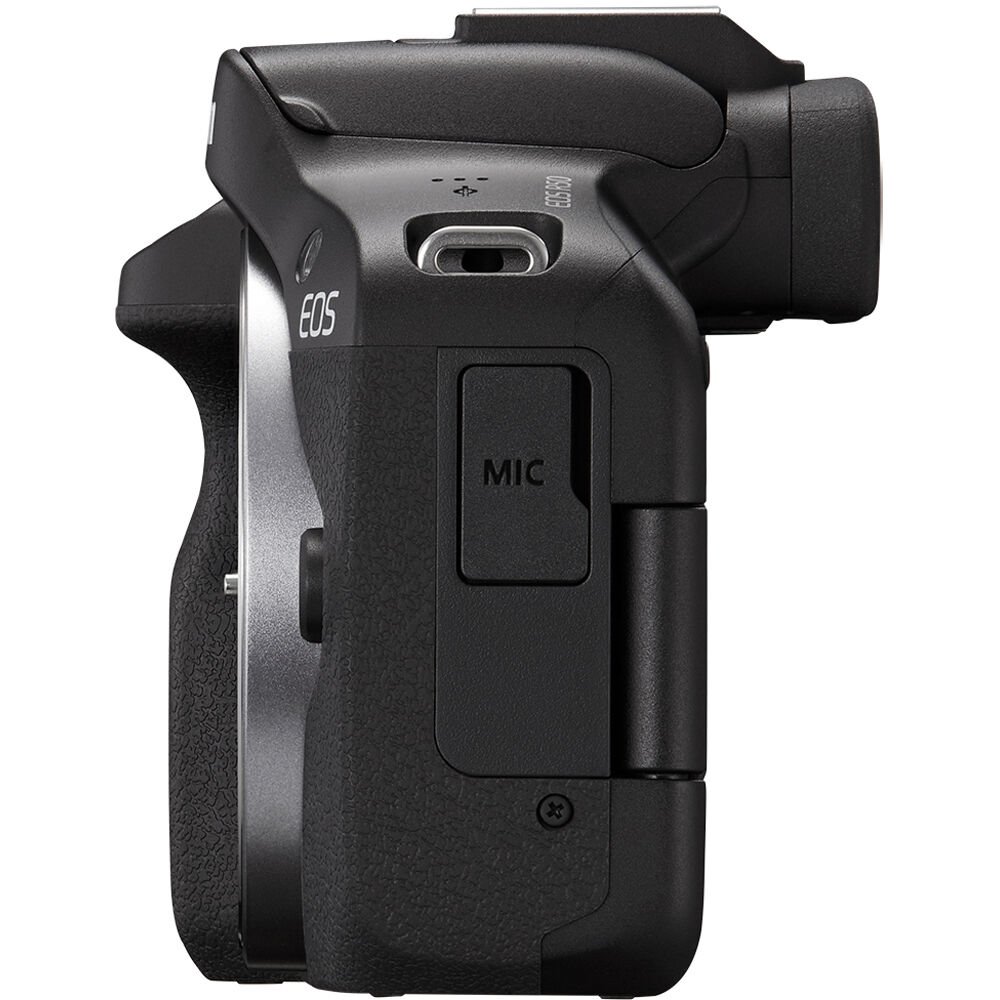
Hot Shoe
The R100 features Canon’s standard hot-shoe that can be used with Canon and third-party speedlites.
The R50 gets the newer Multi-Function shoe which is compatible with digital audio and dedicated Canon microphones that don’t require a separate cable, Canon’s newer speedlites are also supported.
It’s important to note that any accessories that have not been designed for the R50’s Multi-Function Shoe will require Canon’s AD-E1 adapter.
Battery & USB Charging
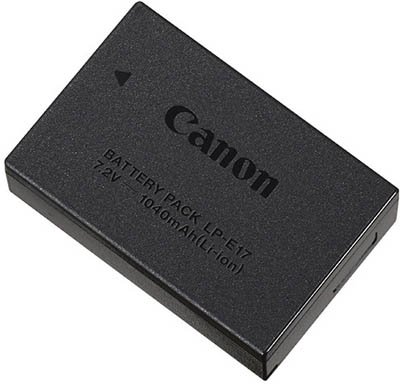
Both cameras are compatible with the Canon LP-E17 battery (1040mAh) of which one is included when purchased from new. They also come with Canon’s LC-E17 charger.
Canon’s CIPA figures for the R100 claim a battery life of 340 shots using the electronic viewfinder, or 430 shots with the LCD.
For the R50 Canon’s CIPA figures are 310 shots using the electronic viewfinder, or 440 shots with the LCD.
If you are shooting continuous bursts then you will be able to shoot 1000+ photos comfortably before the battery needs changing.
Whichever camera you go with you’ll probably want to have a couple of these batteries spare.
One extra thing worth noting is that you can charge the battery inside the R50 via USB, you can also power the R50 via USB. Unfortunately the R100 does not support either charging or powering the camera via USB.
Connectivity
Both cameras support 2.4 Ghz Wi-Fi and bluetooth and each have a HDMI micro OUT terminal (Type D) and a 3.5mm diameter stereo mini jack for a microphone.
One thing missing from the R100 that you will find on the R50 is a 3.5mm diameter stereo mini-plug for connecting a pair of headphones.
Both cameras allow you to connect a smartphone via the USB Type-C port, built-in Wi-Fi®, and Bluetooth®, making it easy to upload and share movies and photos to your favorite social networks.
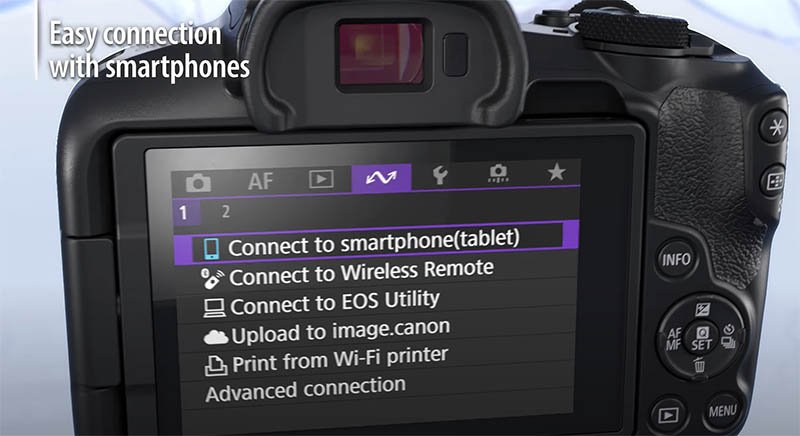
Canon’s Camera Connect and EOS Utility apps can be used to remotely control both cameras.
As mentioned previously the R50 also supports live streaming in Full HD 30 fps fixed, without additional computer software. The R100 does not support live streaming.
Control Ring Mount Adapter
If you don’t plan to use Canon’s control ring lens adapter then this difference probably won’t concern you.
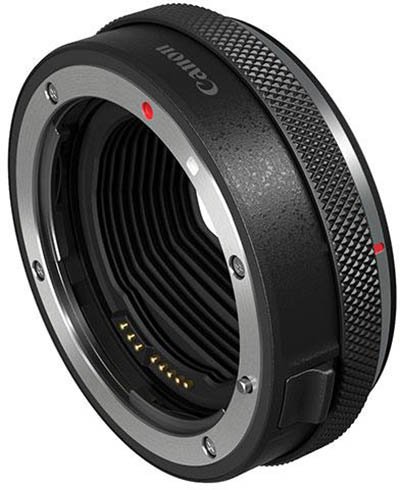
But if you are then it’s important to know note that control ring of the Control Ring Mount Adaptor EF-EOS R does not function with the R100, but it does work with the R50.
What’s in the Box
The box contents are very similar except the R100 does not include a cover for the hot shoe.
| Canon R100 | Canon R50 |
|---|---|
| EOS R100 Body | EOS R50 Body |
| Camera Cover R-F-5 | Camera Cover R-F-5 |
| Neck Strap EM-200DB | Neck Strap EM-200DB |
| Battery Charger LC-E17 | Battery Charger LC-E17 |
| Battery Pack LP-E17 | Battery Pack LP-E17 |
| Battery Pack Cover | Battery Pack Cover |
| Shoe Cover |
Price
At the time of publishing this article the Canon R100 has an MSRP of $479.99 US for the body only or $599.00 US with the RF-S 18-45mm zoom lens.
The R50 has an MSRP of $679.99 US for the body only or $799.00 US with the RF-S 18-45mm zoom lens.
So the R50 is around $200 more expensive then the R100.
Summary
Although the R100 is the newer camera it’s actually a bit of a dinosaur compared to the R50.
The R50 really comes out on top when looking at the specs, here are the key features that you won’t find on the R100:
- DIGIC X processor
- ISO Normal: 100-32000 Expanded: 51200
- Dual Pixel CMOS AF II
- Animal AF (Eyes/Face/Body) of Dogs, Cats and Birds or Vehicles (Racing cars or Motor bikes)
- 4K (30p) with no crop
- 12 fps (Electronic 1st curtain) / 15 fps (Electronic Shutter)
- Multi-angle touch sensitive LCD monitor with 1.62M dots
- Headphone socket
The R100 with its fixed and non touch LCD and slower more restrictive AF features really shouldn’t exist in the R Series line-up.
The only thing modern about the R100 is its RF-mount, all of the other features and components have been lifted from much older cameras.
Personally I’d recommend saving the extra $200 to purchase the R50 instead. This should be Canon’s entry-level camera, not the R100.
What do you think? Please let me know in the comments below.
Reviews
If you are interested in learning more about either of these cameras then I can recommend the following reviews from Gordon Laing.
Canon R100
Canon R50
Questions
If you have any questions about either of these cameras please drop a comment below and I’ll get back to you as soon as I have a few seconds free. Thanks for reading!
Canon R100 Guides & Resources
Canon R50 Guides & Resources
Complete Specification Comparison
To make sure no stone is left unturned, here’s a complete specification comparison between the Canon R100 and the Canon R50.
| Canon R100 | Canon R50 | |
|---|---|---|
| Type | Digital interchangeable lens, mirrorless camera | Digital interchangeable lens, mirrorless camera |
| Image Processor | DIGIC 8 | DIGIC X |
| Recording Media | (One) SD card slot • Compatible with UHS-I • Eye-Fi cards and Multimedia cards (MMC) are not supported. | (One) SD card slot • Compatible with UHS-I • Eye-Fi cards and Multimedia cards (MMC) are not supported. |
| Lens Mount | Canon RF mount | Canon RF mount |
| Compatible Lenses | Canon RF lens group (including RF-S lenses) * When using Mount Adapter EF-EOS R: Canon EF or EF-S lenses (excluding EF-M lenses) * Note that control ring of the Control Ring Mount Adaptor EF-EOS R does not function. * EXTENDER RF1.4x / RF2x is not compatible. (EXTENDER EF1.4x / EF2x is compatible when used with the Mount Adaptor.) * RF5.2mm F2.8 L DUAL FISHEYE and RF85mm F1.2 L USM DS are not compatible. | Canon RF lens group (including RF-S lenses) When using Mount Adapter EF-EOS R: Canon EF or EF-S lenses (excluding EF-M lenses) |
Image Sensor
| Canon R100 | Canon R50 | |
|---|---|---|
| Type | APS-C CMOS sensor (compatible with Dual Pixel CMOS AF) | APS-C CMOS sensor (compatible with Dual Pixel CMOS AF) |
| Effective pixels | Approx. 24.1 megapixels | Approx. 24.2 megapixels |
| Screen Size | Approx. 22.3×14.9 mm | Approx. 36.0 x 24.0 mm |
| Pixel Unit | Approx. 3.72 µm square | Approx. 3.72 µm square |
| Total Pixels | Approx. 25.8 megapixels | Approx. 25.5 megapixels |
| Aspect Ratio | 3:2 (Horizontal: Vertical) | 3:2 (Horizontal:Vertical) |
| Color Filter System | RGB primary color filters | RGB primary color filters |
| Low Pass Filter | Not provided | Installed in front of the image sensor, non-detachable |
| Dust Deletion Feature | Self Cleaning Sensor Unit not provided. Manual cleaning (by hand) not supported. Dust Delete Data acquisition and appending • The coordinates of the dust adhering to the low-pass filter are detected by a test shot and appended to subsequent images. • The dust coordinate data appended to the image is used by the EOS software to automatically erase the dust spots. | Self Cleaning Sensor Unit not provided. Manual cleaning (by hand) not supported. Dust Delete Data acquisition and appending The coordinates of the dust adhering to the low-pass filter are detected by a test shot and append-ed to subsequent images. The dust coordinate data appended to the image is used by the EOS software to automatically erase the dust spots. Not available during focus bracket shooting. |
Recording System
| Canon R100 | Canon R50 | |
|---|---|---|
| Recording Format | Compliant to Design rule for Camera File system 2.0 and Exif 2.31* *Supports time offset information | Compliant to Design rule for Camera File system 2.0 and Exif 2.31*. *Supports time offset information |
| Image Format | JPEG (.JPG), RAW, C-RAW (.CR3) * HEIF not supported. Movies: ALL-I (Time-lapse video only), IPB (Standard) (.MP4) * IPB (Light) not supported. | JPEG (.JPG), HEIF (.HIF), RAW, C-RAW (.CR3) Movies: ALL-I (Time-lapse video only), IPB (Light) |
| File Size | Approx. 1.8MB – 27.2MB | Approx. 1.8MB – 27.0MB |
| Maximum Burst | JPEG L 100, RAW 6, CRAW 17 | JPEG L 42, RAW 7, CRAW 15, HEIF 41 |
| File Numbering | The following file numbers can be set:File numbering methodsContinuous numberingThe numbering of captured images continues even after you replace the card. Auto resetWhen you replace the card, the numbering will be reset to start from 0001. If the new SD card already contains images, the numbering will continue from the last recorded image in the card. Manual resetResets the file number to 0001, and creates a new folder automatically. * When manually resetting the file number, folders can also be renamed. | The following file numbers can be set:File numbering methodsContinuous numberingThe numbering of captured images continues even after you replace the card. Auto resetWhen you replace the card, the numbering will be reset to start from 0001. If the new SD card already contains images, the numbering will continue from the last recorded image in the card. Manual resetResets the file number to 0001, and creates a new folder automatically. * When manually resetting the file number, folders can also be renamed. |
| RAW + JPEG / HEIF Simultaneous Recording | Simultaneous recording of any combination of RAW/C-RAW images and JPEG images is supported. | Simultaneous recording of any combination of RAW/C-RAW and JPEG/HEIF image-recording quality is supported. |
| Color Space | Selectable between sRGB and Adobe RGB | Selectable between sRGB and Adobe RGB |
| Picture Style | Auto Standard Portrait Landscape Fine Detail Neutral Faithful Monochrome User Defined 1-3 * Picture Style files can be registered to user-defined settings 1-3. | Auto Standard Portrait Landscape Fine Detail Neutral Faithful Monochrome User Defined 1-3 * Picture Style files can be registered to user-defined settings 1-3. |
White Balance
| Canon R100 | Canon R50 | |
|---|---|---|
| Settings | Auto (Ambience priority/White priority) Day Light Shade Cloudy*1 Tungsten light White fluorescent light Flash Custom (Custom WB) Color temperature*2 *1: Effective also in twilight and sunset. *2: With an EX / EL-series Speedlite having the color temperature information transmission feature, the color temperature setting changes to match the color temperature when the flash is fired. Set to approx. 6000 K if the flash unit does not have the color tem-perature communication feature. | Auto (Ambience priority/White priority) Day Light Shade Cloudy*1 Tungsten light White fluorescent light Flash Custom (Custom WB) Color temperature*2 *1: Effective also in twilight and sunset. *2: With an EX / EL-series Speedlite having the color temperature information transmission feature, the color temperature setting changes to match the color temperature when the flash is fired. Set to approx. 6000 K if the flash unit does not have the color tem-perature communication feature. |
| Auto White Balance | Option between ambience priority and white priority settings, using SET button | Option between ambience priority and white priority settings, using SET button |
| White Balance Shift | Blue/amber bias: ±9 levels Magenta/green bias: ±9 levels • Shifted from the color temperature of the current WB mode. • Blue/amber and magenta/green shift can be set at the same time. | Blue/amber bias: ±9 levels Magenta/green bias: ±9 levels •Shifted from the color temperature of the current WB mode. •Blue/amber and magenta/green shift can be set at the same time. WB Bracketing available, up to ±3 levels Blue/amber or magenta/green, via Quick Control Dial |
Viewfinder
| Canon R100 | Canon R50 | |
|---|---|---|
| Type | OLED color electronic viewfinder; 0.39-inch, approx. 2.36 million dots | OLED color electronic viewfinder; 0.39-inch, approx. 2.36 million dots |
| Coverage | Approx. 100% (at JPEG Large image quality, 3:2 aspect ratio, approx. 22 mm eyepoint) | Approx. 100% (at JPEG Large image quality, 3:2 aspect ratio, approx. 22 mm eyepoint) |
| Magnification / Angle of View | Approx. 0.95×/28.0° (3:2 aspect ratio, with 50mm lens at infinity, –1 m–1) | Approx. 0.96x / Approx. 28.0° (3:2 aspect ratio, with 50mm lens at infinity,-1 m-1) |
| Eye Point | Approx. 22 mm (at –1 m–1 from eyepiece lens end) | Approx. 22mm (at -1 m-1 from the eyepiece lens end) |
| Dioptric Adjustment Range | Approx. –3.0 to +1.0 m–1 (dpt) | Approx. -3.0 to + 1.0 m-1 (dpt) |
| Viewfinder Information | Users can customize and select whether to use the following three display elements. • Live View + basic information display • Live View + detailed information display • Live View + detailed information display + histogram | Maximum burst Possible shots/Sec. until self-timer shoots Focus Bracketing/ Multiple-exposure/HDR shooting/Multi Shot Noise Reduction/Bulb time/Interval timer Shooting mode AF method AF operation Image quality Card Drive mode Metering mode No. of remaining shots for focus braketing, multiple exposures, or interval timer Electronic level Movie recording time available Battery level Image Stabilizer (IS mode) Histogram (Brightness/RGB) Quick Control button Anti-flicker shooting White balance/White balance correction Picture style Auto Lighting Optimizer Still photo cropping / Aspect ratio AF point (1-point AF) AEB/FEB View Assist HDR PQ Flash ready / FE lock / High-speed sync Electronic shutter Touch shutter / Create folder AE lock Shutter speed / Multi-function lock warning Aperture value Wi-Fi® function Wi-Fi® signal strength Bluetooth® function Exposure simulation Magnify button ISO speed Highlight tone priority Exposure compensation Exposure level indicator |
LCD Screen
| Canon R100 | Canon R50 | |
|---|---|---|
| Type | TFT color, liquid-crystal monitor | TFT color, liquid-crystal monitor |
| Monitor Size | 3.0-inch (screen aspect ratio of 3:2) 2.95 in./7.5cm diagonal (2.44 in./6.2cm width, 1.65 in./4.2cm height) | 3.0-inch (screen aspect ratio of 3:2) 2.95 in./7.5cm diagonal (2.44 in./6.2cm width, 1.65 in./4.2cm height) |
| Dots | Approx. 1.04 million dots | Approx. 1.62 million dots |
| Coverage | Approx. 100% vertically/horizontally | Approx. 100% vertically/horizontally |
| Brightness Control | Manually adjustable in a range of 1–7 | Manually adjustable to one of seven brightness levels |
| Touch-screen Operation | Not provided | Supported for AF Point selection; Touch AF; Touch Shutter; Menu selection; Quick Control Menu; Magnified View; Volume Touch Sounds: 0 (silent) to 5 |
| Coating | Anti-smudge coating not provided. Anti-reflection coating not provided. | Anti-smudge coating not provided. Anti-reflection coating not provided. |
| Interface Languages | 29 (English, German, French, Dutch, Danish, Portuguese, Finnish, Italian, Ukraine, Norwegian, Swedish, Spanish, Greek, Russian, Polish, Czech, Hungarian, Vietnamese, Hindi, Romanian, Turkish, Arabic, Thai, Simplified/Traditional Chinese, Korean, Malay, Indonesian, Japanese) | 29 (English, German, French, Dutch, Danish, Portuguese, Finnish, Italian, Ukraine, Norwegian, Swedish, Spanish, Greek, Russian, Polish, Czech, Hungarian, Vietnamese, Hindi, Romanian, Turkish, Arabic, Thai, Simplified/Traditional Chinese, Korean, Malay, Indonesian, Japanese) |
Autofocus
| Canon R100 | Canon R50 | |
|---|---|---|
| Focus Method | Still photo shooting: Dual Pixel CMOS AF | Dual Pixel CMOS AF II |
| Number of AF zones available for Automatic Selection | AF area: Horizontal: Approx. 88% x Vertical: Approx. 100% Stills: Max. 143 zones (13×11) Movies: Max. 117 zones (13×9) | AF area: Horizontal: Approx. 100% x Vertical: Approx. 100% (100% x 100% AF coverage in Face Detect + Tracking AF; coverage can vary, depending upon lens being used) Stills: Max. 651 zones (31 x 21) Movies: Max. 527 zones (31 x17) |
| Selectable Positions for AF Point | AF area: Horizontal: Approx. 88% x Vertical: Approx. 100% Stills: Max. 3975 positions (75 × 53) Movies: Max. 3375 positions (75 × 45) | AF area: Horizontal: Approx. 90% x Vertical: Approx. 100% Stills: Max. 4503 positions (79 x 57) Movies: Max 3713 positions (79 x 47) |
| Focusing brightness range (still photo shooting) | EV –4.0 to 20 (With an f/1.2 lens,* center AF point, One-Shot AF at room temperature, and ISO 100) * Except RF lenses with a Defocus Smoothing (DS) coating | EV -4.0 to 20 (with an f/1.2 lens,* center AF point, One-Shot AF at room temperature, and ISO 100) * Except RF lenses with a Defocus Smoothing (DS) coating. |
| Focusing brightness range (movie recording) | EV –2.0 to 20 (With an f/1.2 lens,* center AF point, One-Shot AF at room temperature, and ISO 100) * Except RF lenses with a Defocus Smoothing (DS) coating * During Full HD (29.97/25.00 fps) recording | EV -3.5 to 20 (with an f/1.2 lens,* center AF point, One-Shot AF at room temperature, ISO 100, and29.97 / 25.00 fps.)* Except RF lenses with a Defocus Smoothing (DS) coating. |
| Available AF Areas | • Face+Tracking AF*1 • Spot AF*1*2 • 1-point AF • Zone AF*2 *1: Not available in Panning mode. *2: Not available for 4K movies. * Some lenses and camera settings may reduce the number of AF areas and zones used. | Spot AF 1-point AF Expand AF area: Above/below/left/right Expand AF area: Around Flexible Zone AF 1 Flexible Zone AF 2 Flexible Zone AF 3 Whole area AF |
| Available Subject Detection | People / Eye | Auto People Animals (dogs / cats / birds) Vehicles (motorsports cars or motorcycles) * Certain types of animals or vehicles may not be detected, depending on shape and appearance |
| Eye Detection | Auto: • The eye closer to the camera is selected (as detected from the angle of the face). Changed Manually: • Other eyes can be selected with the left and right cross keys after pressing the AF point selection button. • Faces are selected when another subject’s eyes cannot be detected. | Auto:Selects the eye closer to the camera (as detected from the angle of the face). At the same distance from the camera, selects the eye closer to the center of the image. Left/right eye detection: Not supported |
Exposure Control
| Canon R100 | Canon R50 | |
|---|---|---|
| Metering Modes | 384-zone (24×16) metering using image sensor output signals (1) Evaluative metering (AF point-linked) (2) Partial metering (approx. 5.8% of the area at the center of the screen) (3) Spot metering (approx. 2.9% of the area at the center of the screen) (4) Center-weighted average metering | Real-time metering from CMOS image sensor (384 [24×16] metering zones)Evaluative metering (AF point-linked) Partial metering (approx. 5.8% of the area at the center of the screen) Spot metering (approx. 2.9% of the area at the center of the screen) Center-weighted average metering |
| Metering Range | Still Photo Shooting: EV -2 to 20 Movie Recording: EV 0 to 20 | Still Photo Shooting: EV -2 to 20 Movie Recording: EV 0 to 20 |
| Exposure Modes | Still Photo Shooting:Scene Intelligent Auto Hybrid Auto Special Scenes Creative Filters Program AE Shutter-priority AE Aperture-priority AE Manual Exposure Bulb Exposure Movie Recording:Movie auto exposure Movie manual exposure | Still Photo Shooting:Scene Intelligent Auto Hybrid Auto Special Scenes Creative Filters Flexible-priority AE Program AE Shutter-priority AE Aperture-priority AE Manual Exposure Bulb Exposure Movie Recording:Movie for close-up demos Movie IS mode HDR movies Movie auto exposure Movie manual exposure Custom Shooting mode (C mode) |
| ISO Speed Range | Normal: ISO 100–12800 (in 1/3- or 1-stop increments). Expanded: ISO 25600 | Normal: ISO 100-32000 (in 1/3- or 1-stop increments). Expanded: H: (equivalent to ISO 51200) |
| Exposure Compensation | User Set / AEB: ±3 stops (in 1/3-stop increments) | User Set / AEB: ±3 stops (in 1/3-stop increments) |
| AE Lock | Automatic AE lock In One-Shot AF mode, AE is locked as soon as subjects are in focus. Manual AE lock By using the AE Lock button in P, Tv, Av, and M mode. Toggling: Press again to cancel and once more to refresh. Enabled in all metering modes. | Automatic AE lock In One-Shot AF mode, AE is locked as soon as subjects are in focus. Manual AE lock By using the AE Lock button in P, Tv, Av, and M mode. Toggling: Press again to cancel and once more to refresh. Enabled in all metering modes. |
Shutter
| Canon R100 | Canon R50 | |
|---|---|---|
| Type | Electronically controlled focal-plane shutter * Electronic 1st / mechanical 2nd curtain * Except in silent shutter mode Rolling shutter, using the image sensor * Electronic shutter * In silent shutter mode | Electronically controlled focal-plane shutter. Rolling shutter, using the image sensor.Electronic first curtain Electronic shutter * When set to [Electronic], the camera makes no mechanical shutter sound. (An electronic shutter sound can be configured in [Beep] and [Volume: Shutter volume]). Note that the camera may make sounds other than the shutter release sound, such as sounds for aperture adjustment or the lens focus drive, or beeps. Moreover, using long exposure noise reduction with shutter speeds of 1 sec. or longer involves a mechanical second-curtain shutter, which produces a mechanical sound. * Bands of light may be displayed and captured images may be affected by light and dark banding when shooting under fluorescent lighting or other flickering light sources with the camera set to [Anti-flicker shoot.: Disable]. |
| Speeds | 1/4000th sec – 30 seconds, in 1/3-step increments | Electronic 1st-curtain shutter: 1/4000th sec – 30 seconds, in 1/3-step increments Electronic shutter: 1/8000th sec – 30 seconds, in 1/3-step increments |
| Shutter Speed / X-sync Speed | Creative Zone: 1/4000–30 sec.,*1 Bulb*2 Basic Zone: 1/4000–1 sec.*3 Maximum flash sync speed: 1/250 sec. *1: In 1/3-stop increments *2: In manual shooting mode only *3: Varies by mode. | Elec. 1st-curtain: 1/250 sec. |
| Shutter Release | Soft-touch electromagnetic release | Soft-touch electromagnetic release |
| Self Timer | 10-sec. delay, 2-sec. delay, Continuous | 10-sec. delay, 2-sec. delay, Continuous |
Image Stabilization (IS mode)
| Canon R100 | Canon R50 | |
|---|---|---|
| Still Photo IS | In-body IS not provided. Still Photo IS not supported. Optical Image Stabilizer on compatible lens is supported. | In-body IS not provided. Still Photo IS not supported. Optical Image Stabilizer on compatible lens is supported. |
External Speedlite
| Canon R100 | Canon R50 | |
|---|---|---|
| Accessory Shoe | Conventional accessory shoe * Not compatible with accessories designed for multi-function shoes | Canon Multi-function accessory shoe •Optional Canon AD-E1 adapter required for conventional shoe-mount flashes and accessories |
| E-TTL balance | Not supported | Ambience priority, standard, flash priority |
| Flash Exposure Compensation | ±2 stops (in 1/3-stop increments) * When set from the camera menu | ±3 (in 1/3-stop increments) |
| Continuous flash control | Not supported * Set to [E-TTL each shot] and cannot be changed | E-TTL each shot / E-TTL 1st shot |
Drive System
| Canon R100 | Canon R50 | |
|---|---|---|
| Drive Modes and Continuous Shooting Speed | Please click here for full specifications. | Please click here for full specifications. |
HDR Shooting
| Canon R100 | Canon R50 | |
|---|---|---|
| HDR Shooting (HDR PQ) | Not supported | Disable / Enable * Can be used in conjunction with Auto Lighting Optimizer. |
| Still Photo HDR PQ | Not supported | HEIF, 10 bit, YCbCr 4:2:2, ITU-R BT.2100 (PQ) |
| Movie HDR PQ | Not supported | HEIF, 10 bit, YCbCr 4:2:2, ITU-R BT.2100 (PQ) |
| Continuous HDR Shooting (still images) | Not supported | 1 shot only / Every shot |
Video Shooting
| Canon R100 | Canon R50 | |
|---|---|---|
| File Format | MP4 [Video: MPEG-4 AVC/H.264, Audio: MPEG-4 AAC-LC (stereo)] | MP4 [Video: MPEG-4 AVC/H.264, H.265 / HEVC, Audio: MPEG-4 AAC-LC (stereo)] |
| Bit Depth | 8-bit | HDR PQ On: 10-bit HDR PQ Off: 8-bit |
| Estimated Recording time, Movie Bit Rate and File Size | Please click here for full specifications. | Please click here for full specifications. |
| Estimated Recording Time | Please click here for full specifications. | Please click here for full specifications. |
| Card Performance Requirements | Please click here for full specifications. | Please click here for full specifications. |
| Video AF | Full HD or HD movie recording: Dual Pixel CMOS AF 4K movie recording: Contrast AF * With Contrast AF as used when recording 4K movies, focusing may take longer than when recording Full HD or HD movies, and focusing with certain lenses may be difficult. | Dual Pixel CMOS AF; Movie Servo AF available in AF Menu |
| Time Code | Not supported | Yes (Count up, Start time setting, Movie recording count, Movie play count, HDMI time code on/off, HDMI rec. command on/off, Drop frame enable/disable) |
| Movie Pre-recording (On/Off) | Not supported | Not supported |
| Time-lapse Movie Setting | Please click here for full specifications. | Please click here for full specifications. |
| Time-lapse Playback Frame Rate | 29.97 (set to NTSC); 25.00fps (set to PAL) | 29.97 (set to NTSC); 25.00fps (set to PAL) |
Playback
| Canon R100 | Canon R50 | |
|---|---|---|
| Display Format | Please click here for full specifications. | Please click here for full specifications. |
| Highlight Alert | Yes * Detailed information display only | Not supported |
| Histogram | Brightness / RGB | Brightness and RGB |
Quick Control Function
| Canon R100 | Canon R50 | |
|---|---|---|
| Function | The Quick Control screen can be accessed by pressing the Quick Control button during still photo shooting, movie recording, or playback. | The Quick Control screen can be accessed by pressing the Quick Control button during shooting, recording, or playback. |
| Quick Control Screen | Displayable * Only the conventional Quick Control screen | Users can customize setting items shown on the Quick Control screen.Items shown: * Up to 11 * Edit layout / Reset settings / Clear all items * Separate Quick Control screens can be set up for use in still photo shooting and movie recording. (Users can select and rearrange the items shown.) * Customizable from the [Customize Quick Controls] menu item or by pressing and holding the button with the Quick Control screen displayed. |
Image Protection & Erase
| Canon R100 | Canon R50 | |
|---|---|---|
| Protection | Select images / Select range / All images in folder / Unprotect all images in folder / All images on card / Unprotect all images on card / All found images / Unprotect all found images | Single image (select image) Select range All images in folder All images on cardImage browsing and image search can be based on ratings. Ratings-based image selections also possible with DPP. All found images (only during image search) |
| Erase | Select and erase images / Select range / All images in folder / All images on card / All found images | Except protected images Select images to erase Select range All images in folder All images on card All found images (only during image search) |
Direct Printing
| Canon R100 | Canon R50 | |
|---|---|---|
| Wireless Connections | Images can be sent via Wi-Fi to a PictBridge-compatible (wireless LAN) printer and printed. | Images can be sent via Wi-Fi to a PictBridge-compatible (wireless LAN) printer and printed. |
DPOF: Digital Print Order Format
| Canon R100 | Canon R50 | |
|---|---|---|
| DPOF | Compliant to DPOF Version 1.1 | Compliant to DPOF Version 1.1 |
Wi-Fi
| Canon R100 | Canon R50 | |
|---|---|---|
| Supporting Standards | Equivalent to IEEE 802.11b/g/n Standards | Equivalent to IEEE 802.11b/g/n Standards |
| Transmission Method | DS-SS modulation (IEEE 802.11b) OFDM modulation (IEEE 802.11g/n) | DS-SS modulation (IEEE 802.11b) OFDM modulation (IEEE 802.11g/n) |
| Transition Frequency (Central Frequency) | 2.4 GHz band Frequency: 2412 to 2462 MHz Channels: 1 to 11 channels 5.0 GHz band Not supported | 2.4 GHz band Frequency: 2412 to 2462 MHz Channels: 1 to 11 channels 5.0 GHz band Not supported |
| Connection Method | (1) Camera access point mode (2) Infrastructure mode | (1) Camera access point mode (2) Infrastructure mode |
| Security | Please click here for full specifications. | Please click here for full specifications. |
| Communication with a Smartphone | • Images can be viewed, controlled, and received using a smartphone • Remote control of the camera using a smartphone is possible depending on the Camera Connect specifications. • Images can be sent to a smartphone. • NFC connection: Not supported • Supported images: JPEG, RAW/C-RAW, MP4 video files • Transcoding while sending: Size to send (original / reduced size); Quality to send (original / compressed) | • Images can be viewed, controlled, and received using a smartphone. • Remote control of the camera using a smartphone is possible depending on the Camera Connect specifications. • Images can be sent to a smartphone. • NFC connection: Not supported • Supported images: JPEG, HEIF, RAW/C-RAW, MP4 video files • Transcoding while sending: Size to send (original / reduced size); Quality to send (original / compressed) |
| Remote Operation Using EOS Utility | The camera can be controlled via Wi-Fi® or USB, with Canon EOS Utility software installed in a compatible Mac or Windows computer. | The camera can be controlled via Wi-Fi® or USB, with Canon EOS Utility software installed in a compatible Mac or Windows computer. |
| Print from Wi-Fi® Printers | Supported. | Supported. |
| Send Images to a Web Service | image.canon: Video files (MP4) and JPEG, RAW or C-RAW still images can be uploaded to image.canon servers. From image.canon, images can be sent to specific social media and 3rd-party cloud image services. | image.canon: Video files (MP4) and JPEG, HEIF, RAW or C-RAW still images can be uploaded to image.canon servers. From image.canon, images can be sent to specific social media and 3rd-party cloud image services. |
Bluetooth
| Canon R100 | Canon R50 | |
|---|---|---|
| Standards Compliance | Bluetooth Specification Version 4.2 compliant (Bluetooth Low Energy technology) | Bluetooth Specification Version 4.2 compliant (Bluetooth Low Energy technology) |
| Transmission Method | GFSK modulation | GFSK modulation |
| Bluetooth Pairing | Smartphone — up to 10 devices; BR-E1 remote controller — 1 unit | Smartphone — up to 10 devices; BR-E1 remote controller — 1 unit |
Customization
| Canon R100 | Canon R50 | |
|---|---|---|
| Available Functions | 7 customizable buttons | Dial direction during Tv/Av; Control ring rotation direction; Customize buttons; Customize dials |
| Customize Buttons | Functions can be assigned to the following camera controls. • Shutter button (half-press) • Exposure compensation button • AE lock button • ISO speed setting button • Flash button • Movie shooting button • Drive mode button | Functions can be assigned to the following camera controls. • Shutter button (half-press) • Movie shooting button • ISO speed button • AE lock button • Cross keys: Up button • Cross keys: Left button • Cross keys: Right button • Cross keys: Down button • Lens function button • Speedlite menu direct button |
| Customizable Dials | Customize control ring not supported | Customize control ring supported |
| My Menu Registration | Please click here for full specifications. | Please click here for full specifications. |
Video Calls / Streaming
| Canon R100 | Canon R50 | |
|---|---|---|
| Live streaming | No | The camera is accessible to software (such as Zoom™, MS Teams™, Skype™, etc.) on a computer once connected via USB. |
Interface
| Canon R100 | Canon R50 | |
|---|---|---|
| USB Terminal | Equivalent to Hi-Speed USB (USB 2.0) • For PC communication • Terminal type: USB Type-C * Cannot be connected to a printer * Not for communication with smartphones * Charging and powering the camera via USB are not supported | Equivalent to Hi-Speed USB (USB 2.0) • For PC communication / smartphone communication • Terminal type: USB Type-C • Shared with terminal for in-camera charging with USB Power Adapter PD-E1. |
| HDMI Out Terminal | HDMI micro OUT terminal (Type D) * Resolution switches automatically * HDMI CEC not supported * Images not displayed unless [For NTSC] or [For PAL] is set correctly for the TV video system | HDMI micro OUT terminal Type D * Resolution switches automatically * HDMI CEC not supported * Images not displayed unless [For NTSC] or [For PAL] is set correctly for the TV video system |
| Clean HDMI Output | Provided | Provided |
| Microphone terminal | 3.5mm diameter stereo mini jack | 3.5mm diameter stereo mini jack |
| Headphone terminal | Not provided. | Compatible with 3.5mm diameter stereo mini-plug |
Power Source
| Canon R100 | Canon R50 | |
|---|---|---|
| Battery | Canon LP-E17 battery pack • With the AC Adapter AC-E6N + DC Coupler DR-E18, AC power is possible (AC Adapter Kit ACK-E18 can also be used). | Canon LP-E17 battery pack • With the AC Adapter AC-E6N + DC Coupler DR-E18, AC power is possible (AC Adapter Kit ACK-E18 can also be used). • USB Power Adapter PD-E1 supports in-camera charging of Battery Pack LP-E17 when the camera is turned off and can supply power when the camera is turned on. |
| Battery Life | With LCD Approx. 440 shots (at 23°C) With Viewfinder Approx. 310 shots (at 23°C) | Viewfinder: Approx. 340 shots (Based on CIPA standards) Live view: Approx 430 shots (Based on CIPA standards) 4K Movie Recording: Approx. 110 mins Full HD Movie Recording: Approx 160 mins Playback time when playing back a slideshow of still images: Approx. 190 mins |
| Optional Battery Grip | Not supported | Not supported |
| Battery Check | Automatic battery check with 4-level display when the power switch is turned ON. | Automatic battery check with 4-level display when the power switch is turned ON. |
| Start-up Time | Approx. 0.9 sec.Based on CIPA testing standards. | Approx. 0.4 sec.Based on CIPA testing standards. |
Dimensions & Weight
| Canon R100 | Canon R50 | |
|---|---|---|
| Dimensions (W x H x D) | Approx. 4.58 × 3.37 × 2.71 in. / 116.3 x 85.5 x 68.8mm • Based on CIPA standards. | Approx. 4.58 x 3.37 x 2.71 in. / 116.3 x 85.5 x 68.8mm Based on CIPA standards. |
| Weight | 356g (12.5oz) Body Only | 328 g (11.57 oz) Body Only |
Operating Environment
| Canon R100 | Canon R50 | |
|---|---|---|
| Working Temperature Range | 32-104°F / 0-+40°C | 32-104°F / 0-+40°C |
| Working Humidity | 85% or less | 85% or less |

Leave a Reply