Welcome to our Canon R5 Memory Card Guide with in-camera speed and buffer tests.
We have tested 13 CFexpress Type-B and 17 UHS-II memory cards in the R5 to help you find the best memory cards based on how they actually perform in-camera.
Table of Contents[Hide][Show]
- Supported Memory Cards
- In-Camera Card Speed Comparison
CFexpress Type B Memory Card Speed & Buffer Tests+−
- 1. Delkin Devices BLACK CFexpress Type B (New Version)
- 2. Delkin Devices POWER CFexpress Type B
- 3. Delkin Devices BLACK CFexpress Type B (Old Version)
- 4. Angelbird AV Pro SE CFexpress Type B
- 5. Lexar Professional DIAMOND Series CFexpress Type B
- 6. Sony CEB-G Series TOUGH CFexpress Type B
- 7. ProGrade Digital Cobalt CFexpress Type B
- 8. Angelbird AV PRO SX CFexpress Type B
- 9. Lexar Professional GOLD Series CFexpress Type B
- 10. Lexar Professional SILVER Series CFexpress Type B
- 11. SanDisk Extreme PRO CFexpress Type B
- 12. ProGrade Digital Gold CFexpress Type B
- 13. Wise Advanced CFX-B Series CFexpress Type B
UHS-II Memory Card Speed & Buffer Tests+−
- 1. Sony SF-G Tough UHS-II
- 2. Kingston Canvas React Plus UHS-II
- 3. PNY X-PRO 90 UHS-II
- 4. Ritzgear Video Pro UHS-II
- 5. Hoodman Steel 2000x UHS-II
- 6. Lexar Professional 2000X UHS-II
- 7. Transcend SD 700S UHS-II
- 8. Delkin Devices POWER UHS-II
- 9. SanDisk Extreme Pro UHS-II
- 10. ProGrade V90 UHS-II
- 11. Exascend Catalyst UHS-II
- 12. Sony SF-M Tough UHS-II
- 13. Sony SF-M UHS-II
- 14. ProGrade V60 UHS-II
- 15. Lexar Professional 1667X UHS-II
- 16. Angelbird AV Pro Mk 2 V90 UHS-II
- 17. Sony SF-E UHS-II
- UHS-I Memory Cards
- Recording to Multiple Cards
- Recording Separately
- Summary
- Canon R5 Guides & Resources
- FAQs
Supported Memory Cards
The Canon EOS R5 has two memory cards slots. Slot 1 supports CFexpress Type B Memory Cards and Slot 2 supports SD/SDHC/SDXC UHS-I and UHS-II memory cards.
Here are the theoretical maximum speeds of each card type:
- CFexpress Type-B: theoretical maximum transfer speeds of up to 2000MB/s
- UHS-II: theoretical maximum transfer speeds of up to 312MB/s
The CFexpress-Type B cards will definitely clear the buffer the fastest and are therefore ideal for shooting fast bursts of images like you would shooting sports or birds in flight.
If you primarily shoot single shots then the slower UHS-II or even UHS-I cards might be sufficient for your needs, although you can still benefit from the faster read times of the CFexpress Type-B cards when copying the files over to your computer.
In-Camera Card Speed Comparison
Here’s our quick in-camera memory card speed comparison for the cards that we have tested so far in the R5.
Clicking on the memory card name will take you to our complete speed and buffer tests results for that particular card.
Best CFexpress Type B Memory Cards
These in-camera tests were carried out using the Canon R5 with firmware version 1.7.0. Our Canon R5 Firmware Guide provides further details on the latest firmware version for the R5.
| CFexpress Type-B Card | In-Camera Write Speed * | Max Burst ** | 8K RAW *** | 4K120 *** | Price Check |
|---|---|---|---|---|---|
| 1. Delkin Devices BLACK 325GB | 518 MB/s | 63 | Yes | Yes | B&H Photo | Amazon |
| 2. Delkin Devices POWER 128GB | 518 MB/s | 63 | Yes | No | B&H Photo | Amazon |
| 3. Delkin Devices BLACK 128GB | 518 MB/s | 63 | Yes | Yes | B&H Photo | Amazon |
| 4. Angelbird AV Pro SE 512GB | 518 MB/s | 63 | Yes | Yes | B&H Photo | Amazon |
| 5. Lexar Professional DIAMOND Series 128GB | 517 MB/s | 63 | Yes | Yes | B&H Photo | Amazon |
| 6. Sony CEB-G Series TOUGH 128GB | 515 MB/s | 63 | Yes | Yes | B&H Photo | Amazon |
| 7. ProGrade Digital Cobalt 325GB | 514 MB/s | 63 | Yes | Yes | B&H Photo | Amazon |
| 8. Angelbird AV PRO SX 160GB | 514 MB/s | 63 | Yes | Yes | B&H Photo | Amazon |
| 9. Lexar Professional GOLD Series 128GB | 515 MB/s | 63 | Yes | Yes | B&H Photo | Amazon |
| 10. Lexar Professional SILVER Series 128GB | 515 MB/s | 63 | Yes | Yes | B&H Photo | Amazon |
| 11. SanDisk Extreme PRO 128GB | 419 MB/s | 63 | Yes | Yes | B&H Photo | Amazon |
| 12. ProGrade Digital Gold 128GB | 225 MB/s | 63 | No | No | B&H Photo | Amazon |
| 13. Wise Advanced CFX-B Series 128GB | 193 MB/s | 63 | No | No | B&H Photo | Amazon |
Best UHS-II SD Memory Cards
These in-camera tests were carried out using the Canon R5 with firmware version 1.7.0. All cards used were 64GB SDXC UHS-II memory cards.
CFexpress Type B Memory Card Speed & Buffer Tests
For shooting sports, birds in flight or any other fast action where you’ll most likely want to shoot continuous bursts, we would strongly recommend using CFexpress Type B memory cards.
It is important to understand that not all CFexpress Type B cards are created equal. They all have different read/write speeds and these can vary greatly when writing in-camera to what the label states.
For these tests our R5 was using firmware version 1.7.0 which was the latest at the time of testing. You can find details on the latest firmware version in our Canon R5 Firmware Guide.
All of these tests were also carried out using the Electronic Shutter in Hi+ (20 FPS). HEIF images (HDR PQ On) are restricted to the mechanical shutter / elec. first curtain only and thus only 12 FPS.
We are shooting in manual focus with ISO set to 100 and a shutter speed of 1/250th which is sufficient to achieve 20 FPS. High ISO noise reduction is set to standard and I shoot the front cover of a book for consistency with the file sizes.
It’s important to note that the file size will vary based on the scene being shot and the number of shots before the buffer is hit can also vary based on your camera settings such as ISO and noise reduction.
Performance can also vary by card capacity so these results are only valid for the sizes tested.
We also tested the video performance of each card by shooting both 8K RAW and 4K 120p. The room temperature at the time was around 20° Celsius (68° Fahrenheit).
1. Delkin Devices BLACK CFexpress Type B (New Version)
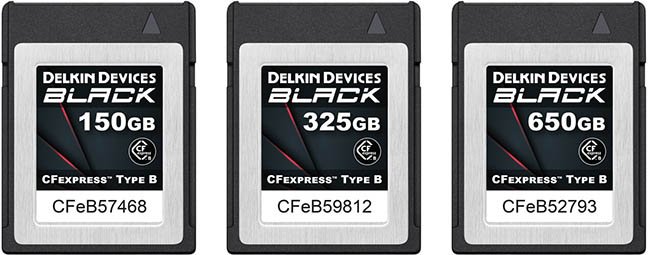
- Bus: PCIe 3.0 Interface
- Capacities: 75GB, 150GB, 325GB, 512GB, 650GB
- Max Read Speed: 1725 MB/s
- Max Write speed: 1530 MB/s
- 8K RAW: Yes until card full
- 4K 120: Yes until 7:30 limit reached
In-Camera Speed / Buffer Test Results
Here are our complete in-camera speed / buffer test results when using a 325GB card in Hi+ Drive Mode using the Electronic Shutter (20 FPS).
The actual R5 in-camera write speed is approximately 518 MB/s when shooting in RAW + JPEG L.
| Image Type | Shots Before Hitting Buffer (Max Burst) | Time to Clear Buffer (Seconds) |
|---|---|---|
| RAW (46.1MB) | 87 | 5.41 |
| CRAW (20.7MB) | 164 | 9.35 |
| JPEG L (16.1MB) | 185 | 10.69 |
| HEIF L (18.9MB) 12 FPS | 439 | 10.78 |
| RAW (46.1MB) + JPEG L (16.1MB) | 63 | 3.95 |
| CRAW (20.7MB) + JPEG L (16.1MB) | 162 | 9.70 |
| RAW (46.1MB) + HEIF L (18.9MB) 12 FPS | 85 | 14.40 |
| CRAW (20.7MB) + HEIF L (18.9MB) 12 FPS | 158 | 25.21 |
30 Second Burst
You can keep shooting after the buffer is hit but the frame rate reduces and the display will black out so this isn’t ideal for tracking subjects.
| Image Type | Shots in 30 Seconds | Frame Rate After Buffer Hit |
|---|---|---|
| RAW (46.1MB) + JPEG L (16.1MB) | 320 | Approx 10 FPS |
Check Price & Reviews: Delkin Devices BLACK CFexpress Type B
At: Amazon | B&H Photo
2. Delkin Devices POWER CFexpress Type B
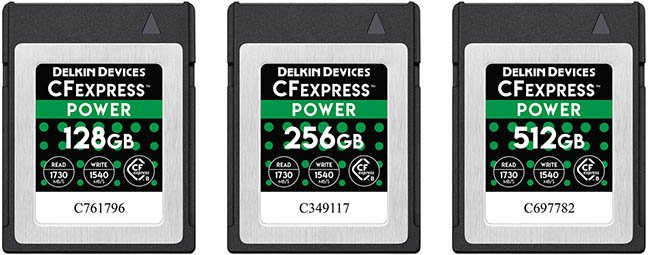
- Bus: PCIe 3.0 x4 Bus
- Capacities: 128GB, 256GB, 512GB, 1TB, 2TB
- Max Read Speed: 1730 MB/s
- Max Write speed: 1540 MB/s
- 8K RAW: Yes until card full
- 4K 120: No, write speed hit after 30 seconds
In-Camera Speed / Buffer Test Results
Here are our complete in-camera speed / buffer test results when using a 128GB card in Hi+ Drive Mode using the Electronic Shutter (20 FPS).
The actual R5 in-camera write speed is approximately 518 MB/s when shooting in RAW + JPEG L.
| Image Type | Shots Before Hitting Buffer (Max Burst) | Time to Clear Buffer (Seconds) |
|---|---|---|
| RAW (46.1MB) | 88 | 5.66 |
| CRAW (20.7MB) | 165 | 8.23 |
| JPEG L (16.1MB) | 193 | 11.31 |
| HEIF L (18.9MB) 12 FPS | 437 | 11.02 |
| RAW (46.1MB) + JPEG L (16.1MB) | 63 | 4.00 |
| CRAW (20.7MB) + JPEG L (16.1MB) | 165 | 10.06 |
| RAW (46.1MB) + HEIF L (18.9MB) 12 FPS | 87 | 14.56 |
| CRAW (20.7MB) + HEIF L (18.9MB) 12 FPS | 161 | 25.60 |
30 Second Burst
You can keep shooting after the buffer is hit but the frame rate reduces and the display will black out so this isn’t ideal for tracking subjects.
| Image Type | Shots in 30 Seconds | Frame Rate After Buffer Hit |
|---|---|---|
| RAW (46.1MB) + JPEG L (16.1MB) | 322 | Approx 10 FPS |
3. Delkin Devices BLACK CFexpress Type B (Old Version)
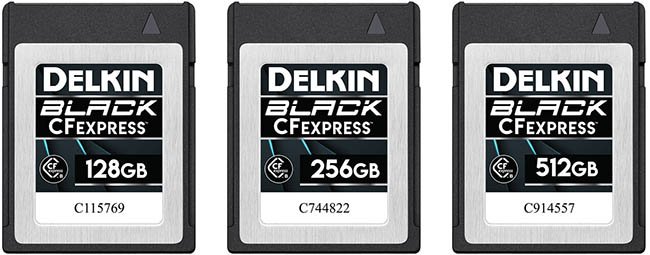
Couldn’t read card or format a couple of times.
- Bus: PCIe 3.0 Interface
- Capacities: 64GB, 128GB, 256GB, 512GB
- Max Read Speed: 1760 MB/s
- Max Write speed: 1710 MB/s
- 8K RAW: Yes until card full
- 4K 120: Yes until 7:30 limit reached
In-Camera Speed / Buffer Test Results
Here are our complete in-camera speed / buffer test results when using a 128GB card in Hi+ Drive Mode using the Electronic Shutter (20 FPS).
The actual R5 in-camera write speed is approximately 518 MB/s when shooting in RAW + JPEG L.
| Image Type | Shots Before Hitting Buffer (Max Burst) | Time to Clear Buffer (Seconds) |
|---|---|---|
| RAW (46.1MB) | 88 | 5.67 |
| CRAW (20.7MB) | 165 | 8.22 |
| JPEG L (16.1MB) | 193 | 11.31 |
| HEIF L (18.9MB) 12 FPS | 437 | 11.02 |
| RAW (46.1MB) + JPEG L (16.1MB) | 63 | 4.00 |
| CRAW (20.7MB) + JPEG L (16.1MB) | 165 | 10.04 |
| RAW (46.1MB) + HEIF L (18.9MB) 12 FPS | 87 | 14.57 |
| CRAW (20.7MB) + HEIF L (18.9MB) 12 FPS | 161 | 25.60 |
30 Second Burst
You can keep shooting after the buffer is hit but the frame rate reduces and the display will black out so this isn’t ideal for tracking subjects.
| Image Type | Shots in 30 Seconds | Frame Rate After Buffer Hit |
|---|---|---|
| RAW (46.1MB) + JPEG L (16.1MB) | 320 | Approx 10 FPS |
Check Price & Reviews: Delkin Devices BLACK CFexpress Type B
At: Amazon | B&H Photo
4. Angelbird AV Pro SE CFexpress Type B
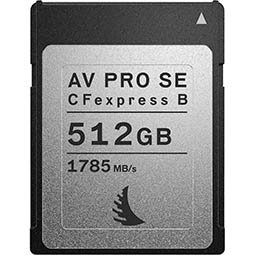
- Bus: PCIe 3.0 x2 Bus
- Capacities: 512GB
- Max Read Speed: 1785 MB/s
- Max Write Speed: 850 MB/s
- 8K RAW: Yes until card full
- 4K 120: Yes until 7:30 limit reached
In-Camera Speed / Buffer Test Results
Here are our complete in-camera speed / buffer test results when using a 512GB card in Hi+ Drive Mode using the Electronic Shutter (20 FPS).
The actual R5 in-camera write speed is approximately 518 MB/s when shooting in RAW + JPEG L.
| Image Type | Shots Before Hitting Buffer (Max Burst) | Time to Clear Buffer (Seconds) |
|---|---|---|
| RAW (46.1MB) | 88 | 5.67 |
| CRAW (20.7MB) | 165 | 8.22 |
| JPEG L (16.1MB) | 193 | 11.06 |
| HEIF L (18.9MB) 12 FPS | 437 | 11.02 |
| RAW (46.1MB) + JPEG L (16.1MB) | 63 | 4.10 |
| CRAW (20.7MB) + JPEG L (16.1MB) | 165 | 10.05 |
| RAW (46.1MB) + HEIF L (18.9MB) 12 FPS | 90 | 15.35 |
| CRAW (20.7MB) + HEIF L (18.9MB) 12 FPS | 161 | 25.52 |
30 Second Burst
You can keep shooting after the buffer is hit but the frame rate reduces and the display will black out so this isn’t ideal for tracking subjects.
| Image Type | Shots in 30 Seconds | Frame Rate After Buffer Hit |
|---|---|---|
| RAW (46.1MB) + JPEG L (16.1MB) | 320 | Approx 10 FPS |
5. Lexar Professional DIAMOND Series CFexpress Type B
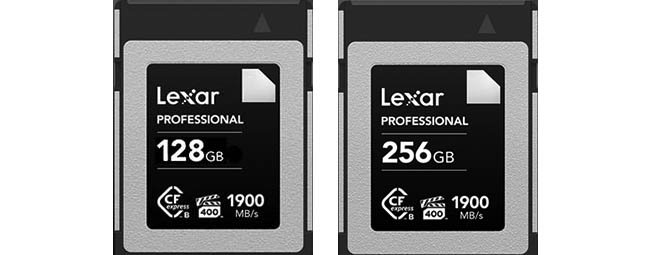
- Bus: PCIe 3.0 x2 / NVMe Protocols
- Capacities: 128GB, 256GB
- Max Read Speed: 1900 MB/s
- Max Write speed: 1700 MB/s
- 8K RAW: Yes until card full
- 4K 120: Yes until 7:30 limit reached
In-Camera Speed / Buffer Test Results
Here are our complete in-camera speed / buffer test results when using a 128GB card in Hi+ Drive Mode using the Electronic Shutter (20 FPS).
The actual R5 in-camera write speed is approximately 517 MB/s when shooting in RAW + JPEG L.
| Image Type | Shots Before Hitting Buffer (Max Burst) | Time to Clear Buffer (Seconds) |
|---|---|---|
| RAW (46.1MB) | 88 | 5.68 |
| CRAW (20.7MB) | 165 | 8.22 |
| JPEG L (16.1MB) | 193 | 11.05 |
| HEIF L (18.9MB) 12 FPS | 437 | 11.00 |
| RAW (46.1MB) + JPEG L (16.1MB) | 63 | 4.10 |
| CRAW (20.7MB) + JPEG L (16.1MB) | 165 | 10.03 |
| RAW (46.1MB) + HEIF L (18.9MB) 12 FPS | 87 | 14.58 |
| CRAW (20.7MB) + HEIF L (18.9MB) 12 FPS | 161 | 25.50 |
30 Second Burst
You can keep shooting after the buffer is hit but the frame rate reduces and the display will black out so this isn’t ideal for tracking subjects.
| Image Type | Shots in 30 Seconds | Frame Rate After Buffer Hit |
|---|---|---|
| RAW (46.1MB) + JPEG L (16.1MB) | 320 | Approx 10 FPS |
Check Price & Buyer Reviews: Lexar Professional CFexpress Type B DIAMOND Series
At: Amazon | B&H Photo
6. Sony CEB-G Series TOUGH CFexpress Type B
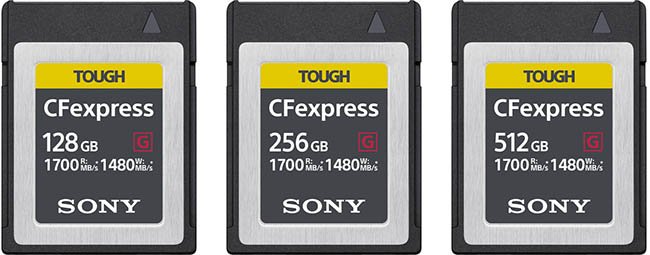
- Bus: PCIe 3.0 Bus
- Capacities: 128GB, 256GB, 512GB
- Max Read Speed: 1700 MB/s
- Max Write speed: 1480 MB/s
- 8K RAW: Yes until card full
- 4K 120: Yes until 7:30 limit reached
In-Camera Speed / Buffer Test Results
Here are our complete in-camera speed / buffer test results when using a 128GB card in Hi+ Drive Mode using the Electronic Shutter (20 FPS).
The actual R5 in-camera write speed is approximately 515 MB/s when shooting in RAW + JPEG L.
| Image Type | Shots Before Hitting Buffer (Max Burst) | Time to Clear Buffer (Seconds) |
|---|---|---|
| RAW (46.1MB) | 86 | 5.56 |
| CRAW (20.7MB) | 161 | 9.05 |
| JPEG L (16.1MB) | 184 | 10.75 |
| HEIF L (18.9MB) 12 FPS | 435 | 10.28 |
| RAW (46.1MB) + JPEG L (16.1MB) | 63 | 3.95 |
| CRAW (20.7MB) + JPEG L (16.1MB) | 160 | 9.73 |
| RAW (46.1MB) + HEIF L (18.9MB) 12 FPS | 84 | 14.37 |
| CRAW (20.7MB) + HEIF L (18.9MB) 12 FPS | 157 | 25.11 |
30 Second Burst
You can keep shooting after the buffer is hit but the frame rate reduces and the display will black out so this isn’t ideal for tracking subjects.
| Image Type | Shots in 30 Seconds | Frame Rate After Buffer Hit |
|---|---|---|
| RAW (46.1MB) + JPEG L (16.1MB) | 279 | Approx 8 FPS |
7. ProGrade Digital Cobalt CFexpress Type B
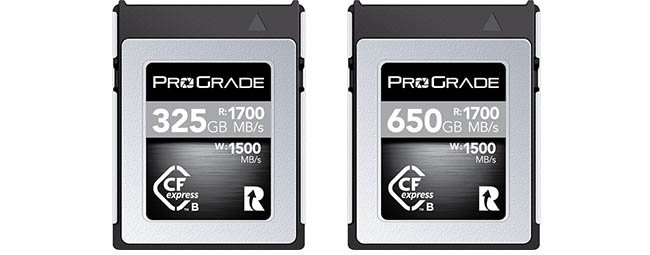
- Bus: NVMe PCIe 3.0 x4 Bus
- Capacities: 325GB, 650GB
- Max Read Speed: 1700 MB/s
- Max Write speed: 1500 MB/s
- 8K RAW: Yes until card full
- 4K 120: Yes until 7:30 limit reached
In-Camera Speed / Buffer Test Results
Here are our complete in-camera speed / buffer test results when using a 325GB card in Hi+ Drive Mode using the Electronic Shutter (20 FPS).
The actual R5 in-camera write speed is approximately 515 MB/s when shooting in RAW + JPEG L.
| Image Type | Shots Before Hitting Buffer (Max Burst) | Time to Clear Buffer (Seconds) |
|---|---|---|
| RAW (46.1MB) | 86 | 5.57 |
| CRAW (20.7MB) | 168 | 9.15 |
| JPEG L (16.1MB) | 185 | 1.69 |
| HEIF L (18.9MB) 12 FPS | 432 | 10.15 |
| RAW (46.1MB) + JPEG L (16.1MB) | 63 | 4.02 |
| CRAW (20.7MB) + JPEG L (16.1MB) | 160 | 9.72 |
| RAW (46.1MB) + HEIF L (18.9MB) 12 FPS | 84 | 14.36 |
| CRAW (20.7MB) + HEIF L (18.9MB) 12 FPS | 156 | 25.01 |
30 Second Burst
You can keep shooting after the buffer is hit but the frame rate reduces and the display will black out so this isn’t ideal for tracking subjects.
| Image Type | Shots in 30 Seconds | Frame Rate After Buffer Hit |
|---|---|---|
| RAW (46.1MB) + JPEG L (16.1MB) | 317 | Approx 9 FPS |
8. Angelbird AV PRO SX CFexpress Type B
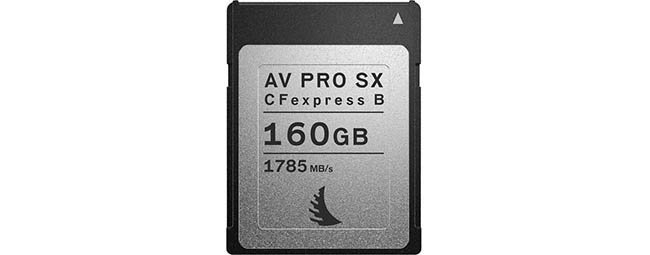
- Bus: PCIe 3.0 x2 Bus
- Capacities: 160GB
- Max Read Speed: 1785 MB/s
- Max Write speed: 1600 MB/s
- 8K RAW: Yes until card full
- 4K 120: Yes until 7:30 limit reached
In-Camera Speed / Buffer Test Results
Here are our complete in-camera speed / buffer test results when using a 160GB card in Hi+ Drive Mode using the Electronic Shutter (20 FPS).
The actual R5 in-camera write speed is approximately 515 MB/s when shooting in RAW + JPEG L.
| Image Type | Shots Before Hitting Buffer (Max Burst) | Time to Clear Buffer (Seconds) |
|---|---|---|
| RAW (46.1MB) | 86 | 5.56 |
| CRAW (20.7MB) | 168 | 9.15 |
| JPEG L (16.1MB) | 185 | 10.61 |
| HEIF L (18.9MB) 12 FPS | 433 | 10.18 |
| RAW (46.1MB) + JPEG L (16.1MB) | 63 | 4.01 |
| CRAW (20.7MB) + JPEG L (16.1MB) | 160 | 9.72 |
| RAW (46.1MB) + HEIF L (18.9MB) 12 FPS | 84 | 14.36 |
| CRAW (20.7MB) + HEIF L (18.9MB) 12 FPS | 157 | 25.11 |
30 Second Burst
You can keep shooting after the buffer is hit but the frame rate reduces and the display will black out so this isn’t ideal for tracking subjects.
| Image Type | Shots in 30 Seconds | Frame Rate After Buffer Hit |
|---|---|---|
| RAW (46.1MB) + JPEG L (16.1MB) | 320 | Approx 10 FPS |
9. Lexar Professional GOLD Series CFexpress Type B
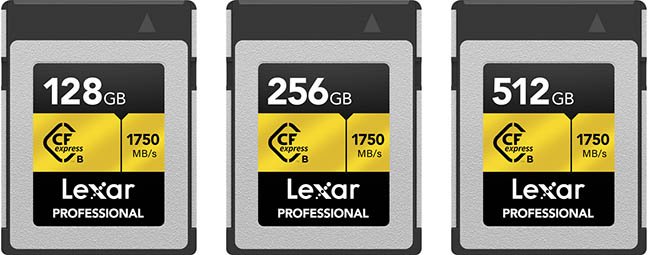
- Bus: PCIe 3.0 Bus
- Capacities: 64GB, 128GB, 256GB, 512GB
- Max Read Speed: 1750 MB/s
- Max Write speed: 1000 MB/s
- 8K RAW: Yes until card full
- 4K 120: Yes until 7:30 limit reached
In-Camera Speed / Buffer Test Results
Here are our complete in-camera speed / buffer test results when using a 128GB card in Hi+ Drive Mode using the Electronic Shutter (20 FPS).
The actual R5 in-camera write speed is approximately 515 MB/s when shooting in RAW + JPEG L.
| Image Type | Shots Before Hitting Buffer (Max Burst) | Time to Clear Buffer (Seconds) |
|---|---|---|
| RAW (46.1MB) | 88 | 5.69 |
| CRAW (20.7MB) | 165 | 8.23 |
| JPEG L (16.1MB) | 193 | 11.10 |
| HEIF L (18.9MB) 12 FPS | 437 | 11.05 |
| RAW (46.1MB) + JPEG L (16.1MB) | 63 | 4.04 |
| CRAW (20.7MB) + JPEG L (16.1MB) | 165 | 10.05 |
| RAW (46.1MB) + HEIF L (18.9MB) 12 FPS | 87 | 14.58 |
| CRAW (20.7MB) + HEIF L (18.9MB) 12 FPS | 161 | 25.52 |
30 Second Burst
You can keep shooting after the buffer is hit but the frame rate reduces and the display will black out so this isn’t ideal for tracking subjects.
| Image Type | Shots in 30 Seconds | Frame Rate After Buffer Hit |
|---|---|---|
| RAW (46.1MB) + JPEG L (16.1MB) | 320 | Approx 10 FPS |
10. Lexar Professional SILVER Series CFexpress Type B
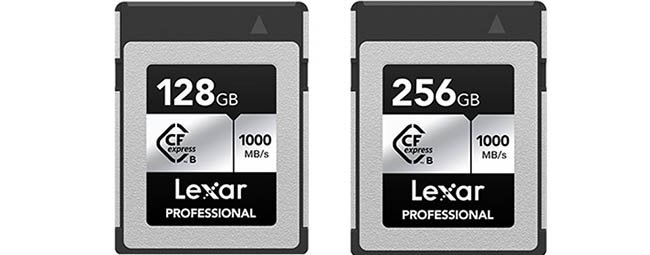
- Bus: PCIe 3.0 Bus
- Capacities: 128GB, 256GB
- Max Read Speed: 1000 MB/s
- Max Write speed: 600 MB/s
- 8K RAW: Yes until card full
- 4K 120: Yes until 7:30 limit reached
In-Camera Speed / Buffer Test Results
Here are our complete in-camera speed / buffer test results when using a 128GB card in Hi+ Drive Mode using the Electronic Shutter (20 FPS).
The actual R5 in-camera write speed is approximately 515 MB/s when shooting in RAW + JPEG L.
| Image Type | Shots Before Hitting Buffer (Max Burst) | Time to Clear Buffer (Seconds) |
|---|---|---|
| RAW (46.1MB) | 88 | 5.80 |
| CRAW (20.7MB) | 165 | 8.24 |
| JPEG L (16.1MB) | 193 | 11.07 |
| HEIF L (18.9MB) 12 FPS | 436 | 10.58 |
| RAW (46.1MB) + JPEG L (16.1MB) | 63 | 4.00 |
| CRAW (20.7MB) + JPEG L (16.1MB) | 164 | 10.00 |
| RAW (46.1MB) + HEIF L (18.9MB) 12 FPS | 87 | 14.59 |
| CRAW (20.7MB) + HEIF L (18.9MB) 12 FPS | 161 | 25.58 |
30 Second Burst
You can keep shooting after the buffer is hit but the frame rate reduces and the display will black out so this isn’t ideal for tracking subjects.
| Image Type | Shots in 30 Seconds | Frame Rate After Buffer Hit |
|---|---|---|
| RAW (46.1MB) + JPEG L (16.1MB) | 297 | Approx 9 FPS |
Check Price & Buyer Reviews: Lexar Professional CFexpress Type B SILVER Series
At: Amazon | B&H Photo
11. SanDisk Extreme PRO CFexpress Type B
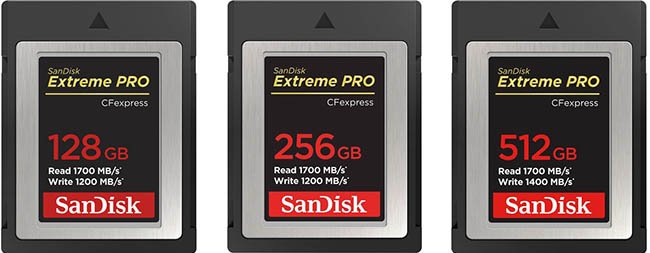
- Bus: PCIe 3.0 Bus
- Capacities: 64GB, 128GB, 256GB, 512GB
- Max Read Speed: 1700 MB/s
- Max Write Speed: 1200 MB/s
- 8K RAW: Yes until card full
- 4K 120: Yes until 7:30 limit reached
In-Camera Speed / Buffer Test Results
Here are our complete in-camera speed / buffer test results when using a 128GB card in Hi+ Drive Mode using the Electronic Shutter (20 FPS).
The actual R5 in-camera write speed is approximately 419 MB/s when shooting in RAW + JPEG L.
| Image Type | Shots Before Hitting Buffer (Max Burst) | Time to Clear Buffer (Seconds) |
|---|---|---|
| RAW (46.1MB) | 88 | 5.91 |
| CRAW (20.7MB) | 174 | 10.03 |
| JPEG L (16.1MB) | 193 | 10.91 |
| HEIF L (18.9MB) 12 FPS | 436 | 10.60 |
| RAW (46.1MB) + JPEG L (16.1MB) | 63 | 5.86 |
| CRAW (20.7MB) + JPEG L (16.1MB) | 164 | 10.10 |
| RAW (46.1MB) + HEIF L (18.9MB) 12 FPS | 87 | 14.60 |
| CRAW (20.7MB) + HEIF L (18.9MB) 12 FPS | 161 | 25.70 |
30 Second Burst
You can keep shooting after the buffer is hit but the frame rate reduces and the display will black out so this isn’t ideal for tracking subjects.
| Image Type | Shots in 30 Seconds | Frame Rate After Buffer Hit |
|---|---|---|
| RAW (46.1MB) + JPEG L (16.1MB) | 261 | Approx 7 FPS |
12. ProGrade Digital Gold CFexpress Type B
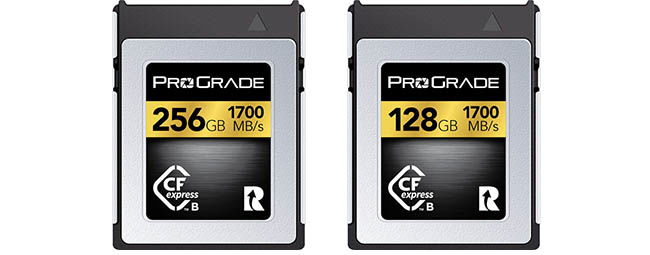
- Bus: NVMe PCIe 3.0 x4 Bus
- Capacities: 128GB, 256GB
- Max Read Speed: 1700 MB/s
- Max Write Speed: 1400 MB/s
- 8K RAW: No, stopped after 2 seconds due to slow write speed
- 4K 120: No, stopped after 01:18 due to slow write speed
In-Camera Speed / Buffer Test Results
Here are our complete in-camera speed / buffer test results when using a 128GB card in Hi+ Drive Mode using the Electronic Shutter (20 FPS).
The actual R5 in-camera write speed is approximately 225 MB/s when shooting in RAW + JPEG L.
| Image Type | Shots Before Hitting Buffer (Max Burst) | Time to Clear Buffer (Seconds) |
|---|---|---|
| RAW (46.1MB) | 64 | 7.03 |
| CRAW (20.7MB) | 174 | 12.06 |
| JPEG L (16.1MB) | 194 | 11.60 |
| HEIF L (18.9MB) 12 FPS | 413 | 12.55 |
| RAW (46.1MB) + JPEG L (16.1MB) | 63 | 13.53 |
| CRAW (20.7MB) + JPEG L (16.1MB) | 163 | 24.71 |
| RAW (46.1MB) + HEIF L (18.9MB) 12 FPS | 87 | 25.00 |
| CRAW (20.7MB) + HEIF L (18.9MB) 12 FPS | 156 | 27.12 |
30 Second Burst
You can keep shooting after the buffer is hit but the frame rate reduces and the display will black out so this isn’t ideal for tracking subjects.
| Image Type | Shots in 30 Seconds | Frame Rate After Buffer Hit |
|---|---|---|
| RAW (46.1MB) + JPEG L (16.1MB) | 149 | Approx 3 FPS |
Check Price & Buyer Reviews: ProGrade Digital CFexpress 2.0 Type B Gold
At: Amazon | B&H Photo
13. Wise Advanced CFX-B Series CFexpress Type B
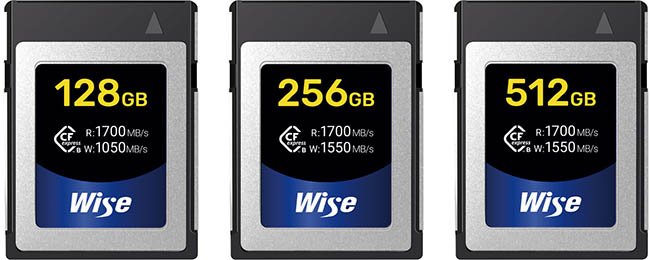
- Bus: PCIe 3.0 x2 Bus
- Capacities: 128GB, 256GB, 512GB, 1TB
- Max Read Speed: 1700 MB/s (128GB)
- Max Write Speed: 1050 MB/s (128GB), 1550 MB/s (256GB, 512GB, 1TB)
- 8K RAW: No, stopped after 3 seconds due to slow write speed
- 4K 120: No, stopped after 17 seconds due to slow write speed
In-Camera Speed / Buffer Test Results
Here are our complete in-camera speed / buffer test results when using a 128GB card in Hi+ Drive Mode using the Electronic Shutter (20 FPS).
The actual R5 in-camera write speed is approximately 193 MB/s when shooting in RAW + JPEG L.
| Image Type | Shots Before Hitting Buffer (Max Burst) | Time to Clear Buffer (Seconds) |
|---|---|---|
| RAW (46.1MB) | 63 | 9.80 |
| CRAW (20.7MB) | 174 | 12.86 |
| JPEG L (16.1MB) | 193 | 12.06 |
| HEIF L (18.9MB) 12 FPS | 409 | 12.83 |
| RAW (46.1MB) + JPEG L (16.1MB) | 63 | 16.71 |
| CRAW (20.7MB) + JPEG L (16.1MB) | 149 | 24.56 |
| RAW (46.1MB) + HEIF L (18.9MB) 12 FPS | 87 | 27.01 |
| CRAW (20.7MB) + HEIF L (18.9MB) 12 FPS | 155 | 29.86 |
30 Second Burst
You can keep shooting after the buffer is hit but the frame rate reduces and the display will black out so this isn’t ideal for tracking subjects.
| Image Type | Shots in 30 Seconds | Frame Rate After Buffer Hit |
|---|---|---|
| RAW (46.1MB) + JPEG L (16.1MB) | 145 | Approx 3 FPS |
Check Price & Buyer Reviews: Wise Advanced CFX-B Series CFexpress Type B
At: Amazon | B&H Photo
UHS-II Memory Card Speed & Buffer Tests
Memory card slot 2 of the R5 supports UHS-II and UHS-I memory cards. We have only tested UHS-II cards in-camera because UHS-I cards are really not well suited to the large files that the 45 megapixel sensor in the R5 creates.
Firmware version 1.7.0 was used for these tests which were carried out using the Electronic Shutter in Hi+ (20 FPS) mode.
1. Sony SF-G Tough UHS-II
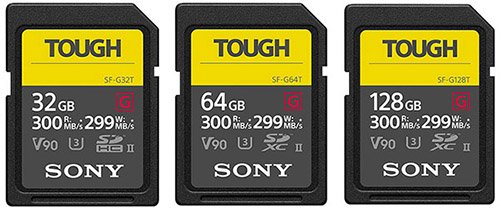
Please note that these cards are a little thicker than other memory cards and can be a tight fit in the R5’s memory card slots.
- Bus speed: UHS-II
- Video speed class: V90
- Capacities: 32GB (SDHC), 64GB, 128GB, 256GB (SDXC)
- Read speed: 300 MB/s
- Write speed: 299 MB/s
In-Camera Speed / Buffer Test Results
Here are our complete in-camera speed / buffer test results when using a 64GB card in Hi+ Drive Mode using the Electronic Shutter (20 FPS).
The actual R5 in-camera write speed is approximately 231 MB/s when shooting in RAW + JPEG L.
| Image Type | Shots Before Hitting Buffer (Max Burst) | Time to Clear Buffer (Seconds) |
|---|---|---|
| RAW (46.1MB) | 77 | 11.28 |
| CRAW (20.7MB) | 168 | 9.73 |
| JPEG L (16.1MB) | 194 | 11.06 |
| HEIF L (18.9MB) 12 FPS | 456 | 11.30 |
| RAW (46.1MB) + JPEG L (16.1MB) | 63 | 13.51 |
| CRAW (20.7MB) + JPEG L (16.1MB) | 138 | 16.44 |
| RAW (46.1MB) + HEIF L (18.9MB) 12 FPS | 82 | 18.20 |
| CRAW (20.7MB) + HEIF L (18.9MB) 12 FPS | 161 | 26.68 |
30 Second Burst
You can keep shooting after the buffer is hit but the frame rate reduces and the display will black out so this isn’t ideal for tracking subjects.
| Image Type | Shots in 30 Seconds | Frame Rate After Buffer Hit |
|---|---|---|
| RAW (46.1MB) + JPEG L (16.1MB) | 161 | Approx 3 FPS |
2. Kingston Canvas React Plus UHS-II
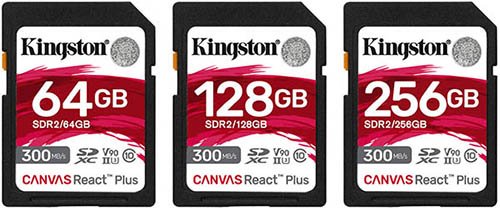
Their Kingston Canvas React Plus UHS-II are very well reviewed and extremely fast, and often out perform more expensive cards.
Their price per GB together with their performance and reliability makes this our number one UHS-II card recommendation for the R5.
- Bus speed: UHS-II
- Video speed class: V90
- Capacities: 32GB (SDHC), 64GB, 128GB, 256GB (SDXC)
- Read speed: 300 MB/s
- Write speed: 260 MB/s
In-Camera Speed / Buffer Test Results
Here are our complete in-camera speed / buffer test results when using a 64GB card in Hi+ Drive Mode using the Electronic Shutter (20 FPS).
The actual R5 in-camera write speed is approximately 226 MB/s when shooting in RAW + JPEG L.
| Image Type | Shots Before Hitting Buffer (Max Burst) | Time to Clear Buffer (Seconds) |
|---|---|---|
| RAW (46.1MB) | 76 | 11.33 |
| CRAW (20.7MB) | 168 | 9.74 |
| JPEG L (16.1MB) | 193 | 11.01 |
| HEIF L (18.9MB) 12 FPS | 456 | 11.31 |
| RAW (46.1MB) + JPEG L (16.1MB) | 64 | 14.00 |
| CRAW (20.7MB) + JPEG L (16.1MB) | 138 | 16.43 |
| RAW (46.1MB) + HEIF L (18.9MB) 12 FPS | 82 | 18.20 |
| CRAW (20.7MB) + HEIF L (18.9MB) 12 FPS | 161 | 26.58 |
30 Second Burst
You can keep shooting after the buffer is hit but the frame rate reduces and the display will black out so this isn’t ideal for tracking subjects.
| Image Type | Shots in 30 Seconds | Frame Rate After Buffer Hit |
|---|---|---|
| RAW (46.1MB) + JPEG L (16.1MB) | 156 | Approx 3 FPS |
3. PNY X-PRO 90 UHS-II
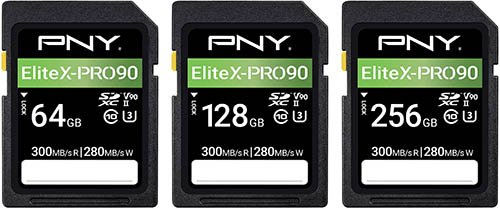
- Bus speed: UHS-II
- Video speed class: V90
- Capacities: 64GB, 128GB, 256GB (SDXC)
- Read speed: 300 MB/s
- Write speed: 280 MB/s
In-Camera Speed / Buffer Test Results
Here are our complete in-camera speed / buffer test results when using a 64GB card in Hi+ Drive Mode using the Electronic Shutter (20 FPS).
The actual R5 in-camera write speed is approximately 226 MB/s when shooting in RAW + JPEG L.
| Image Type | Shots Before Hitting Buffer (Max Burst) | Time to Clear Buffer (Seconds) |
|---|---|---|
| RAW (46.1MB) | 76 | 11.30 |
| CRAW (20.7MB) | 168 | 9.71 |
| JPEG L (16.1MB) | 193 | 10.58 |
| HEIF L (18.9MB) 12 FPS | 456 | 11.21 |
| RAW (46.1MB) + JPEG L (16.1MB) | 63 | 13.61 |
| CRAW (20.7MB) + JPEG L (16.1MB) | 138 | 16.43 |
| RAW (46.1MB) + HEIF L (18.9MB) 12 FPS | 82 | 18.10 |
| CRAW (20.7MB) + HEIF L (18.9MB) 12 FPS | 161 | 26.52 |
30 Second Burst
You can keep shooting after the buffer is hit but the frame rate reduces and the display will black out so this isn’t ideal for tracking subjects.
| Image Type | Shots in 30 Seconds | Frame Rate After Buffer Hit |
|---|---|---|
| RAW (46.1MB) + JPEG L (16.1MB) | 149 | Approx 3 FPS |
4. Ritzgear Video Pro UHS-II
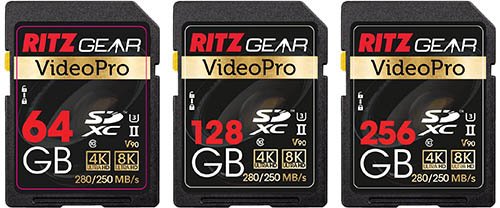
- Bus speed: UHS-II
- Video speed class: V90
- Capacities: 64GB, 128GB, 256GB (SDXC)
- Read speed: 280 MB/s
- Write speed: 250 MB/s
In-Camera Speed / Buffer Test Results
Here are our complete in-camera speed / buffer test results when using a 64GB card in Hi+ Drive Mode using the Electronic Shutter (20 FPS).
The actual R5 in-camera write speed is approximately 226 MB/s when shooting in RAW + JPEG L.
| Image Type | Shots Before Hitting Buffer (Max Burst) | Time to Clear Buffer (Seconds) |
|---|---|---|
| RAW (46.1MB) | 75 | 11.01 |
| CRAW (20.7MB) | 167 | 9.70 |
| JPEG L (16.1MB) | 193 | 11.01 |
| HEIF L (18.9MB) 12 FPS | 455 | 11.30 |
| RAW (46.1MB) + JPEG L (16.1MB) | 64 | 14.01 |
| CRAW (20.7MB) + JPEG L (16.1MB) | 138 | 16.33 |
| RAW (46.1MB) + HEIF L (18.9MB) 12 FPS | 82 | 18.21 |
| CRAW (20.7MB) + HEIF L (18.9MB) 12 FPS | 161 | 26.57 |
30 Second Burst
You can keep shooting after the buffer is hit but the frame rate reduces and the display will black out so this isn’t ideal for tracking subjects.
| Image Type | Shots in 30 Seconds | Frame Rate After Buffer Hit |
|---|---|---|
| RAW (46.1MB) + JPEG L (16.1MB) | 149 | Approx 3 FPS |
Check Price & Buyer Reviews: Ritzgear Video Pro UHS-II
At: B&H Photo | Amazon
5. Hoodman Steel 2000x UHS-II
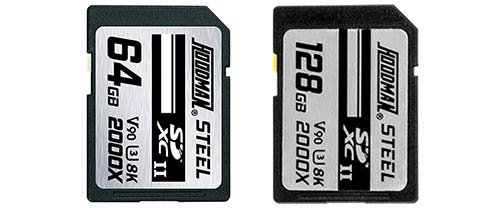
- Bus speed: UHS-II
- Video speed class: V90
- Capacities: 64GB, 128GB (SDXC)
- Read speed: 300 MB/s
- Write speed: 260 MB/s
In-Camera Speed / Buffer Test Results
Here are our complete in-camera speed / buffer test results when using a 64GB card in Hi+ Drive Mode using the Electronic Shutter (20 FPS).
The actual R5 in-camera write speed is approximately 226 MB/s when shooting in RAW + JPEG L.
| Image Type | Shots Before Hitting Buffer (Max Burst) | Time to Clear Buffer (Seconds) |
|---|---|---|
| RAW (46.1MB) | 76 | 11.34 |
| CRAW (20.7MB) | 168 | 9.84 |
| JPEG L (16.1MB) | 193 | 11.05 |
| HEIF L (18.9MB) 12 FPS | 455 | 11.31 |
| RAW (46.1MB) + JPEG L (16.1MB) | 63 | 14.10 |
| CRAW (20.7MB) + JPEG L (16.1MB) | 139 | 16.63 |
| RAW (46.1MB) + HEIF L (18.9MB) 12 FPS | 82 | 18.20 |
| CRAW (20.7MB) + HEIF L (18.9MB) 12 FPS | 161 | 26.57 |
30 Second Burst
You can keep shooting after the buffer is hit but the frame rate reduces and the display will black out so this isn’t ideal for tracking subjects.
| Image Type | Shots in 30 Seconds | Frame Rate After Buffer Hit |
|---|---|---|
| RAW (46.1MB) + JPEG L (16.1MB) | 156 | Approx 3 FPS |
6. Lexar Professional 2000X UHS-II
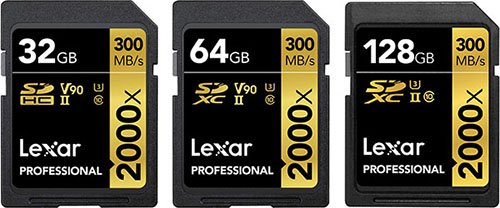
- Bus speed: UHS-II
- Video speed class: V90
- Capacities: 32GB (SDHC), 64GB, 128GB, 256GB (SDXC)
- Read speed: 300 MB/s
- Write speed: 260 MB/s
In-Camera Speed / Buffer Test Results
Here are our complete in-camera speed / buffer test results when using a 64GB card in Hi+ Drive Mode using the Electronic Shutter (20 FPS).
The actual R5 in-camera write speed is approximately 222 MB/s when shooting in RAW + JPEG L.
| Image Type | Shots Before Hitting Buffer (Max Burst) | Time to Clear Buffer (Seconds) |
|---|---|---|
| RAW (46.1MB) | 76 | 11.16 |
| CRAW (20.7MB) | 168 | 9.78 |
| JPEG L (16.1MB) | 194 | 11.16 |
| HEIF L (18.9MB) 12 FPS | 455 | 11.08 |
| RAW (46.1MB) + JPEG L (16.1MB) | 63 | 14.16 |
| CRAW (20.7MB) + JPEG L (16.1MB) | 137 | 16.34 |
| RAW (46.1MB) + HEIF L (18.9MB) 12 FPS | 82 | 18.40 |
| CRAW (20.7MB) + HEIF L (18.9MB) 12 FPS | 161 | 27.00 |
30 Second Burst
You can keep shooting after the buffer is hit but the frame rate reduces and the display will black out so this isn’t ideal for tracking subjects.
| Image Type | Shots in 30 Seconds | Frame Rate After Buffer Hit |
|---|---|---|
| RAW (46.1MB) + JPEG L (16.1MB) | 152 | Approx 3 FPS |
7. Transcend SD 700S UHS-II
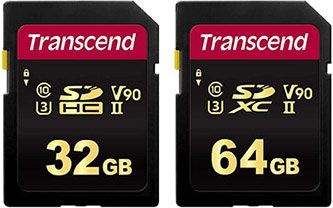
- Bus speed: UHS-II
- Video speed class: V90
- Capacities: 32GB (SDHC), 64GB (SDXC)
- Read speed: 285 MB/s
- Write speed: 180 MB/s
In-Camera Speed / Buffer Test Results
Here are our complete in-camera speed / buffer test results when using a 64GB card in Hi+ Drive Mode using the Electronic Shutter (20 FPS).
The actual R5 in-camera write speed is approximately 222 MB/s when shooting in RAW + JPEG L.
| Image Type | Shots Before Hitting Buffer (Max Burst) | Time to Clear Buffer (Seconds) |
|---|---|---|
| RAW (46.1MB) | 76 | 11.11 |
| CRAW (20.7MB) | 168 | 9.79 |
| JPEG L (16.1MB) | 194 | 11.15 |
| HEIF L (18.9MB) 12 FPS | 455 | 11.12 |
| RAW (46.1MB) + JPEG L (16.1MB) | 63 | 14.08 |
| CRAW (20.7MB) + JPEG L (16.1MB) | 138 | 16.33 |
| RAW (46.1MB) + HEIF L (18.9MB) 12 FPS | 82 | 18.40 |
| CRAW (20.7MB) + HEIF L (18.9MB) 12 FPS | 161 | 27.01 |
30 Second Burst
You can keep shooting after the buffer is hit but the frame rate reduces and the display will black out so this isn’t ideal for tracking subjects.
| Image Type | Shots in 30 Seconds | Frame Rate After Buffer Hit |
|---|---|---|
| RAW (46.1MB) + JPEG L (16.1MB) | 156 | Approx 3 FPS |
8. Delkin Devices POWER UHS-II
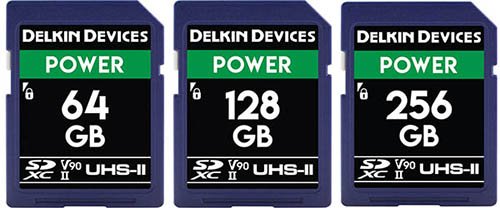
Delkin Devices design and support their memory cards in the USA.
The Power cards have been built specifically for extreme conditions and are protected against water, shock, and x-rays. They also feature built-in error correction and wear leveling.
Each card is backed by a Lifetime Warranty and Delkin’s American-based customer support team.
- Bus speed: UHS-II
- Video speed class: V90
- Capacities: 32GB (SDHC), 64GB, 128GB, 256GB (SDXC)
- Read speed: 300 MB/s
- Write speed: 250 MB/s
In-Camera Speed / Buffer Test Results
Here are our complete in-camera speed / buffer test results when using a 64GB card in Hi+ Drive Mode using the Electronic Shutter (20 FPS).
The actual R5 in-camera write speed is approximately 215 MB/s when shooting in RAW + JPEG L.
| Image Type | Shots Before Hitting Buffer (Max Burst) | Time to Clear Buffer (Seconds) |
|---|---|---|
| RAW (46.1MB) | 76 | 11.16 |
| CRAW (20.7MB) | 168 | 9.78 |
| JPEG L (16.1MB) | 194 | 11.16 |
| HEIF L (18.9MB) 12 FPS | 456 | 11.38 |
| RAW (46.1MB) + JPEG L (16.1MB) | 63 | 14.90 |
| CRAW (20.7MB) + JPEG L (16.1MB) | 138 | 16.45 |
| RAW (46.1MB) + HEIF L (18.9MB) 12 FPS | 82 | 18.29 |
| CRAW (20.7MB) + HEIF L (18.9MB) 12 FPS | 161 | 26.78 |
30 Second Burst
You can keep shooting after the buffer is hit but the frame rate reduces and the display will black out so this isn’t ideal for tracking subjects.
| Image Type | Shots in 30 Seconds | Frame Rate After Buffer Hit |
|---|---|---|
| RAW (46.1MB) + JPEG L (16.1MB) | 152 | Approx 3 FPS |
9. SanDisk Extreme Pro UHS-II
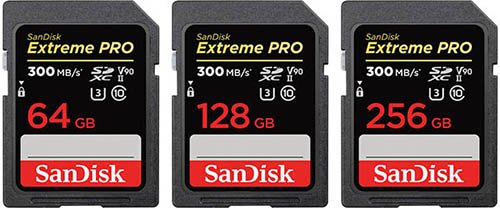
- Bus speed: UHS-II
- Video speed class: V90
- Capacities: 32GB (SDHC), 64GB, 128GB (SDXC)
- Read speed: 300 MB/s
- Write speed: 260 MB/s
In-Camera Speed / Buffer Test Results
Here are our complete in-camera speed / buffer test results when using a 64GB card in Hi+ Drive Mode using the Electronic Shutter (20 FPS).
The actual R5 in-camera write speed is approximately 215 MB/s when shooting in RAW + JPEG L.
| Image Type | Shots Before Hitting Buffer (Max Burst) | Time to Clear Buffer (Seconds) |
|---|---|---|
| RAW (46.1MB) | 76 | 11.17 |
| CRAW (20.7MB) | 168 | 9.78 |
| JPEG L (16.1MB) | 194 | 11.16 |
| HEIF L (18.9MB) 12 FPS | 456 | 11.39 |
| RAW (46.1MB) + JPEG L (16.1MB) | 64 | 14.86 |
| CRAW (20.7MB) + JPEG L (16.1MB) | 138 | 16.43 |
| RAW (46.1MB) + HEIF L (18.9MB) 12 FPS | 82 | 18.32 |
| CRAW (20.7MB) + HEIF L (18.9MB) 12 FPS | 161 | 26.79 |
30 Second Burst
You can keep shooting after the buffer is hit but the frame rate reduces and the display will black out so this isn’t ideal for tracking subjects.
| Image Type | Shots in 30 Seconds | Frame Rate After Buffer Hit |
|---|---|---|
| RAW (46.1MB) + JPEG L (16.1MB) | 157 | Approx 3 FPS |
10. ProGrade V90 UHS-II
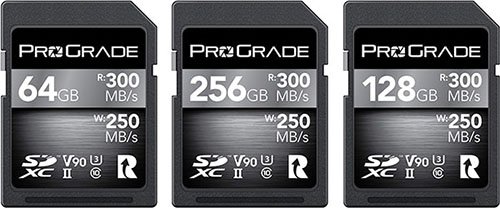
- Bus speed: UHS-II
- Video speed class: V90
- Capacities: 64GB, 128GB, 256GB, 512GB (SDXC)
- Read speed: 300 MB/s
- Write speed: 250 MB/s
In-Camera Speed / Buffer Test Results
Here are our complete in-camera speed / buffer test results when using a 64GB card in Hi+ Drive Mode using the Electronic Shutter (20 FPS).
The actual R5 in-camera write speed is approximately 213 MB/s when shooting in RAW + JPEG L.
| Image Type | Shots Before Hitting Buffer (Max Burst) | Time to Clear Buffer (Seconds) |
|---|---|---|
| RAW (46.1MB) | 75 | 12.35 |
| CRAW (20.7MB) | 174 | 9.86 |
| JPEG L (16.1MB) | 194 | 11.21 |
| HEIF L (18.9MB) 12 FPS | 454 | 12.12 |
| RAW (46.1MB) + JPEG L (16.1MB) | 64 | 15.30 |
| CRAW (20.7MB) + JPEG L (16.1MB) | 134 | 17.46 |
| RAW (46.1MB) + HEIF L (18.9MB) 12 FPS | 81 | 18.00 |
| CRAW (20.7MB) + HEIF L (18.9MB) 12 FPS | 161 | 26.58 |
30 Second Burst
You can keep shooting after the buffer is hit but the frame rate reduces and the display will black out so this isn’t ideal for tracking subjects.
| Image Type | Shots in 30 Seconds | Frame Rate After Buffer Hit |
|---|---|---|
| RAW (46.1MB) + JPEG L (16.1MB) | 156 | Approx 3 FPS |
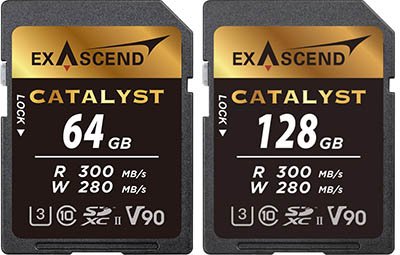
11. Exascend Catalyst UHS-II
- Bus speed: UHS-II
- Video speed class: V90
- Capacities: 64GB, 128GB
- Read speed: 300 MB/s
- Write speed: 280 MB/s
In-Camera Speed / Buffer Test Results
Here are our complete in-camera speed / buffer test results when using a 64GB card in Hi+ Drive Mode using the Electronic Shutter (20 FPS).
The actual R5 in-camera write speed is approximately 213 MB/s when shooting in RAW + JPEG L.
| Image Type | Shots Before Hitting Buffer (Max Burst) | Time to Clear Buffer (Seconds) |
|---|---|---|
| RAW (46.1MB) | 76 | 12.11 |
| CRAW (20.7MB) | 174 | 9.87 |
| JPEG L (16.1MB) | 194 | 11.25 |
| HEIF L (18.9MB) 12 FPS | 454 | 12.11 |
| RAW (46.1MB) + JPEG L (16.1MB) | 64 | 15.26 |
| CRAW (20.7MB) + JPEG L (16.1MB) | 133 | 17.36 |
| RAW (46.1MB) + HEIF L (18.9MB) 12 FPS | 80 | 17.80 |
| CRAW (20.7MB) + HEIF L (18.9MB) 12 FPS | 161 | 26.63 |
30 Second Burst
You can keep shooting after the buffer is hit but the frame rate reduces and the display will black out so this isn’t ideal for tracking subjects.
| Image Type | Shots in 30 Seconds | Frame Rate After Buffer Hit |
|---|---|---|
| RAW (46.1MB) + JPEG L (16.1MB) | 157 | Approx 3 FPS |
Check Price & Buyer Reviews: Exascend Catalyst UHS-II
At: B&H Photo | Amazon
12. Sony SF-M Tough UHS-II
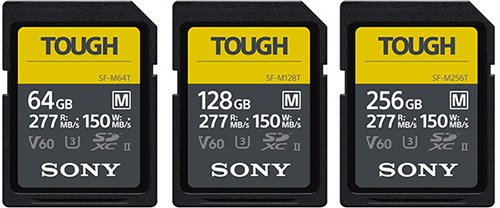
The Sony SF-M Tough memory cards are similar to the more expensive SF-G Tough version, but these are rated V60 for video and their read speed has been cut to 277MB/s and the write speed to 150MB/s.
Please note that these cards are a little thicker than other memory cards and can be a tight fit in the R5’s memory card slots.
- Bus speed: UHS-II
- Video speed class: V60
- Capacities: 32GB (SDHC), 64GB, 128GB, 256GB (SDXC)
- Read speed: 277 MB/s
- Write speed: 150 MB/s
In-Camera Speed / Buffer Test Results
Here are our complete in-camera speed / buffer test results when using a 64GB card in Hi+ Drive Mode using the Electronic Shutter (20 FPS).
The actual R5 in-camera write speed is approximately 140 MB/s when shooting in RAW + JPEG L.
| Image Type | Shots Before Hitting Buffer (Max Burst) | Time to Clear Buffer (Seconds) |
|---|---|---|
| RAW (46.1MB) | 64 | 17.89 |
| CRAW (20.7MB) | 170 | 17.58 |
| JPEG L (16.1MB) | 189 | 13.76 |
| HEIF L (18.9MB) 12 FPS | 260 | 10.70 |
| RAW (46.1MB) + JPEG L (16.1MB) | 63 | 24.51 |
| CRAW (20.7MB) + JPEG L (16.1MB) | 120 | 25.90 |
| RAW (46.1MB) + HEIF L (18.9MB) 12 FPS | 72 | 28.76 |
| CRAW (20.7MB) + HEIF L (18.9MB) 12 FPS | 136 | 31.35 |
30 Second Burst
You can keep shooting after the buffer is hit but the frame rate reduces and the display will black out so this isn’t ideal for tracking subjects.
| Image Type | Shots in 30 Seconds | Frame Rate After Buffer Hit |
|---|---|---|
| RAW (46.1MB) + JPEG L (16.1MB) | 120 | Approx 2 FPS |
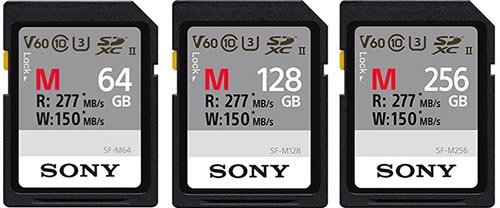
13. Sony SF-M UHS-II
- Bus speed: UHS-II
- Video speed class: V60
- Capacities: 32GB (SDHC), 64GB, 128GB, 256GB (SDXC)
- Read speed: 277 MB/s
- Write speed: 150 MB/s
In-Camera Speed / Buffer Test Results
Here are our complete in-camera speed / buffer test results when using a 64GB card in Hi+ Drive Mode using the Electronic Shutter (20 FPS).
The actual R5 in-camera write speed is approximately 140 MB/s when shooting in RAW + JPEG L.
| Image Type | Shots Before Hitting Buffer (Max Burst) | Time to Clear Buffer (Seconds) |
|---|---|---|
| RAW (46.1MB) | 64 | 17.90 |
| CRAW (20.7MB) | 170 | 17.59 |
| JPEG L (16.1MB) | 189 | 13.73 |
| HEIF L (18.9MB) 12 FPS | 260 | 10.74 |
| RAW (46.1MB) + JPEG L (16.1MB) | 63 | 24.50 |
| CRAW (20.7MB) + JPEG L (16.1MB) | 120 | 25.90 |
| RAW (46.1MB) + HEIF L (18.9MB) 12 FPS | 72 | 28.79 |
| CRAW (20.7MB) + HEIF L (18.9MB) 12 FPS | 136 | 31.38 |
30 Second Burst
You can keep shooting after the buffer is hit but the frame rate reduces and the display will black out so this isn’t ideal for tracking subjects.
| Image Type | Shots in 30 Seconds | Frame Rate After Buffer Hit |
|---|---|---|
| RAW (46.1MB) + JPEG L (16.1MB) | 120 | Approx 2 FPS |
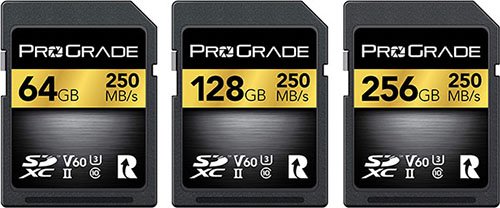
14. ProGrade V60 UHS-II
- Bus speed: UHS-II
- Video speed class: V60
- Capacities: 64GB, 128GB, 256GB (SDXC)
- Read speed: 250 MB/s
- Write speed: 130 MB/s
In-Camera Speed / Buffer Test Results
Here are our complete in-camera speed / buffer test results when using a 64GB card in Hi+ Drive Mode using the Electronic Shutter (20 FPS).
The actual R5 in-camera write speed is approximately 124 MB/s when shooting in RAW + JPEG L.
| Image Type | Shots Before Hitting Buffer (Max Burst) | Time to Clear Buffer (Seconds) |
|---|---|---|
| RAW (46.1MB) | 64 | 19.89 |
| CRAW (20.7MB) | 161 | 17.25 |
| JPEG L (16.1MB) | 189 | 14.43 |
| HEIF L (18.9MB) 12 FPS | 260 | 11.73 |
| RAW (46.1MB) + JPEG L (16.1MB) | 63 | 27.01 |
| CRAW (20.7MB) + JPEG L (16.1MB) | 118 | 28.01 |
| RAW (46.1MB) + HEIF L (18.9MB) 12 FPS | 72 | 29.39 |
| CRAW (20.7MB) + HEIF L (18.9MB) 12 FPS | 135 | 31.56 |
30 Second Burst
You can keep shooting after the buffer is hit but the frame rate reduces and the display will black out so this isn’t ideal for tracking subjects.
| Image Type | Shots in 30 Seconds | Frame Rate After Buffer Hit |
|---|---|---|
| RAW (46.1MB) + JPEG L (16.1MB) | 120 | Approx 2 FPS |
15. Lexar Professional 1667X UHS-II
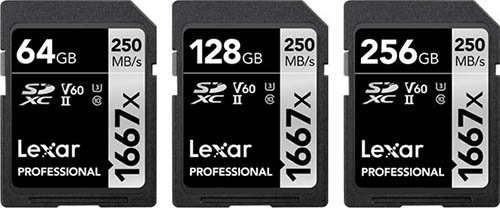
- Bus speed: UHS-II
- Video speed class: V60
- Capacities: 64GB, 128GB, 256GB (SDXC)
- Read speed: 250 MB/s
- Write speed: 120 MB/s
In-Camera Speed / Buffer Test Results
Here are our complete in-camera speed / buffer test results when using a 64GB card in Hi+ Drive Mode using the Electronic Shutter (20 FPS).
The actual R5 in-camera write speed is approximately 99 MB/s when shooting in RAW + JPEG L.
| Image Type | Shots Before Hitting Buffer (Max Burst) | Time to Clear Buffer (Seconds) |
|---|---|---|
| RAW (46.1MB) | 63 | 25.50 |
| CRAW (20.7MB) | 151 | 24.18 |
| JPEG L (16.1MB) | 186 | 21.13 |
| HEIF L (18.9MB) 12 FPS | 200 | 18.95 |
| RAW (46.1MB) + JPEG L (16.1MB) | 63 | 36.03 |
| CRAW (20.7MB) + JPEG L (16.1MB) | 113 | 36.07 |
| RAW (46.1MB) + HEIF L (18.9MB) 12 FPS | 65 | 38.88 |
| CRAW (20.7MB) + HEIF L (18.9MB) 12 FPS | 121 | 43.97 |
30 Second Burst
You can keep shooting after the buffer is hit but the frame rate reduces and the display will black out so this isn’t ideal for tracking subjects.
| Image Type | Shots in 30 Seconds | Frame Rate After Buffer Hit |
|---|---|---|
| RAW (46.1MB) + JPEG L (16.1MB) | 96 | Approx 1 FPS |
16. Angelbird AV Pro Mk 2 V90 UHS-II
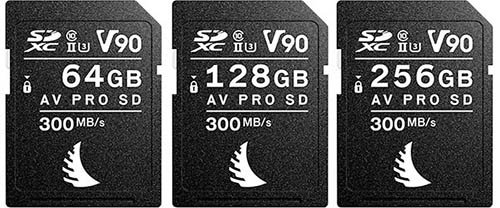
- Bus speed: UHS-II
- Video speed class: V90
- Capacities: 32GB (SDHC), 64GB, 128GB, 256GB (SDXC)
- Read speed: 300 MB/s
- Write speed: 280 MB/s
In-Camera Speed / Buffer Test Results
Here are our complete in-camera speed / buffer test results when using a 64GB card in Hi+ Drive Mode using the Electronic Shutter (20 FPS).
The actual R5 in-camera write speed is approximately 86.6 MB/s when shooting in RAW + JPEG L.
This card underperforms badly in the R5, it has also underperformed in all of the R Series cameras that we have tested it in. We even purchased a new card in December 2022 but this card also underperforms badly.
| Image Type | Shots Before Hitting Buffer (Max Burst) | Time to Clear Buffer (Seconds) |
|---|---|---|
| RAW (46.1MB) | 66 | 26.98 |
| CRAW (20.7MB) | 145 | 36.36 |
| JPEG L (16.1MB) | 168 | 33.41 |
| HEIF L (18.9MB) 12 FPS | 183 | 33.53 |
| RAW (46.1MB) + JPEG L (16.1MB) | 62 | 41.06 |
| CRAW (20.7MB) + JPEG L (16.1MB) | 112 | 55.25 |
| RAW (46.1MB) + HEIF L (18.9MB) 12 FPS | 65 | 42.65 |
| CRAW (20.7MB) + HEIF L (18.9MB) 12 FPS | 116 | 62.75 |
30 Second Burst
You can keep shooting after the buffer is hit but the frame rate reduces and the display will black out so this isn’t ideal for tracking subjects.
| Image Type | Shots in 30 Seconds | Frame Rate After Buffer Hit |
|---|---|---|
| RAW (46.1MB) + JPEG L (16.1MB) | 95 | Approx 1 FPS |
17. Sony SF-E UHS-II
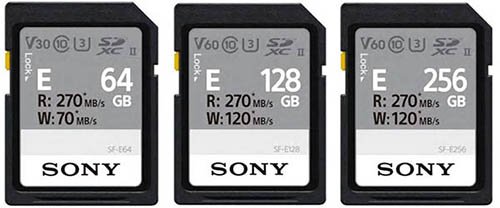
- Bus speed: UHS-II
- Video speed class: 64GB V30, 128GB and higher V60
- Capacities: 64GB, 128GB, 256GB (SDXC)
- Read speed: 270 MB/s
- Write speed: 64GB 70 MB/s, 128GB + 256GB 120 MB/s
In-Camera Speed / Buffer Test Results
Here are our complete in-camera speed / buffer test results when using a 64GB card in Hi+ Drive Mode using the Electronic Shutter (20 FPS).
The actual R5 in-camera write speed is approximately 74 MB/s when shooting in RAW + JPEG L.
| Image Type | Shots Before Hitting Buffer (Max Burst) | Time to Clear Buffer (Seconds) |
|---|---|---|
| RAW (46.1MB) | 63 | 36.13 |
| CRAW (20.7MB) | 145 | 33.23 |
| JPEG L (16.1MB) | 163 | 26.51 |
| HEIF L (18.9MB) 12 FPS | 194 | 28.85 |
| RAW (46.1MB) + JPEG L (16.1MB) | 63 | 49.72 |
| CRAW (20.7MB) + JPEG L (16.1MB) | 109 | 48.22 |
| RAW (46.1MB) + HEIF L (18.9MB) 12 FPS | 63 | 54.67 |
| CRAW (20.7MB) + HEIF L (18.9MB) 12 FPS | 114 | 59.03 |
30 Second Burst
You can keep shooting after the buffer is hit but the frame rate reduces and the display will black out so this isn’t ideal for tracking subjects.
| Image Type | Shots in 30 Seconds | Frame Rate After Buffer Hit |
|---|---|---|
| RAW (46.1MB) + JPEG L (16.1MB) | 93 | Approx 1 FPS |
UHS-I Memory Cards
We have not tested any UHS-I Memory Cards in the R5. With it’s 45 megapixel sensor we would strongly recommend using CFexpress Type-B or UHS-II memory cards.
UHS-I cards although supported in slot 2 will be extremely slow in the R5.
If you are curious about the performance of UHS-I memory cards then we have tested these in-camera for our Canon R6 Memory Card Guide.
Recording to Multiple Cards
If you select the record option in the menu “Rec. to Multiple” then the same image type will be written to the memory card in both slot 1 and slot 2.
Unfortunately the write speed will always be limited by the slowest card, so you will be limited by the speed of the UHS-II card that you choose for slot 2.
Recording Separately
If you select the record option in the menu “Rec. Separately” then you can write a different image type to slot 1 and slot 2.
We recommend recording the larger RAW or CRAW images to the faster CFexpress Type-B card in slot 1 and JPEGs to a UHS-II card in slot 2 and not the other way around.
With the setup you can write 63 RAW images to slot 1 and 63 JPEG L to slot 2 before hitting the buffer. The buffer then clears in around 4 seconds.
If you were to write the RAW images to slot 2 and JPEG L to slot 1, then this would take around 10 seconds to clear the buffer, this is why we don’t recommend doing it this way.
Memory Cards for Recording Video
When it comes to recording video with the R5 the card that you choose will be largely dependent on your movie record settings.
if you want to shoot in 8k or 4k with the higher bitrate settings then you will require a CFexpress Type-B card.
But if you are happy to shoot in 8k or 4k with a lower bitrate or Full-HD, then a UHS-II card with the appropriate speed class as shown in the table below will be sufficient.
Here is Canon’s list of memory card requirements for movie recording with the R5.
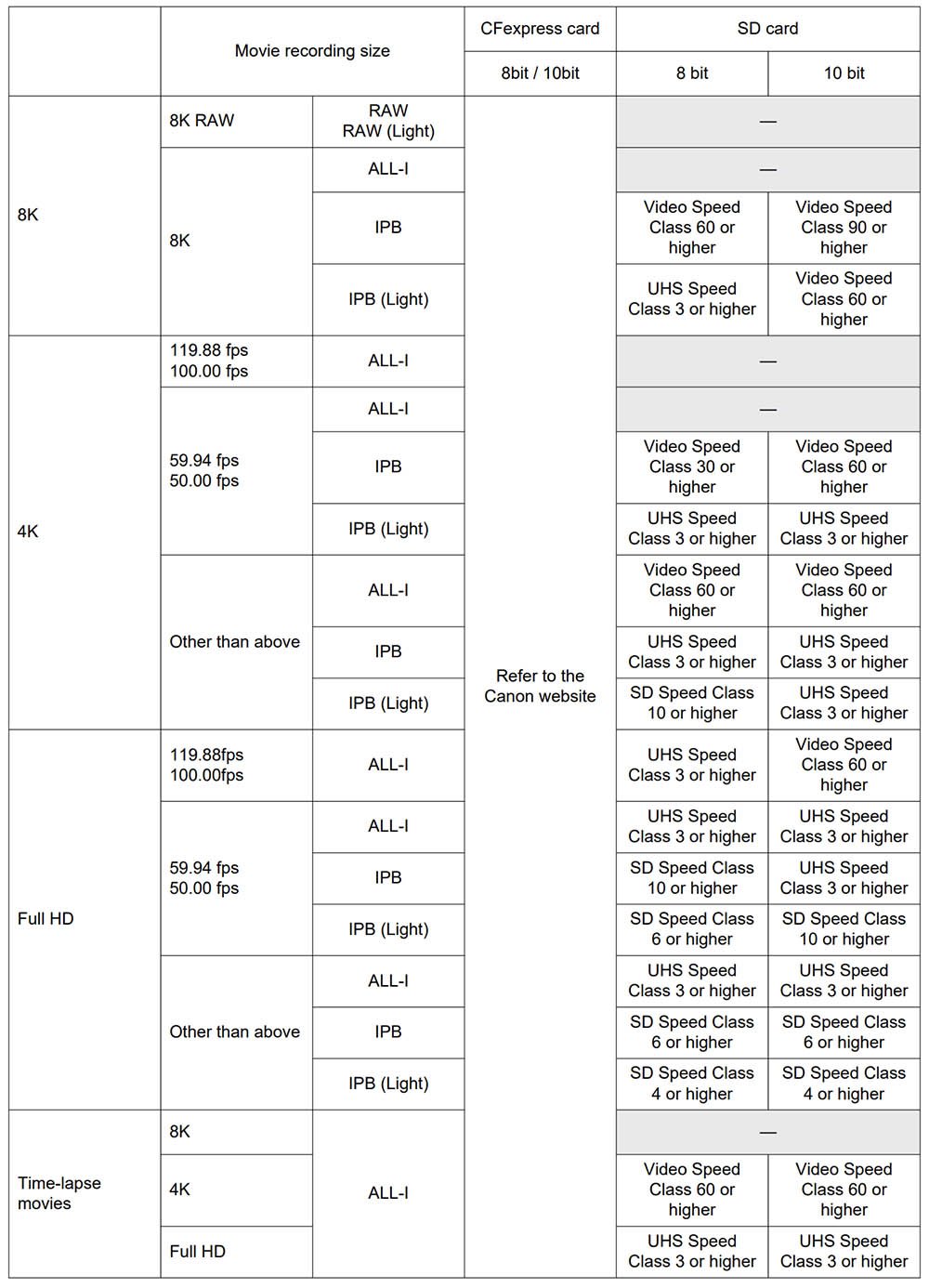
Note that they mention “Refer to the Canon website” for further details on the supported CFexpress Type-B cards, here is that link. Unfortunately it has not been updated since July 2020 and a large number of new cards have been released since then.
Fortunately we have tested all of the CFexpress Type-B cards listed in this guide by shooting both 8K RAW and 4K120 to see how they perform. You’ll find our results in the CFexpress table at the start of this guide.
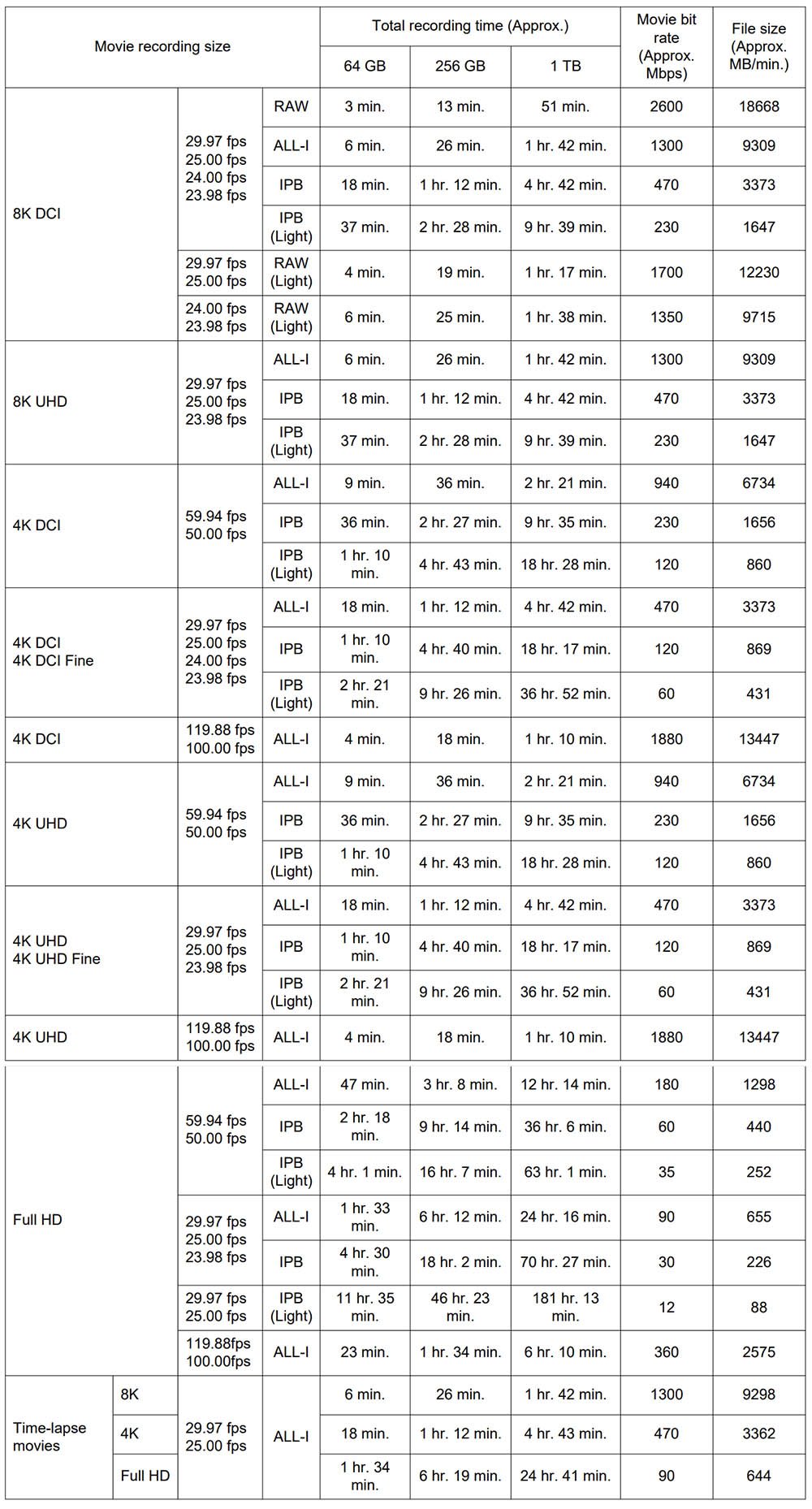
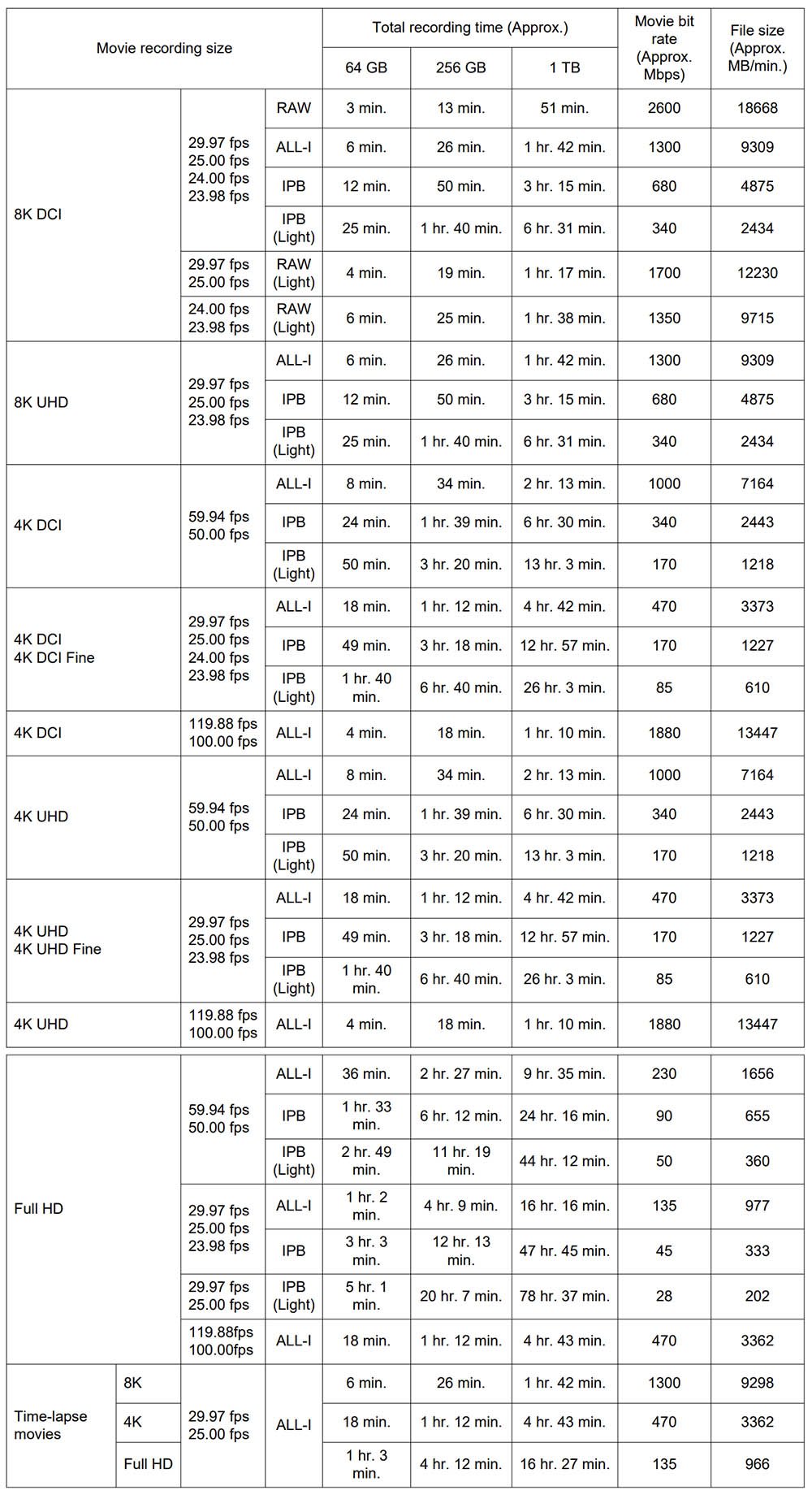
Movie Recording Times
The amount of time that you can record for will vary greatly based on the size of memory card that you are using and the video format that you are recording in.
Estimated Recording Times with Canon Log 3 : OFF, HDR PQ : OFF
Estimated Recording Times with Canon Log 3: ON, HDR PQ : ON
What Size Memory Card Do You Need?
The size of memory card that you choose will depend on how and what you are shooting.
For Stills Shooters
We would recommend a minimum of 128GB if you shoot a lot of continuous bursts.
A 128GB card is good for approximately 2700 RAW files, 5700 CRAW files, 9000 JPEG L or 9000 HEIF L images.
For Video Shooters
For video shooters please refer to the movie recording times in the tables above to help you decide on the correct size of memory card for your needs.
We don’t recommend using 32GB or smaller SDHC cards (either UHS-I or UHS-II) because they use the FAT 32 file system and your video files will be broken up into 4GB chunks.
So either stick with either CFexpress Type-B cards or if using an SD card make sure it’s an SDXC cards, which is basically all cards that are 64GB and larger.
Memory Card Readers
If you prefer to remove the card from your camera and use a reader to copy over the files to your computer, then here are a couple of options to consider.
ProGrade Digital CFexpress Type B & UHS-II Card Reader
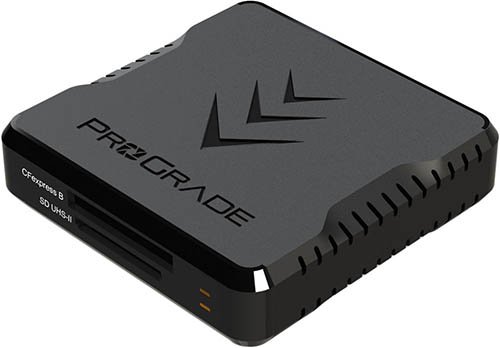
This ProGrade Card Reader includes both a CFexpress Type B slot and a UHS-II SDXC slot.
It supports transfer speeds of up to 10 GB/s via a USB Type-C interface (USB 3.2 Gen 2).
Both Windows and Mac are supported and 18″ USB Type-C to Type-C and Type-C to Type-A cables are included.
Delkin Devices CFexpress Type-B Memory Card Reader
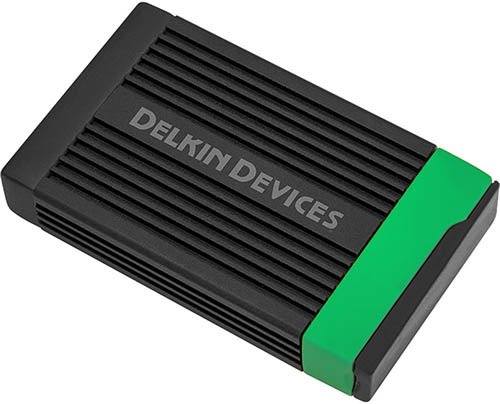
This Delkin Devices card reader includes a single CFexpress Type B slot.
Just like the ProGrade Reader it also supports transfer speeds of up to 10 GB/s via a USB Type-C interface (USB 3.2 Gen 2).
Both Windows and Mac are supported and USB Type-C to Type-C and Type-C to Type-A cables are included.
Memory Card Storage
Here are a couple of memory card storage cases worth taking a closer look at if you want to keep your cards safe and protect your potentially valuable images.
PolarPro Slate CF Memory Card Storage Case
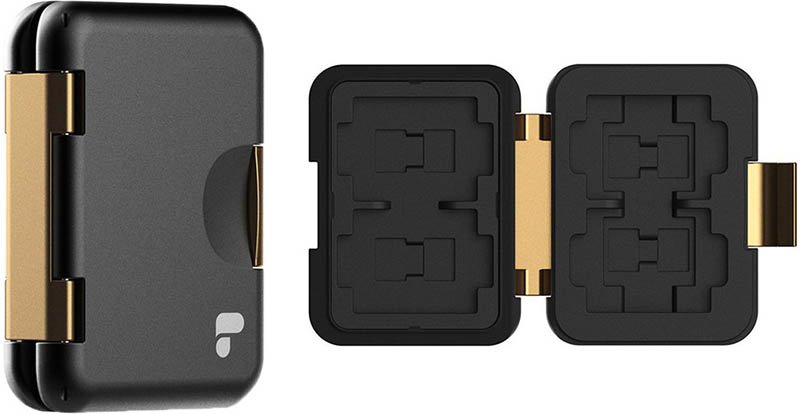
This cast-aluminum case from PolarPro supports 4 CFexpress, 2 standard SD, and 8 microSD cards. It features a custom-cut, injection-molded insert and a rubber interior that provides shock absorption and protection.
Pelican Memory Card Case for CFexpress Type B
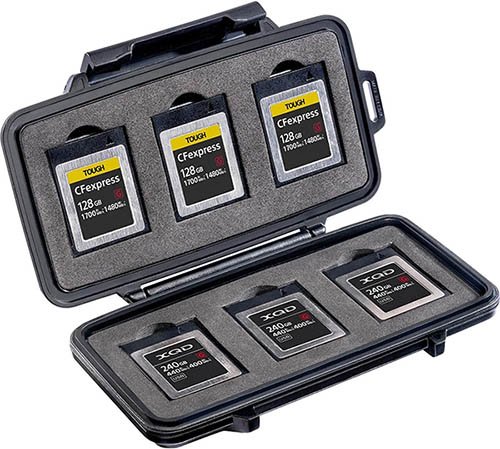
This CFexpress Type-B Memory Card Case from Pelican supports up to 6 CFexpress Type-B cards. It has a water resistant seal and a tough shock resistant exterior. There’s no space for UHS-II SD cards though.
Summary
The maximum write speed of some CFexpress Type B cards is up to 1700 MB/s, however during our tests the maximum write speed in the Canon R5 is only around 518 MB/s when shooting RAW + JPEG L and the file sizes specified in our tests.
The top 10 CFexpress Type-B cards all performed extremely well, and although some cards are marginally faster than others, in the field you are unlikely to notice any difference at all.
Our advice would be to purchase whichever card is cheapest at the time of purchase, or whichever brand you feel most comfortable with.
The Angelbird 512GB AV PRO CFexpress 2.0 Type B SE Memory Card (B&H Photo | Amazon) is typically the best value per GB and would be our recommended card if we had to pick one for shooting stills or video, since it also works great with 8K RAW and 4K120.
We would avoid the SanDisk Extreme Pro, The Prograde Digital Gold and the Wise Advanced CFexpress Type-B cards since the performance did drop off with these cards, at least with the capacities tested, the larger capacities may perform better.
When it comes to UHS-II cards the speeds do vary a lot more than the CFexpress cards in-camera.
The fastest card is the Sony SF-G Tough UHS-II card, but this can be a tight fit in the R5’s card slot.
We’d recommend going with the Kingston Canvas React Plus UHS-II Memory Card instead (B&H Photo | Amazon). It’s only fractionally slower than the Sony but a lot cheaper. It also slides in and out of the slot without any issues unlike the Sony Tough card.
Please let us know in the comments below if you found this guide helpful, or if you would like to provide your own feedback on a particular card or suggest one for review.
Canon R5 Guides & Resources
FAQs
SDHC cards use the FAT32 file system and can store up to 32 GB of data, while SDXC cards use the exFAT file system and can store up to 2 terabytes (2000 GB). If you shoot video with a SDHC card your video file will be broken up into 4GB chunks, it will save you work in post to use an SDXC card instead.
Two memory card slots. Slot one supports CFexpress Type-B Cards and Slot 2 supports SD/SDHC/SDXC UHS-I and UHS-II memory cards.
CFexpress Type-B cards in Slot 1 and SD/SDHC/SDXC UHS-I and UHS-II memory cards in Slot 2.

Leave a Reply