Welcome to our Canon R6 Mark II Memory Card Guide where we have so far tested 23 cards to find out which cards perform best in-camera.
Table of Contents[Hide][Show]
- Supported Memory Cards
- In-Camera Card Speed Comparison
UHS-II Memory Card Speed & Buffer Tests+−
- 1. Sony SF-G Tough UHS-II
- 2. Hoodman Steel 2000x UHS-II
- 3. Lexar Professional 2000X UHS-II
- 4. Kingston Canvas React Plus UHS-II
- 5. Ritzgear Video Pro UHS-II
- 6. Transcend SD 700S UHS-II
- 7. PNY X-PRO 90 UHS-II
- 8. SanDisk Extreme Pro UHS-II
- 9. Delkin Devices POWER UHS-II
- 10. Exascend Catalyst UHS-II
- 11. ProGrade V90 UHS-II
- 12. Sony SF-M Tough UHS-II
- 13. Sony SF-M UHS-II
- 14. ProGrade V60 UHS-II
- 15. Lexar Professional 1667X UHS-II
- 16. Sony SF-E UHS-II
- 17. Angelbird AV Pro Mk 2 V90 UHS-II
- Mechanical Shutter 12 FPS Speed & Buffer Tests
- Recording to Multiple Cards
- Recording Separately
- Summary
- Canon R6 Mark II Guides & Resources
- FAQs
Canon R6 Series Forum & Facebook Group
If you are looking for further help and advice on the Canon R6 Series or would simply like to share your photos and videos, then please head over to our friendly Forum. If you prefer Facebook then we also run the Canon R6 Shooters Group.
Supported Memory Cards
The Canon EOS R6 Mark II has two memory cards slots just like the Mark I and each slot supports SD/SDHC/SDXC UHS-I and UHS-II memory cards.
Here’s a speed comparison between UHS-I and UHS-II cards.
- UHS-I: theoretical maximum transfer speeds of up to 104MB/s
- UHS-II: theoretical maximum transfer speeds of up to 312MB/s
If you are shooting a lot of bursts and require the buffer to clear as quickly as possible, then we’d strongly recommend going with a UHS-II memory card.
If you shoot landscapes or architecture and rarely shoot long bursts, then you might find that the UHS-I cards are fast enough. Although you can still benefit from the faster read times of UHS-II cards when copying images to your computer.
In-Camera Card Speed Comparison
Here’s a quick in-camera card speed comparison for all of the memory cards that we have tested so far in the R6 Mark II.
Please note that all of these tests were done using the electronic shutter and shooting at the maximum frame rate of 40 FPS. We also shot RAW + JPEG L to make sure that both the camera and memory cards were pushed to their limits.
Best UHS-II SD Memory Cards
These in-camera tests were carried out using the Canon R6 Mark II with firmware version 1.1.1. All cards used were 64GB SDXC UHS-II memory cards.
Click the memory card name to jump to our full buffer test results with multiple file formats.
Best UHS-I Memory Cards
These in-camera tests were carried out using the Canon R6 Mark II with firmware version 1.1.1. All cards used were 64GB SDXC UHS-I memory cards.
Click the memory card name to jump to our full buffer test results with multiple file formats.
| Memory Card | In-Camera Write Speed * | Max Burst ** | Video Rating | Price Check |
|---|---|---|---|---|
| 1. Delkin Devices Advantage UHS-I | 77 MB/s | 75 | V30 | B&H Photo | Amazon |
| 2. Kingston Canvas Go! Plus UHS-I | 77 MB/s | 75 | V30 | B&H Photo | Amazon |
| 3. SanDisk Extreme Pro UHS-I | 71 MB/s | 74 | V30 | B&H Photo | Amazon |
| 4. Transcend 500S UHS-I | 62 MB/s | 74 | V30 | B&H Photo | Amazon |
| 5. Lexar Professional 1066x UHS-I | 62 MB/s | 75 | V30 | B&H Photo | Amazon |
| 6. SanDisk Extreme UHS-I | 59 MB/s | 75 | V30 | B&H Photo | Amazon |
UHS-II Memory Card Speed & Buffer Tests
The R6 Mark II with firmware version 1.1.1 was used for these tests which were carried out using the Electronic Shutter in Hi+ (40 FPS) mode.
We used a shutter speed of 1/250th which is sufficient for 40 FPS (we tested it) and ISO 100. Shooting at lower ISO’s will help you to achieve the maximum number of shots before hitting the buffer. As the ISO increases the number of shots before the buffer is hit decreases.
To calculate the in-camera write speed we shoot in RAW + JPEG L to ensure that we are pushing the camera and cards to their limits. Shooting in RAW only would result in a slightly lower write speed due to the smaller total file size. The write speed is then calculated by multiplying the size of the RAW + JPEG L files by the number of shots in the burst, then dividing by the time taken to shoot the burst then clear the buffer.
1. Sony SF-G Tough UHS-II
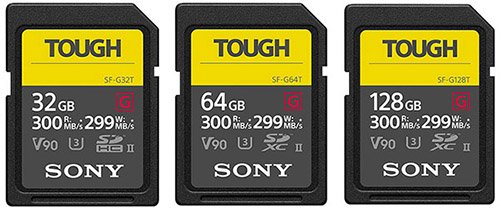
Please note that these cards are a little thicker than other memory cards and can be a slightly tight fit in the R6 Mark II’s memory card slots. They do get looser over time and we haven’t had one get stuck yet.
- Bus speed: UHS-II
- Video speed class: V90
- Capacities: 32GB (SDHC), 64GB, 128GB, 256GB (SDXC)
- Read speed: 300 MB/s
- Write speed: 299 MB/s
In-Camera Speed / Buffer Test Results
Here are our complete in-camera speed / buffer test results when using a 64GB card in Hi+ Drive Mode using the Electronic Shutter (40 FPS).
The actual R6 Mark II in-camera write speed is approximately 178 MB/s when shooting in RAW + JPEG L or 158 MB/s shooting in RAW only with the Sony SF-G Tough UHS-II card.
| Image Type | Shots Before Hitting Buffer (Max Burst) | Time to Clear Buffer (Seconds) |
|---|---|---|
| RAW (24.5MB) | 76 | 9.08 |
| CRAW (10.9MB) | 195 | 13.55 |
| JPEG L (8.3MB) | 213 | 14.25 |
| HEIF L (10.6MB) | 204 | 18.93 |
| RAW (24.5MB) + JPEG L (8.3MB) | 76 | 11.41 |
| CRAW (10.9MB) + JPEG L (8.3MB) | 187 | 14.95 |
| RAW (24.5MB) + HEIF L (10.6MB) | 64 | 21.35 |
| CRAW (10.9MB) + HEIF L (10.6MB) | 165 | 45.76 |
2. Hoodman Steel 2000x UHS-II
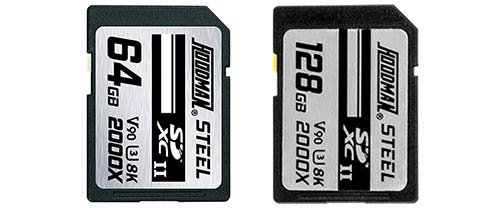
- Bus speed: UHS-II
- Video speed class: V90
- Capacities: 64GB, 128GB (SDXC)
- Read speed: 300 MB/s
- Write speed: 260 MB/s
In-Camera Speed / Buffer Test Results
Here are our complete in-camera speed / buffer test results when using a 64GB card in Hi+ Drive Mode using the Electronic Shutter (40 FPS).
The actual R6 Mark II in-camera write speed is approximately 169 MB/s when shooting in RAW + JPEG L or 156 MB/s shooting in RAW only with the Hoodman Steel 2000x UHS-II card.
| Image Type | Shots Before Hitting Buffer (Max Burst) | Time to Clear Buffer (Seconds) |
|---|---|---|
| RAW (24.5MB) | 76 | 9.60 |
| CRAW (10.9MB) | 197 | 13.76 |
| JPEG L (8.3MB) | 213 | 14.23 |
| HEIF L (10.6MB) | 205 | 19.16 |
| RAW (24.5MB) + JPEG L (8.3MB) | 76 | 12.30 |
| CRAW (10.9MB) + JPEG L (8.3MB) | 189 | 16.40 |
| RAW (24.5MB) + HEIF L (10.6MB) | 64 | 21.68 |
| CRAW (10.9MB) + HEIF L (10.6MB) | 173 | 47.68 |
3. Lexar Professional 2000X UHS-II
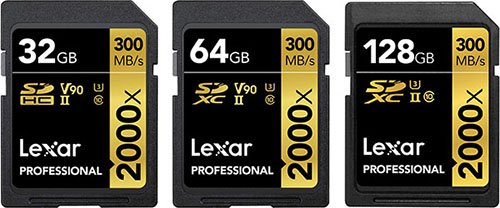
- Bus speed: UHS-II
- Video speed class: V90
- Capacities: 32GB (SDHC), 64GB, 128GB, 256GB (SDXC)
- Read speed: 300 MB/s
- Write speed: 260 MB/s
In-Camera Speed / Buffer Test Results
Here are our complete in-camera speed / buffer test results when using a 64GB card in Hi+ Drive Mode using the Electronic Shutter (40 FPS).
The actual R6 Mark II in-camera write speed is approximately 169 MB/s when shooting in RAW + JPEG L or 155 MB/s shooting in RAW only with the Lexar Professional 2000X UHS-II card.
| Image Type | Shots Before Hitting Buffer (Max Burst) | Time to Clear Buffer (Seconds) |
|---|---|---|
| RAW (24.5MB) | 76 | 9.83 |
| CRAW (10.9MB) | 200 | 14.25 |
| JPEG L (8.3MB) | 220 | 14.68 |
| HEIF L (10.6MB) | 211 | 19.86 |
| RAW (24.5MB) + JPEG L (8.3MB) | 76 | 12.25 |
| CRAW (10.9MB) + JPEG L (8.3MB) | 191 | 17.25 |
| RAW (24.5MB) + HEIF L (10.6MB) | 65 | 22.15 |
| CRAW (10.9MB) + HEIF L (10.6MB) | 174 | 48.24 |
4. Kingston Canvas React Plus UHS-II
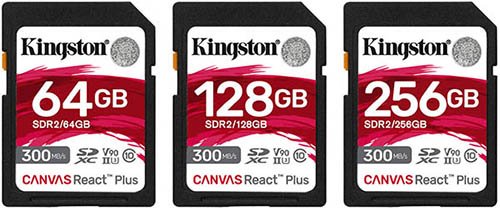
Their Kingston Canvas React Plus UHS-II are very well reviewed and extremely fast, and often out perform more expensive cards.
Their price per GB together with their performance and reliability makes this our number one UHS-II card recommendation for the R6 Mark II.
- Bus speed: UHS-II
- Video speed class: V90
- Capacities: 32GB (SDHC), 64GB, 128GB, 256GB (SDXC)
- Read speed: 300 MB/s
- Write speed: 260 MB/s
In-Camera Speed / Buffer Test Results
Here are our complete in-camera speed / buffer test results when using a 64GB card in Hi+ Drive Mode using the Electronic Shutter (40 FPS).
The actual R6 Mark II in-camera write speed is approximately 165 MB/s when shooting in RAW + JPEG L or 152 MB/s shooting in RAW only with the Kingston Canvas React Plus UHS-II card.
| Image Type | Shots Before Hitting Buffer (Max Burst) | Time to Clear Buffer (Seconds) |
|---|---|---|
| RAW (24.5MB) | 76 | 9.78 |
| CRAW (10.9MB) | 196 | 13.73 |
| JPEG L (8.3MB) | 212 | 14.46 |
| HEIF L (10.6MB) | 203 | 18.91 |
| RAW (24.5MB) + JPEG L (8.3MB) | 76 | 12.26 |
| CRAW (10.9MB) + JPEG L (8.3MB) | 177 | 15.60 |
| RAW (24.5MB) + HEIF L (10.6MB) | 64 | 22.13 |
| CRAW (10.9MB) + HEIF L (10.6MB) | 169 | 47.57 |
5. Ritzgear Video Pro UHS-II
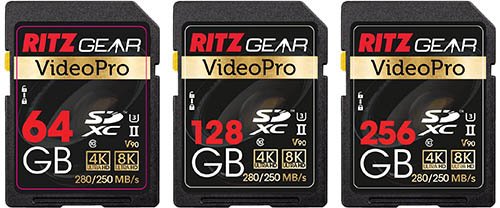
- Bus speed: UHS-II
- Video speed class: V90
- Capacities: 64GB, 128GB, 256GB (SDXC)
- Read speed: 280 MB/s
- Write speed: 250 MB/s
In-Camera Speed / Buffer Test Results
Here are our complete in-camera speed / buffer test results when using a 64GB card in Hi+ Drive Mode using the Electronic Shutter (40 FPS).
The actual R6 Mark II in-camera write speed is approximately 165 MB/s when shooting in RAW + JPEG L or 152 MB/s shooting in RAW only with the Ritzgear Video Pro UHS-II card.
| Image Type | Shots Before Hitting Buffer (Max Burst) | Time to Clear Buffer (Seconds) |
|---|---|---|
| RAW (24.5MB) | 76 | 9.75 |
| CRAW (10.9MB) | 197 | 13.81 |
| JPEG L (8.3MB) | 218 | 14.73 |
| HEIF L (10.6MB) | 209 | 19.53 |
| RAW (24.5MB) + JPEG L (8.3MB) | 76 | 12.66 |
| CRAW (10.9MB) + JPEG L (8.3MB) | 189 | 16.55 |
| RAW (24.5MB) + HEIF L (10.6MB) | 64 | 21.63 |
| CRAW (10.9MB) + HEIF L (10.6MB) | 172 | 47.38 |
Check Price & Buyer Reviews: Ritzgear Video Pro UHS-II
At: B&H Photo | Amazon
6. Transcend SD 700S UHS-II
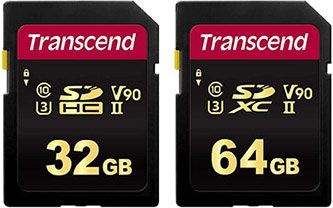
- Bus speed: UHS-II
- Video speed class: V90
- Capacities: 32GB (SDHC), 64GB (SDXC)
- Read speed: 285 MB/s
- Write speed: 180 MB/s
In-Camera Speed / Buffer Test Results
Here are our complete in-camera speed / buffer test results when using a 64GB card in Hi+ Drive Mode using the Electronic Shutter (40 FPS).
The actual R6 Mark II in-camera write speed is approximately 164 MB/s when shooting in RAW + JPEG L or 151 MB/s shooting in RAW only with the Transcend SD 700S UHS-II card.
| Image Type | Shots Before Hitting Buffer (Max Burst) | Time to Clear Buffer (Seconds) |
|---|---|---|
| RAW (24.5MB) | 75 | 9.91 |
| CRAW (10.9MB) | 197 | 13.70 |
| JPEG L (8.3MB) | 214 | 14.35 |
| HEIF L (10.6MB) | 204 | 19.21 |
| RAW (24.5MB) + JPEG L (8.3MB) | 76 | 12.66 |
| CRAW (10.9MB) + JPEG L (8.3MB) | 189 | 16.86 |
| RAW (24.5MB) + HEIF L (10.6MB) | 64 | 21.88 |
| CRAW (10.9MB) + HEIF L (10.6MB) | 171 | 49.27 |
7. PNY X-PRO 90 UHS-II
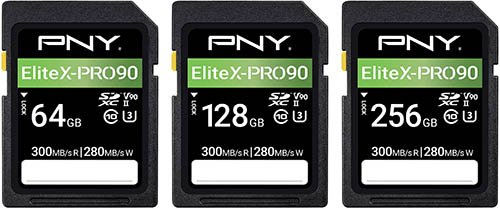
- Bus speed: UHS-II
- Video speed class: V90
- Capacities: 64GB, 128GB, 256GB (SDXC)
- Read speed: 300 MB/s
- Write speed: 280 MB/s
In-Camera Speed / Buffer Test Results
Here are our complete in-camera speed / buffer test results when using a 64GB card in Hi+ Drive Mode using the Electronic Shutter (40 FPS).
The actual R6 Mark II in-camera write speed is approximately 163 MB/s when shooting in RAW + JPEG L or 151 MB/s shooting in RAW only with the PNY X-PRO 90 UHS-II card.
| Image Type | Shots Before Hitting Buffer (Max Burst) | Time to Clear Buffer (Seconds) |
|---|---|---|
| RAW (24.5MB) | 75 | 10.02 |
| CRAW (10.9MB) | 195 | 13.63 |
| JPEG L (8.3MB) | 211 | 13.71 |
| HEIF L (10.6MB) | 204 | 19.21 |
| RAW (24.5MB) + JPEG L (8.3MB) | 75 | 12.51 |
| CRAW (10.9MB) + JPEG L (8.3MB) | 187 | 15.75 |
| RAW (24.5MB) + HEIF L (10.6MB) | 64 | 22.13 |
| CRAW (10.9MB) + HEIF L (10.6MB) | 171 | 47.80 |
8. SanDisk Extreme Pro UHS-II
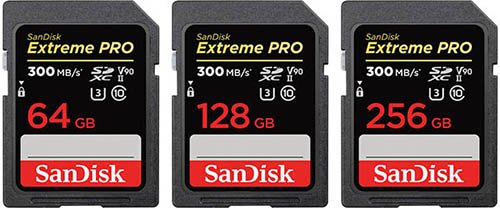
- Bus speed: UHS-II
- Video speed class: V90
- Capacities: 32GB (SDHC), 64GB, 128GB (SDXC)
- Read speed: 300 MB/s
- Write speed: 260 MB/s
In-Camera Speed / Buffer Test Results
Here are our complete in-camera speed / buffer test results when using a 64GB card in Hi+ Drive Mode using the Electronic Shutter (40 FPS).
The actual R6 Mark II in-camera write speed is approximately 162 MB/s when shooting in RAW + JPEG L or 147 MB/s shooting in RAW only with the SanDisk Extreme Pro UHS-II card.
| Image Type | Shots Before Hitting Buffer (Max Burst) | Time to Clear Buffer (Seconds) |
|---|---|---|
| RAW (24.5MB) | 76 | 10.25 |
| CRAW (10.9MB) | 199 | 13.93 |
| JPEG L (8.3MB) | 212 | 14.48 |
| HEIF L (10.6MB) | 204 | 18.90 |
| RAW (24.5MB) + JPEG L (8.3MB) | 75 | 12.95 |
| CRAW (10.9MB) + JPEG L (8.3MB) | 190 | 17.74 |
| RAW (24.5MB) + HEIF L (10.6MB) | 64 | 22.66 |
| CRAW (10.9MB) + HEIF L (10.6MB) | 173 | 50.41 |
9. Delkin Devices POWER UHS-II
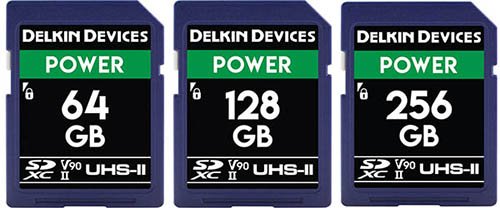
Delkin Devices design and support their memory cards in the USA.
The Power cards have been built specifically for extreme conditions and are protected against water, shock, and x-rays. They also feature built-in error correction and wear leveling.
Each card is backed by a Lifetime Warranty and Delkin’s American-based customer support team.
- Bus speed: UHS-II
- Video speed class: V90
- Capacities: 32GB (SDHC), 64GB, 128GB, 256GB (SDXC)
- Read speed: 300 MB/s
- Write speed: 250 MB/s
In-Camera Speed / Buffer Test Results
Here are our complete in-camera speed / buffer test results when using a 64GB card in Hi+ Drive Mode using the Electronic Shutter (40 FPS).
The actual R6 Mark II in-camera write speed is approximately 161 MB/s when shooting in RAW + JPEG L or 150 MB/s shooting in RAW only with the Delkin Devices POWER UHS-II card.
| Image Type | Shots Before Hitting Buffer (Max Burst) | Time to Clear Buffer (Seconds) |
|---|---|---|
| RAW (24.5MB) | 76 | 9.83 |
| CRAW (10.9MB) | 198 | 13.90 |
| JPEG L (8.3MB) | 216 | 14.58 |
| HEIF L (10.6MB) | 206 | 19.10 |
| RAW (24.5MB) + JPEG L (8.3MB) | 75 | 12.66 |
| CRAW (10.9MB) + JPEG L (8.3MB) | 190 | 16.85 |
| RAW (24.5MB) + HEIF L (10.6MB) | 64 | 21.91 |
| CRAW (10.9MB) + HEIF L (10.6MB) | 173 | 49.53 |
10. Exascend Catalyst UHS-II
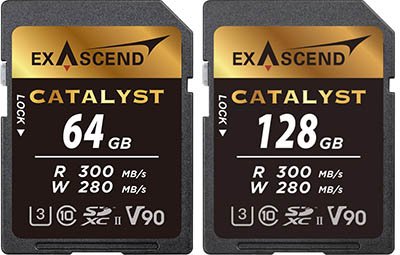
- Bus speed: UHS-II
- Video speed class: V90
- Capacities: 64GB, 128GB
- Read speed: 300 MB/s
- Write speed: 280 MB/s
In-Camera Speed / Buffer Test Results
Here are our complete in-camera speed / buffer test results when using a 64GB card in Hi+ Drive Mode using the Electronic Shutter (40 FPS).
The actual R6 Mark II in-camera write speed is approximately 160 MB/s when shooting in RAW + JPEG L or 148 MB/s shooting in RAW only with the Exascend Catalyst UHS-II card.
| Image Type | Shots Before Hitting Buffer (Max Burst) | Time to Clear Buffer (Seconds) |
|---|---|---|
| RAW (24.5MB) | 76 | 10.11 |
| CRAW (10.9MB) | 189 | 13.31 |
| JPEG L (8.3MB) | 213 | 14.40 |
| HEIF L (10.6MB) | 204 | 19.18 |
| RAW (24.5MB) + JPEG L (8.3MB) | 76 | 13.20 |
| CRAW (10.9MB) + JPEG L (8.3MB) | 189 | 17.18 |
| RAW (24.5MB) + HEIF L (10.6MB) | 64 | 22.23 |
| CRAW (10.9MB) + HEIF L (10.6MB) | 173 | 49.36 |
Check Price & Buyer Reviews: Exascend Catalyst UHS-II
At: B&H Photo | Amazon
11. ProGrade V90 UHS-II
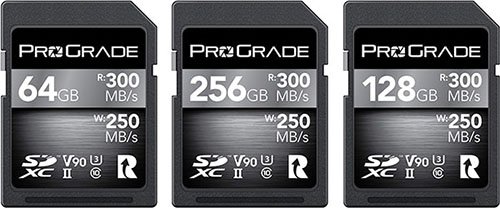
- Bus speed: UHS-II
- Video speed class: V90
- Capacities: 64GB, 128GB, 256GB, 512GB (SDXC)
- Read speed: 300 MB/s
- Write speed: 250 MB/s
In-Camera Speed / Buffer Test Results
Here are our complete in-camera speed / buffer test results when using a 64GB card in Hi+ Drive Mode using the Electronic Shutter (40 FPS).
The actual R6 Mark II in-camera write speed is approximately 158 MB/s when shooting in RAW + JPEG L or 150 MB/s shooting in RAW only with the ProGrade V90 UHS-II card.
| Image Type | Shots Before Hitting Buffer (Max Burst) | Time to Clear Buffer (Seconds) |
|---|---|---|
| RAW (24.5MB) | 76 | 10.06 |
| CRAW (10.9MB) | 198 | 14.01 |
| JPEG L (8.3MB) | 212 | 14.48 |
| HEIF L (10.6MB) | 204 | 18.95 |
| RAW (24.5MB) + JPEG L (8.3MB) | 75 | 13.33 |
| CRAW (10.9MB) + JPEG L (8.3MB) | 189 | 17.38 |
| RAW (24.5MB) + HEIF L (10.6MB) | 64 | 21.75 |
| CRAW (10.9MB) + HEIF L (10.6MB) | 173 | 49.63 |
12. Sony SF-M Tough UHS-II
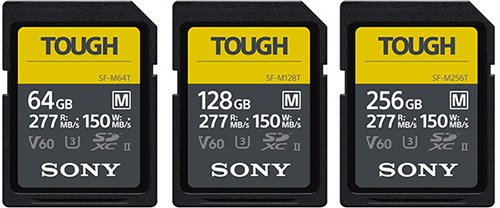
The Sony SF-M Tough memory cards are similar to the more expensive SF-G Tough version, but these are rated V60 for video and their read speed has been cut to 277MB/s and the write speed to 150MB/s.
Please note that these cards are a little thicker than other memory cards and can be a tight fit in the R8’s memory card slots.
- Bus speed: UHS-II
- Video speed class: V60
- Capacities: 32GB (SDHC), 64GB, 128GB, 256GB (SDXC)
- Read speed: 277 MB/s
- Write speed: 150 MB/s
In-Camera Speed / Buffer Test Results
Here are our complete in-camera speed / buffer test results when using a 64GB card in Hi+ Drive Mode using the Electronic Shutter (40 FPS).
The actual R6 Mark II in-camera write speed is approximately 116 MB/s when shooting in RAW + JPEG L or 111 MB/s shooting in RAW only with the Sony SF-M Tough UHS-II card.
| Image Type | Shots Before Hitting Buffer (Max Burst) | Time to Clear Buffer (Seconds) |
|---|---|---|
| RAW (24.5MB) | 75 | 14.15 |
| CRAW (10.9MB) | 189 | 17.13 |
| JPEG L (8.3MB) | 213 | 14.30 |
| HEIF L (10.6MB) | 205 | 19.40 |
| RAW (24.5MB) + JPEG L (8.3MB) | 75 | 18.65 |
| CRAW (10.9MB) + JPEG L (8.3MB) | 180 | 26.88 |
| RAW (24.5MB) + HEIF L (10.6MB) | 65 | 28.20 |
| CRAW (10.9MB) + HEIF L (10.6MB) | 173 | 57.60 |
13. Sony SF-M UHS-II
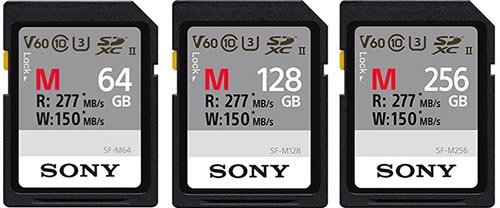
- Bus speed: UHS-II
- Video speed class: V60
- Capacities: 32GB (SDHC), 64GB, 128GB, 256GB (SDXC)
- Read speed: 277 MB/s
- Write speed: 150 MB/s
In-Camera Speed / Buffer Test Results
Here are our complete in-camera speed / buffer test results when using a 64GB card in Hi+ Drive Mode using the Electronic Shutter (40 FPS).
The actual R6 Mark II in-camera write speed is approximately 116 MB/s when shooting in RAW + JPEG L or 111 MB/s shooting in RAW only with the Sony SF-M Tough UHS-II card.
| Image Type | Shots Before Hitting Buffer (Max Burst) | Time to Clear Buffer (Seconds) |
|---|---|---|
| RAW (24.5MB) | 75 | 14.17 |
| CRAW (10.9MB) | 189 | 17.13 |
| JPEG L (8.3MB) | 213 | 14.31 |
| HEIF L (10.6MB) | 205 | 19.42 |
| RAW (24.5MB) + JPEG L (8.3MB) | 75 | 18.63 |
| CRAW (10.9MB) + JPEG L (8.3MB) | 180 | 26.88 |
| RAW (24.5MB) + HEIF L (10.6MB) | 65 | 28.21 |
| CRAW (10.9MB) + HEIF L (10.6MB) | 173 | 57.62 |
14. ProGrade V60 UHS-II
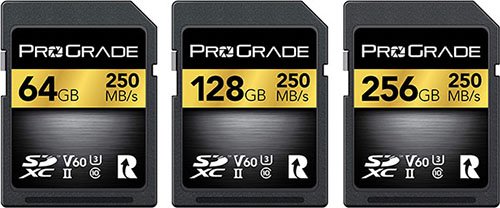
- Bus speed: UHS-II
- Video speed class: V60
- Capacities: 64GB, 128GB, 256GB (SDXC)
- Read speed: 250 MB/s
- Write speed: 130 MB/s
In-Camera Speed / Buffer Test Results
Here are our complete in-camera speed / buffer test results when using a 64GB card in Hi+ Drive Mode using the Electronic Shutter (40 FPS).
The actual R6 Mark II in-camera write speed is approximately 107 MB/s when shooting in RAW + JPEG L or 96 MB/s shooting in RAW only with the ProGrade V60 UHS-II card.
| Image Type | Shots Before Hitting Buffer (Max Burst) | Time to Clear Buffer (Seconds) |
|---|---|---|
| RAW (24.5MB) | 74 | 16.41 |
| CRAW (10.9MB) | 189 | 18.41 |
| JPEG L (8.3MB) | 212 | 13.93 |
| HEIF L (10.6MB) | 203 | 19.21 |
| RAW (24.5MB) + JPEG L (8.3MB) | 75 | 20.46 |
| CRAW (10.9MB) + JPEG L (8.3MB) | 180 | 28.46 |
| RAW (24.5MB) + HEIF L (10.6MB) | 64 | 29.16 |
| CRAW (10.9MB) + HEIF L (10.6MB) | 173 | 60.43 |
15. Lexar Professional 1667X UHS-II
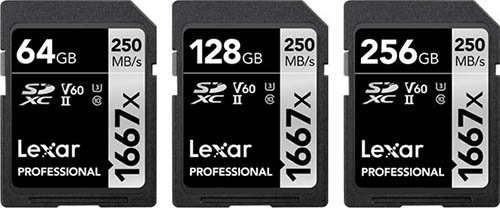
- Bus speed: UHS-II
- Video speed class: V60
- Capacities: 64GB, 128GB, 256GB (SDXC)
- Read speed: 250 MB/s
- Write speed: 120 MB/s
In-Camera Speed / Buffer Test Results
Here are our complete in-camera speed / buffer test results when using a 64GB card in Hi+ Drive Mode using the Electronic Shutter (40 FPS).
The actual R6 Mark II in-camera write speed is approximately 89 MB/s when shooting in RAW + JPEG L or 83 MB/s shooting in RAW only with the Lexar Professional 1667X UHS-II card.
| Image Type | Shots Before Hitting Buffer (Max Burst) | Time to Clear Buffer (Seconds) |
|---|---|---|
| RAW (24.5MB) | 75 | 19.56 |
| CRAW (10.9MB) | 180 | 21.08 |
| JPEG L (8.3MB) | 213 | 14.36 |
| HEIF L (10.6MB) | 204 | 19.75 |
| RAW (24.5MB) + JPEG L (8.3MB) | 75 | 23.91 |
| CRAW (10.9MB) + JPEG L (8.3MB) | 172 | 32.73 |
| RAW (24.5MB) + HEIF L (10.6MB) | 64 | 34.53 |
| CRAW (10.9MB) + HEIF L (10.6MB) | 172 | 69.10 |
16. Sony SF-E UHS-II
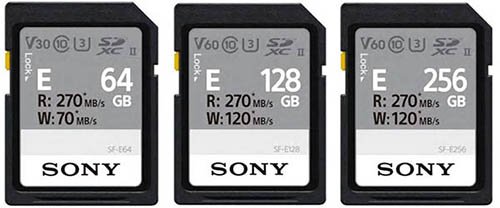
- Bus speed: UHS-II
- Video speed class: 64GB V30, 128GB and higher V60
- Capacities: 64GB, 128GB, 256GB (SDXC)
- Read speed: 270 MB/s
- Write speed: 64GB 70 MB/s, 128GB + 256GB 120 MB/s
In-Camera Speed / Buffer Test Results
Here are our complete in-camera speed / buffer test results when using a 64GB card in Hi+ Drive Mode using the Electronic Shutter (40 FPS).
The actual R6 Mark II in-camera write speed is approximately 70 MB/s when shooting in RAW + JPEG L or 66 MB/s shooting in RAW only with the Sony SF-E UHS-II card.
| Image Type | Shots Before Hitting Buffer (Max Burst) | Time to Clear Buffer (Seconds) |
|---|---|---|
| RAW (24.5MB) | 74 | 25.19 |
| CRAW (10.9MB) | 184 | 27.71 |
| JPEG L (8.3MB) | 217 | 18.46 |
| HEIF L (10.6MB) | 198 | 23.85 |
| RAW (24.5MB) + JPEG L (8.3MB) | 74 | 32.31 |
| CRAW (10.9MB) + JPEG L (8.3MB) | 176 | 42.98 |
| RAW (24.5MB) + HEIF L (10.6MB) | 65 | 43.65 |
| CRAW (10.9MB) + HEIF L (10.6MB) | 174 | 83.78 |
17. Angelbird AV Pro Mk 2 V90 UHS-II
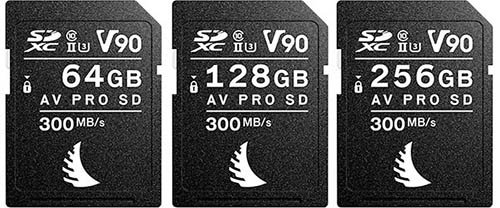
- Bus speed: UHS-II
- Video speed class: V90
- Capacities: 32GB (SDHC), 64GB, 128GB, 256GB (SDXC)
- Read speed: 300 MB/s
- Write speed: 280 MB/s
In-Camera Speed / Buffer Test Results
Here are our complete in-camera speed / buffer test results when using a 64GB card in Hi+ Drive Mode using the Electronic Shutter (40 FPS).
The actual R6 Mark II in-camera write speed is approximately 62 MB/s when shooting in RAW + JPEG L or 66 MB/s shooting in RAW only with the Angelbird AV Pro Mk 2 V90 UHS-II card.
The Angelbird AV Pro Mk 2 V90 UHS-II card underperforms badly in the R6 Mark II. It has also underperformed in all of the R Series cameras that we have tested it in. We have purchased two of these cards to rule out a bad card, with the most recent purchased in December 2022, but they both perform poorly.
| Image Type | Shots Before Hitting Buffer (Max Burst) | Time to Clear Buffer (Seconds) |
|---|---|---|
| RAW (24.5MB) | 76 | 25.73 |
| CRAW (10.9MB) | 182 | 31.98 |
| JPEG L (8.3MB) | 213 | 23.53 |
| HEIF L (10.6MB) | 196 | 35.45 |
| RAW (24.5MB) + JPEG L (8.3MB) | 75 | 37.10 |
| CRAW (10.9MB) + JPEG L (8.3MB) | 173 | 54.10 |
| RAW (24.5MB) + HEIF L (10.6MB) | 64 | 45.15 |
| CRAW (10.9MB) + HEIF L (10.6MB) | 172 | 96.51 |
UHS-I Memory Card Speed & Buffer Tests
If you are more of a single shot shooters than a burst shooter, then you could save some money by purchasing a slower UHS-I SD card instead of a UHS-II card.
However, you will miss out when copying images over to your computer, since these cards are around 3x slower than UHS-II cards when copying files.
Here are our R6 Mark II in-camera speed and buffer tests for 6 different UHS-I memory cards.
1. Delkin Devices Advantage UHS-I
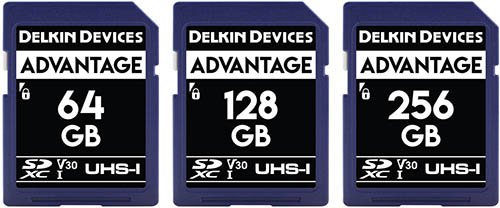
Delkin Devices Advantage UHS-I memory cards are designed and supported in the USA.
They are protected against water, shock, and x-rays, and also features built-in error correction and wear leveling.
Each memory card is supported by a Lifetime Warranty and Delkin’s American-based customer support team.
Bus speed: UHS-I
Video speed class: V30
Capacities: 32GB (SDHC), 64GB, 128GB, 256GB,512GB, 1TB (SDXC)
Read speed: 100 MB/s
Write speed: 80 MB/s
In-Camera Speed / Buffer Test Results
Here are our complete in-camera speed / buffer test results when using a 64GB card in Hi+ Drive Mode using the Electronic Shutter (40 FPS).
The actual R6 Mark II in-camera write speed is approximately 77 MB/s when shooting in RAW + JPEG L or 75 MB/s shooting in RAW only with the Delkin Devices Advantage UHS-I card.
| Image Type | Shots Before Hitting Buffer (Max Burst) | Time to Clear Buffer (Seconds) |
|---|---|---|
| RAW (24.5MB) | 76 | 22.28 |
| CRAW (10.9MB) | 177 | 21.85 |
| JPEG L (8.3MB) | 209 | 16.76 |
| HEIF L (10.6MB) | 192 | 21.15 |
| RAW (24.5MB) + JPEG L (8.3MB) | 75 | 29.55 |
| CRAW (10.9MB) + JPEG L (8.3MB) | 170 | 38.86 |
| RAW (24.5MB) + HEIF L (10.6MB) | 64 | 39.94 |
| CRAW (10.9MB) + HEIF L (10.6MB) | 168 | 81.35 |
2. Kingston Canvas Go! Plus UHS-I
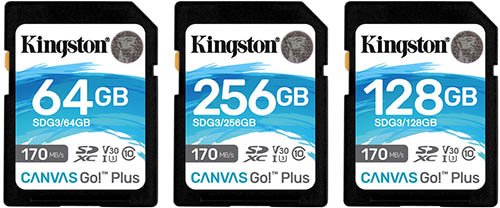
Bus speed: UHS-I
Video speed class: V30
Capacities: 32GB (SDHC), 64GB, 128GB, 256GB, 512GB (SDXC)
Read speed: 170 MB/s
Write speed: 90 MB/s
In-Camera Speed / Buffer Test Results
Here are our complete in-camera speed / buffer test results when using a 64GB card in Hi+ Drive Mode using the Electronic Shutter (40 FPS).
The actual R6 Mark II in-camera write speed is approximately 77 MB/s when shooting in RAW + JPEG L or 75 MB/s shooting in RAW only with the Kingston Canvas Go! Plus UHS-I card.
| Image Type | Shots Before Hitting Buffer (Max Burst) | Time to Clear Buffer (Seconds) |
|---|---|---|
| RAW (24.5MB) | 76 | 22.51 |
| CRAW (10.9MB) | 188 | 22.90 |
| JPEG L (8.3MB) | 213 | 17.00 |
| HEIF L (10.6MB) | 205 | 21.85 |
| RAW (24.5MB) + JPEG L (8.3MB) | 75 | 29.45 |
| CRAW (10.9MB) + JPEG L (8.3MB) | 171 | 37.60 |
| RAW (24.5MB) + HEIF L (10.6MB) | 64 | 40.46 |
| CRAW (10.9MB) + HEIF L (10.6MB) | 169 | 76.73 |
3. SanDisk Extreme Pro UHS-I
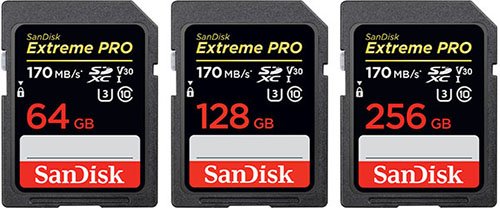
Bus speed: UHS-I
Video speed class: V30
Capacities: 32GB (SDHC), 64GB, 128GB, 256GB,512GB, 1TB (SDXC)
Read speed: 170 MB/s
Write speed: 90 MB/s
In-Camera Speed / Buffer Test Results
Here are our complete in-camera speed / buffer test results when using a 64GB card in Hi+ Drive Mode using the Electronic Shutter (40 FPS).
The actual R6 Mark II in-camera write speed is approximately 71 MB/s when shooting in RAW + JPEG L or 70 MB/s shooting in RAW only with the SanDisk Extreme Pro UHS-I card.
| Image Type | Shots Before Hitting Buffer (Max Burst) | Time to Clear Buffer (Seconds) |
|---|---|---|
| RAW (24.5MB) | 74 | 23.55 |
| CRAW (10.9MB) | 178 | 23.76 |
| JPEG L (8.3MB) | 210 | 20.71 |
| HEIF L (10.6MB) | 193 | 23.30 |
| RAW (24.5MB) + JPEG L (8.3MB) | 74 | 31.06 |
| CRAW (10.9MB) + JPEG L (8.3MB) | 170 | 42.06 |
| RAW (24.5MB) + HEIF L (10.6MB) | 64 | 41.78 |
| CRAW (10.9MB) + HEIF L (10.6MB) | 168 | 81.42 |
4. Transcend 500S UHS-I
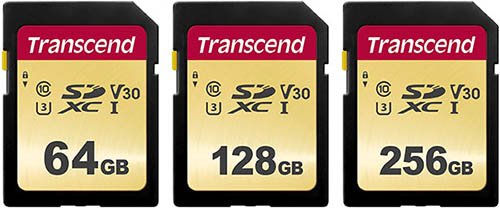
Bus speed: UHS-I
Video speed class: V30
Capacities: 8GB, 16GB, 32GB (SDHC), 64GB, 128GB (SDXC)
Read speed: 95 MB/s
Write speed: 60 MB/s
In-Camera Speed / Buffer Test Results
Here are our complete in-camera speed / buffer test results when using a 64GB card in Hi+ Drive Mode using the Electronic Shutter (40 FPS).
The actual R6 Mark II in-camera write speed is approximately 62 MB/s when shooting in RAW + JPEG L or 61 MB/s shooting in RAW only with the Transcend 500S UHS-I card.
| Image Type | Shots Before Hitting Buffer (Max Burst) | Time to Clear Buffer (Seconds) |
|---|---|---|
| RAW (24.5MB) | 75 | 27.76 |
| CRAW (10.9MB) | 179 | 27.86 |
| JPEG L (8.3MB) | 213 | 22.93 |
| HEIF L (10.6MB) | 195 | 27.48 |
| RAW (24.5MB) + JPEG L (8.3MB) | 74 | 36.73 |
| CRAW (10.9MB) + JPEG L (8.3MB) | 171 | 48.72 |
| RAW (24.5MB) + HEIF L (10.6MB) | 64 | 47.36 |
| CRAW (10.9MB) + HEIF L (10.6MB) | 168 | 93.63 |
5. Lexar Professional 1066x UHS-I
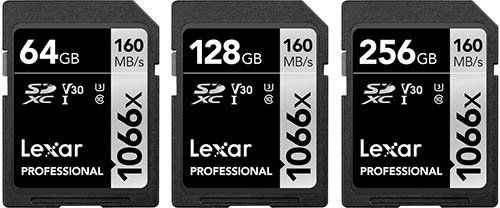
Bus speed: UHS-I
Video speed class: V30
Capacities: 32GB (SDHC), 64GB, 128GB, 256GB,512GB, 1TB (SDXC)
Read speed: 160 MB/s
Write speed: 120 MB/s
In-Camera Speed / Buffer Test Results
Here are our complete in-camera speed / buffer test results when using a 64GB card in Hi+ Drive Mode using the Electronic Shutter (40 FPS).
The actual R6 Mark II in-camera write speed is approximately 62 MB/s when shooting in RAW + JPEG L or 60 MB/s shooting in RAW only with the Lexar Professional 1066x UHS-I card.
| Image Type | Shots Before Hitting Buffer (Max Burst) | Time to Clear Buffer (Seconds) |
|---|---|---|
| RAW (24.5MB) | 75 | 28.36 |
| CRAW (10.9MB) | 186 | 28.48 |
| JPEG L (8.3MB) | 222 | 23.36 |
| HEIF L (10.6MB) | 203 | 27.81 |
| RAW (24.5MB) + JPEG L (8.3MB) | 75 | 37.48 |
| CRAW (10.9MB) + JPEG L (8.3MB) | 178 | 49.15 |
| RAW (24.5MB) + HEIF L (10.6MB) | 65 | 46.70 |
| CRAW (10.9MB) + HEIF L (10.6MB) | 174 | 91.59 |
6. SanDisk Extreme UHS-I
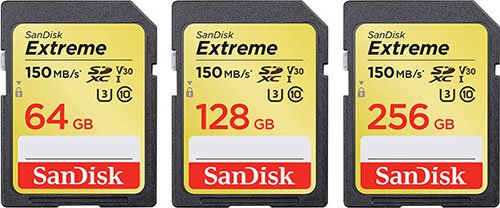
Bus speed: UHS-I
Video speed class: V30
Capacities: 64GB, 128GB, 256GB (SDXC)
Read speed: 150 MB/s
Write speed: 70 MB/s
In-Camera Speed / Buffer Test Results
Here are our complete in-camera speed / buffer test results when using a 64GB card in Hi+ Drive Mode using the Electronic Shutter (40 FPS).
The actual R6 Mark II in-camera write speed is approximately 59 MB/s when shooting in RAW + JPEG L or 58 MB/s shooting in RAW only with the SanDisk Extreme UHS-I card.
| Image Type | Shots Before Hitting Buffer (Max Burst) | Time to Clear Buffer (Seconds) |
|---|---|---|
| RAW (24.5MB) | 76 | 29.85 |
| CRAW (10.9MB) | 187 | 30.60 |
| JPEG L (8.3MB) | 219 | 25.55 |
| HEIF L (10.6MB) | 201 | 29.93 |
| RAW (24.5MB) + JPEG L (8.3MB) | 75 | 39.07 |
| CRAW (10.9MB) + JPEG L (8.3MB) | 178 | 52.45 |
| RAW (24.5MB) + HEIF L (10.6MB) | 65 | 48.70 |
| CRAW (10.9MB) + HEIF L (10.6MB) | 175 | 96.34 |
Mechanical Shutter 12 FPS Speed & Buffer Tests
We know that some of you will prefer to shoot with the mechanical shutter which is restricted to a maximum of 12 FPS on the R6 Mark II.
We have not tested every single memory card at 12 FPS like we have with our 40 FPS electronic shutter tests since this would drive us a little crazy and also add significant wear to the mechanical shutter.
However, we have tested the fastest card from our UHS-II SD card tests which was the Sony SF-G Tough memory card.
In-Camera Speed / Buffer Test Results
Here are our complete in-camera speed / buffer test results when using a 64GB Sony SF-G Touch memory card in Hi+ Drive Mode using the Mechanical Shutter (12 FPS).
| Image Type | Shots Before Hitting Buffer (Max Burst) | Time to Clear Buffer (Seconds) |
|---|---|---|
| RAW (24.5MB) | 516 | 8.18 |
| CRAW (10.9MB) | Over 1000 | < 2 seconds |
| JPEG L (8.3MB) | Over 1000 | < 2 seconds |
| HEIF L (10.6MB) | Over 1000 | < 2 seconds |
| RAW (24.5MB) + JPEG L (8.3MB) | 182 | 9.71 |
| CRAW (10.9MB) + JPEG L (8.3MB) | Over 1000 | < 2 seconds |
| RAW (24.5MB) + HEIF L (10.6MB) | 101 | 24.45 |
| CRAW (10.9MB) + HEIF L (10.6MB) | 241 | 43.85 |
Recording to Multiple Cards
If you select the record option in the menu “Rec. to Multiple” then the same image type will be written to the memory card in both slot 1 and slot 2.
We strongly recommend using the same cards if you record to multiple slots, because the write speed will always be limited by the slowest card.
Providing you are using identical cards then the write speed is the same as when recording to a single card.
Recording Separately
If you select the record option in the menu “Rec. Separately” then you can write a different file format to slot 1 and slot 2.
Note that recording RAW images to one slot and CRAW images to the other slot is not available for RAW images.
Again we’d strongly recommend using the same cards if you record to multiple slots, because the write speed will always be limited by the slowest card.
Memory Cards for Recording Video
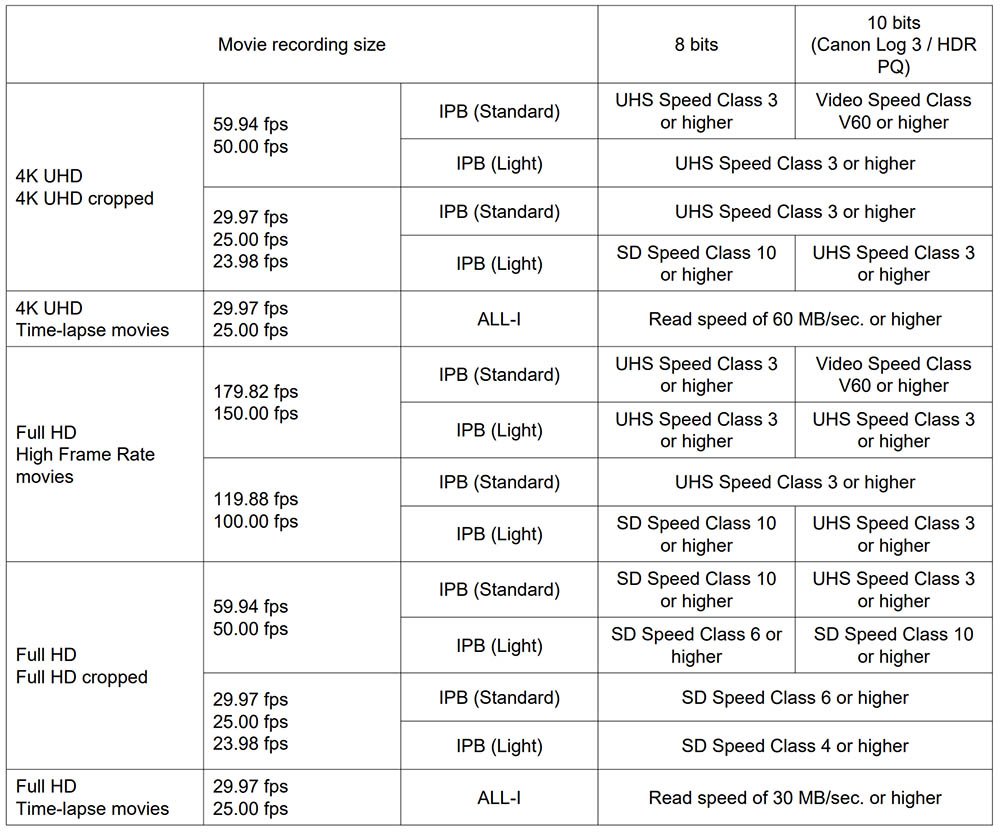
The most demanding video mode of the R6 Mark II is when shooting 4K Timelapse (29.97, 25fps) All-I Approx. 470Mbps. The is around 58.75 MB/s and just within the limits of a V60 rated UHS-II card.
We’d recommend a card like the Sony SF-M UHS-II card which is V60 rated (B&H Photo | Amazon).
Alternatively the Sony SF-E 128GB or 256GB UHS-II cards which are also V60 rated (B&H Photo | Amazon). Just not the 64GB version because this is only V30 rated.
You could also go with a faster V90 card if you prefer and future proof yourself for if you upgrade your camera in the future, we’d recommend the Kingston Canvas React Plus UHS-II (B&H Photo | Amazon).
Here is Canon’s list of memory card performance requirements depending on the video format you are recording in.
Movie Recording Times
The amount of time that you can record for will vary greatly based on the size of memory card that you are using and the video format that you are recording in.
Estimated Recording Times with Canon Log : OFF, HDR PQ : OFF
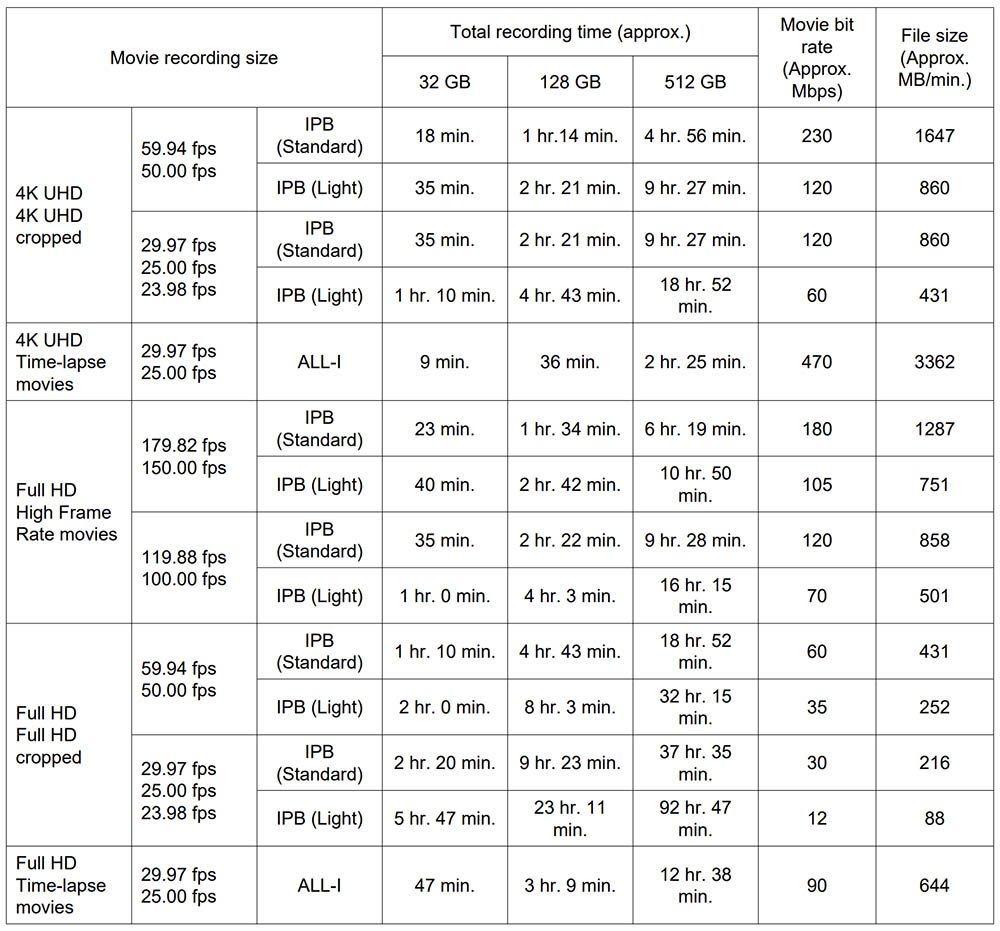
* Audio is recorded when [C.Fn4 Audio compression: Enable] (Audio: AAC) is set.
* Movie recording stops when the maximum recording time per movie is reached.
* No audio is recorded for approx. the last two frames with the compression method for movie recording
quality set to IPB (Standard) or IPB (Light) and the camera set to [C.Fn4 Audio compression: Enable].
Moreover, the video and sound may be slightly out of sync when movies are played back in Windows.
Estimated Recording Times with Canon Log : ON, HDR PQ : ON
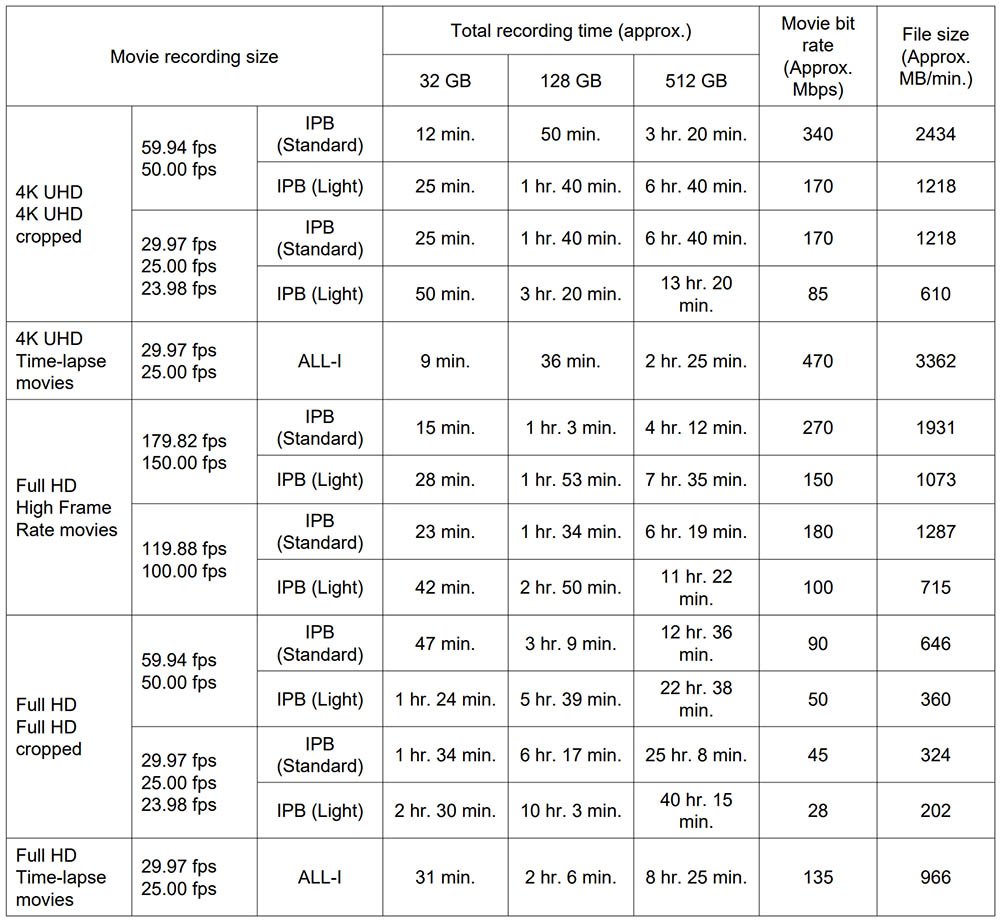
*Audio is recorded when [C.Fn4 Audio compression: Enable] (Audio: AAC) is set.
* Movie recording stops when the maximum recording time per movie is reached.
* No audio is recorded for approx. the last two frames with the compression method for movie recording
quality set to IPB (Standard) or IPB (Light) and the camera set to [C.Fn4 Audio compression: Enable].
Moreover, the video and sound may be slightly out of sync when movies are played back in Windows.
What Size Memory Card Do You Need?
This really depends on how and what you are shooting. You might find the table helpful which is based on a 32GB card.
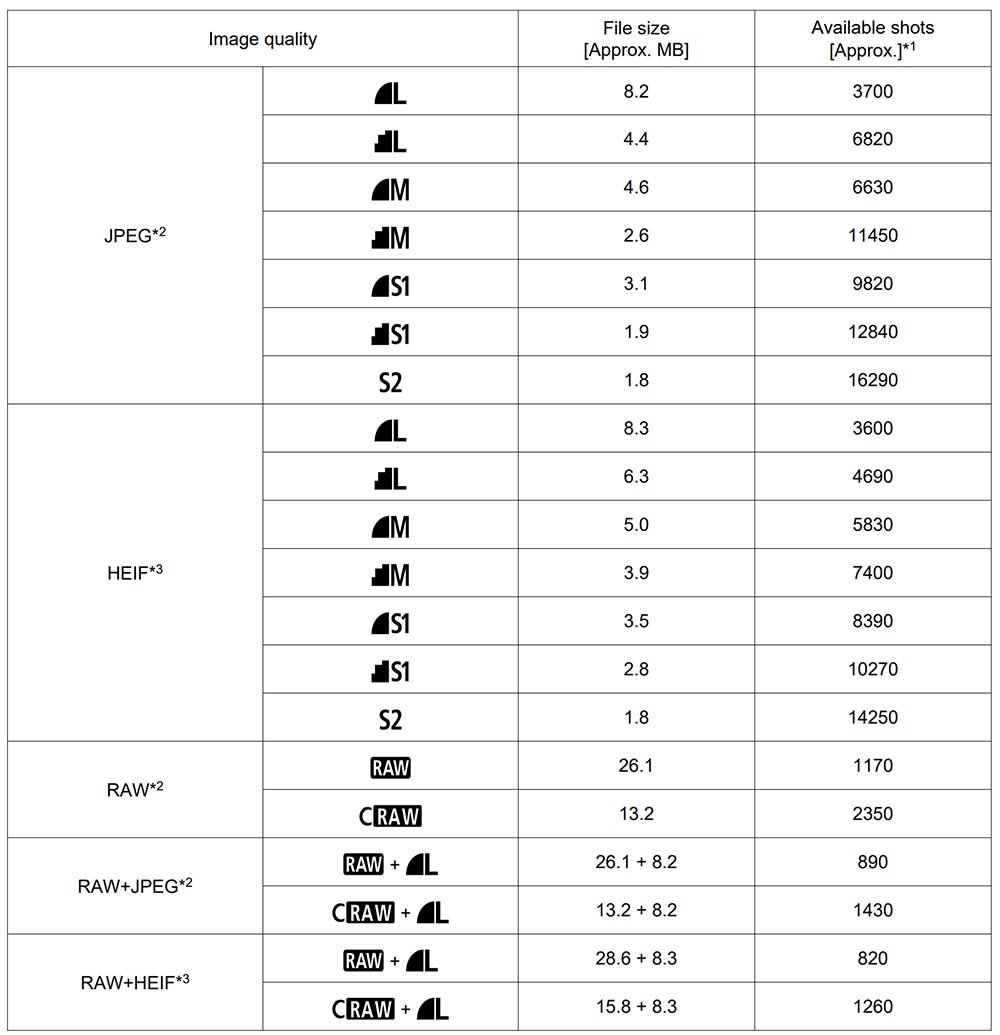
2: When set to [HDR shooting : Disable].
3: When set to [HDR shooting : Enable].
* File sizes are determined based on Canon testing standards.
* File size varies by shooting conditions (such as cropping/aspect ratio, subject, ISO speed, Picture Style,
and Custom Functions).
Stills Shooters
If you shoot a lot of sports or birds in flight in burst mode then you will fill a 64GB card very quickly, especially if you are shooting in RAW. We’d recommend at-least a 128GB card or larger. If you don’t shoot a lot of bursts then 64GB or even 32GB might be large enough.
Video Shooters
For video shooters please refer to the movie recording times in the section above.
It’s best to avoid 32GB and smaller SDHC cards because they use the FAT 32 file system and video files will be broken up into 4GB chunks which makes for a lot more work in post.
So stick with the larger SDXC cards which are 64GB and larger.
Memory Card Readers
If your computer does not include a UHS-II card reader built in then you will require a UHS-II Reader/Writer to take advantage of the faster speeds that UHS-II cards offer.
Sony MRW-S1 UHS-II SD Memory Card Reader
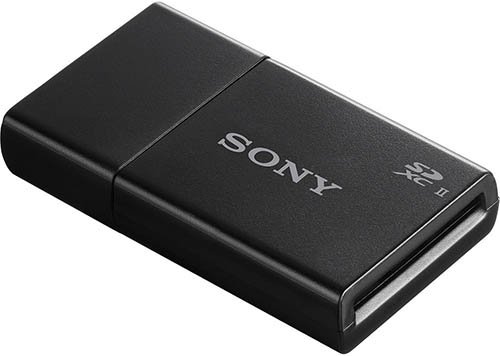
The MRW-S1 card reader supports the USB 3.1 Gen 1 (5 Gb/s) bus to get the most from the high-performance UHS-II memory cards. It supports both Mac and Windows and is also backwards compatible with UHS-I memory cards.
Kingston Mobilelite Plus SD Card Reader
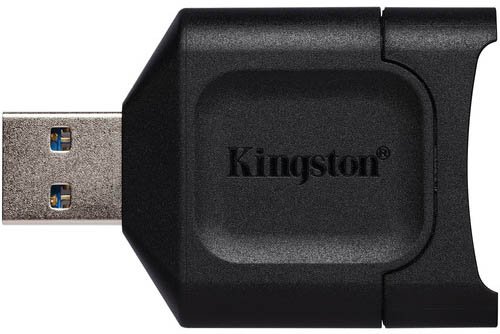
The Kingston Mobilelite Plus SD Card Reader supports the USB 3.2 Gen 1 (5 Gb/s) and delivers speeds up to 10x faster than USB 2.0. Both Windows and Mac are supported and it’s also backwards compatible with UHS-I SD cards.
Apple USB Type-C to SD Card Reader
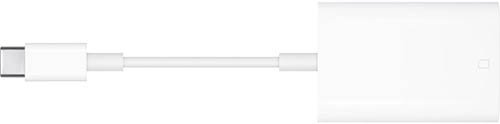
The Apple USB Type-C to SD Card Reader supports USB 3.1 / 3.2 Gen 1 (5 Gb/s) and is compatible with a variety of notebooks and third-generation iPad Pros. It’s also backwards compatible with UHS-I SD cards.
Memory Card Storage
If want to keep your Canon R6 images and videos safe, then you might want to make a small investment by purchasing a memory card case.
Ruggard Leda Memory Card Case
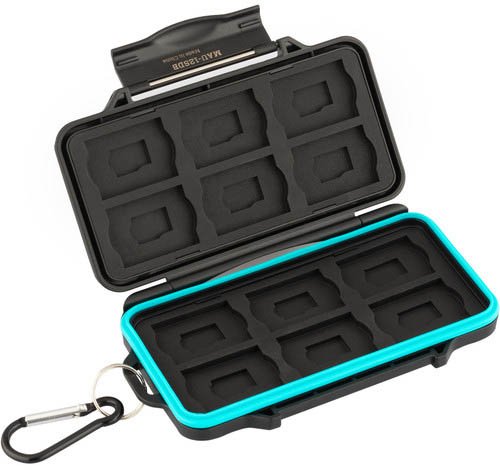
This case holds 12 SD (UHS-I & UHS-II) & 12 microSD cards. It features a molded-rubber lining, a polycarbonate exterior shell, and a snap closure. It also includes a carabiner.
The protective molded-rubber lining make sure each card is secure in the case and isn’t going to bounce around.
The snap closure provides a weatherproof seal to help protect your valuable images.
Summary
Although the Sony SF-G Tough UHS-II card came out on top in our in-camera speed tests, it’s only fractionally quicker than the Hoodman Steel 2000X UHS-II card.
In-fact, the top 11 cards from our tests are so close in terms of performance you are unlikely to notice a difference when shooting in the field.
Due to its performance in-camera and price per GB, our recommended memory card for those of you who shoot a lot of continuous bursts with the R6 Mark II is the Kingston Canvas React Plus UHS-II (B&H Photo | Amazon).
If you shoot more video than stills then we’d recommend a card like the Sony SF-M UHS-II card which is V60 rated (B&H Photo | Amazon).
Alternatively the Sony SF-E 128GB or 256GB UHS-II cards which are also V60 rated (B&H Photo | Amazon). Just not the 64GB version because this is only V30 rated.
We would strongly recommend avoiding the Angelbird AV Pro Mk 2 V90 UHS-II card since this card performed very poorly in our tests and has also performed poorly in all of the R Series cameras that we have tested it in.
Canon R6 Mark II Guides & Resources

FAQs
SDHC cards use the FAT32 file system and can store up to 32 GB of data, while SDXC cards use the exFAT file system and can store up to 2 terabytes (2000 GB).
Two. Each slot supports UHS-II and UHS-I Memory Cards.
SD/SDHC/SDXC UHS-I and UHS-II memory cards.

Não consigo gravar vídeos em câmera lenta a 179 FPS com minha R6 Mk ii. Estou usando um Lexar V90 32GB
I am unable to shoot at 179 FPS slow mo video with my R6 Mk ii, do I need a specific memory card in order to do this?
Estou com o mesmo problema, conseguiu descobrir o porque? Estou usando um v90 lexar 32 gb
Why do you recomend 300mbps cards if you mention the most this camera needs is 178?
We recommend the cards that perform fastest in-camera. The Sony SF-G Tough card for example has a claimed write speed of 299 MB/s on the label but in camera when shooting with our settings and file sizes we only achieved 178 MB/s. This seems to be restricted by the R6 Mark II as we achieved 225 MB/s from the same card in the R6 Mark I. Sure, you could use a slower card like the Sony SF-M UHS-II card which is rated at 150 MB/s on the label, but in-camera it’s only actually writing at around 116 MB/s and takes 5 seconds longer to clear a full buffer of RAW files compared to the Sony SF-G card. I hope that makes sense 🙂